Post-frame job management
The Job Is Done When the Final Draw Clears, Not at Siding
Leads2Build is construction management software for post-frame, pole barn and metal building companies. Each job carries its schedule, crew, change orders and draws on one record, from the day it starts to the day the final payment is collected.
What construction management software has to do on a post-frame job
Construction management software gets judged on scheduling, field updates, change orders and the handoff to accounting. On a post-frame job those tests have specific answers.
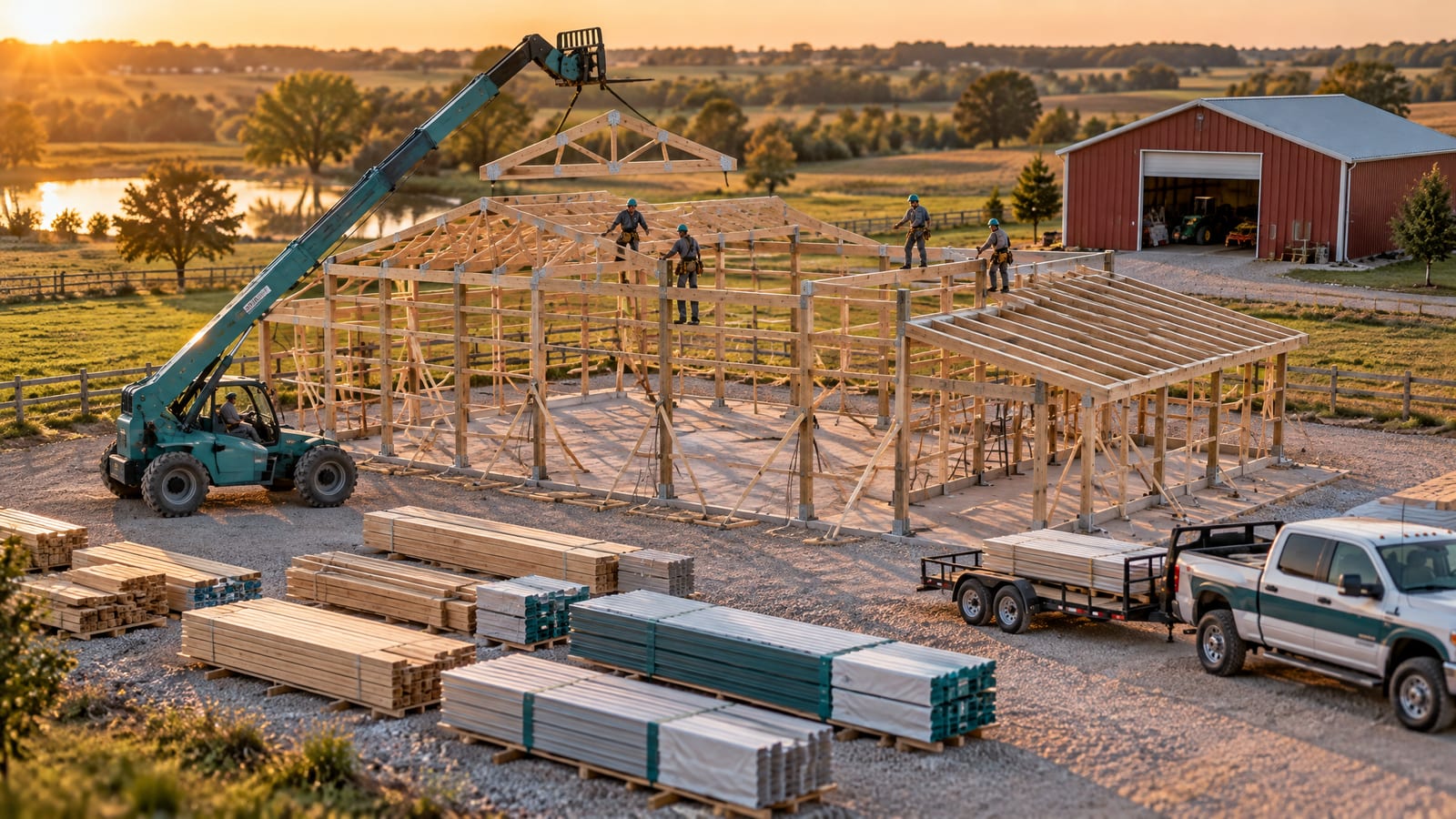
A post-frame or metal building company builds the same handful of buildings (shops, equipment sheds, horse barns, arenas, barndominiums) through a sequence that changes little from job to job: permit, dirt work, material delivery, post set, trusses, girts and purlins, steel, doors and trim. The slab is the stage that moves: some crews pour first, many pour inside the finished shell. The draws follow that sequence, so the stages should be named and ordered the way you build. In Leads2Build each building type has its own editable stage list.
So the job is not done when the last sheet of steel goes on. In Leads2Build, Final Payment is a stage with its own checkpoints: punch list walkthrough, final inspection passed, certificate of completion, final payment collected. The project board moves a job to Complete only when the final invoice is paid.
Where jobs slip between the contract and the final draw
The sale is rarely where a post-frame job goes wrong. These are the places it tends to.
Two crews, one site, Thursday morning
The whiteboard was right on Monday. The double booking shows up with both trucks rolling.
The truss package beat the permit
Delivery got booked before the inspection did, and the trusses sit in the customer's yard waiting on the county.
The bigger overhead door never got billed
The customer asked for a 12x14 instead of a 10x10 on site. Your crew lead said yes. Nobody wrote it down, so nobody billed it.
Draw two went out from memory
The office rebuilt it from the contract PDF, typed it into QuickBooks, and missed the change order that moved it.
The customer calls every Friday
Nobody told him the slab was poured. He isn't being difficult. He has nowhere else to look.
The margin shows up after the job is over
By the time you see the job ran long, the crew and the yard are already paid.
Every build on one board, down to the checkpoint
The Build Schedule with four live jobs across three crews: an equipment shed, a horse barn, a shop and a barndominium. The horse barn is opened into its stages: Permitting and Dirt Work done, Concrete in progress, Material Delivery and Post Set to come.
Each stage shows its ticked checkpoints, so a bar shows how far along the work is, not just how long it was planned to run. Weekends are shaded, so a stage parked on a day nobody works looks wrong. The shop's permit is flagged delayed.
One job, from Start Project to Final Payment Collected
How a 40x60 shop with a 12' lean-to moves through Leads2Build once the contract is signed.
Start the job from the signed contract
Start Project will not run without a fully signed contract and a crew. Pick the start date, crew and building type, and that type's stage template is copied onto the job. The customer is told the build is underway.
Hand the crew one link
The crew lead gets a texted link to today's job. Blocked takes a reason, such as no materials, weather or inspection, and flags the stage delayed. The site forecast, gusts included, sits above the clock-in button.
Let the work close the stages
The last checkpoint closes the stage and sends the customer one progress update. The project board moves on real events, from materials invoice paid to final invoice paid.
Price the change before you build it
The customer wants the 12' lean-to closed in. A change order carries its reason, the days it adds, its lines, markup and tax. The customer signs on a phone; you bill it alone, on its own plan, or folded into the remaining draws.
Bill the draw you agreed to
The approved payment schedule becomes one draft invoice per draw, marked like Payment 2 of 3. Paid draws are skipped, duplicates are refused, and invoices sync to QuickBooks.
See the margin while the job is open
Approved hours, receipts and supplier orders sit against the estimate the customer agreed to, and the crew payout is worked out from logged hours.
The crew lead's whole day on one screen
What a crew lead sees when he opens his texted link: the job (a 40x60 shop, in Framing), the clock at 3h 12m, and three large buttons: Clock Out, Add Photo, Blocked. Below are the framing checkpoints the office sees: posts set and braced, trusses set, purlins and girts, roof steel. Wainscot is struck through as not needed on this job, so it cannot hold the stage open.
At the bottom is his week: 32 hours, 24 approved and 8 waiting. No app to install and no password.
Draws come off the schedule the customer approved
Open a new invoice and the estimate the job came from is already attached, locked to that project. The payment schedule the customer approved (here Down 30%, Delivery 40%, Frame Complete 20%, Final 10% on an $88,450 job) becomes four draft invoices with one press, each carrying its stage amount.
Each goes out when it is earned. Or pull materials, labor, markup or the customer total onto one invoice by hand.
The parts that run the jobs
Build Schedule
Every live job as one bar that opens into its stages, from a day's view to a year's.
See how it worksStage checkpoints
The actual work inside each stage. A checkpoint can require a photo, and every tick records who and when.
See how it worksCrew field portal
One texted link per crew: clock, checklist, photos and Blocked. Subcontractors get their own link.
See how it worksPayment schedule and draws
Deposit, draws and final agreed on the estimate, carried into the contract, billed from the same numbers.
See how it worksQuickBooks Online
Invoices land in your books, a countersigned contract creates the job there, and payments recorded there mark paid here.
See how it worksJob profit, estimate against actual
Labour priced the way each crew is actually paid, plus receipts and material orders, against the quote.
See how it worksLive project dashboard
The link the customer approved on becomes their project page: their building in 3D, what's done, what's paid.
See how it worksHow to choose, and where the well-known names fit
Six questions to ask any tool, including ours
- Are the stages named the way you build? Post Set and Trusses Up, not Phase 3.
- What closes a stage? If somebody has to remember to drag it, the board is stale by Wednesday.
- Will the crew use it? Ask to see the crew lead's screen, and whether it needs a password.
- Do draws come from the agreed schedule? A change order should adjust what is left to bill, not a sent invoice.
- Does it know what the job was priced at? Hours and receipts mean little without the approved estimate beside them.
- Where does the customer look? If the answer is "he calls you", the job isn't fully managed.
Where the well-known platforms fit (as of September 2026)
- Procore describes itself as end-to-end construction management from preconstruction to closeout for general contractors, owners and subcontractors. Texas A&M's 2026 roundup places it with enterprise-level, all-in-one project management.
- Buildertrend is placed by that roundup with builders and contractors in residential construction, and Fieldwire's roundup credits its client communication tools and easy scheduling and budgeting.
- Contractor Foreman is built for small and medium residential and commercial contractors, starts at $49 a month and connects to QuickBooks.
- Fieldwire centres on jobsite task management and drawings, with a free Basic plan for up to 5 users and 3 projects.
Each is a sound choice for the company it was built for. Leads2Build was built for post-frame, pole barn, barndominium and metal building builders. The same record runs through the construction CRM and estimating side, job profit has its own page under job costing software, and a mobile app is in beta testing. For shortlists, see Buildertrend alternatives.
Bring a real job
and watch it run
Construction management software for post-frame and metal building companies: schedule, crews, change orders and draws on one job, from start to paid.


 Leads2BuildBUILDER OPERATING SYSTEM
 Leads2BuildBUILDER OPERATING SYSTEM
Questions builders ask
Which construction management tools are the most popular?
Procore, Buildertrend, Autodesk Construction Cloud, Contractor Foreman and Fieldwire come up again and again in 2026 roundups. Popular is not the same as right for you: Procore is usually placed with larger, complex projects, and Buildertrend with residential construction. A post-frame company should choose by whether the tool runs its stages, crews and draws.
What is the best free construction management software?
Free plans exist, mostly for field task tracking. As of September 2026, Fieldwire's Basic plan is free for up to 5 users, 3 projects and 100 sheets. For a building company the free part is rarely the expensive part. The cost is re-keying the schedule, photos, change orders and invoices between separate tools and QuickBooks.
What is the simplest job management software for a small builder?
The one your crew actually uses without training. In Leads2Build the crew gets a texted link with no app and no password: clock in, tick the checkpoints, add photos, tap Blocked. The office runs every job from one board, and each job opens onto one screen with its stages, crew, money and documents.
Can I bring in jobs that are already underway?
Yes. Add a job that's already going asks only what is true now: customer, building type, crew, the last finished stage, the contract value and what you have already collected. Tick the last finished stage and everything before it ticks too. The job lands on the board like any other, with no faked records.
How is managing the build different from a construction CRM?
A CRM runs the sale: leads, follow-ups, quotes and the signed contract. Managing the build is everything after: schedule, crews, change orders, draws and the final payment. In Leads2Build the pipeline card becomes the estimate, the contract and then the project, so the job starts from what was sold, not a retyped copy.
30 minutes with Keith · exclusively post-frame & barndominium
Bring one real job.
We’ll walk it lead to paid.
Keith Lemay, the founder, takes this call himself. You show how a job moves through your business today — the call, the quote, the contract, the build, the money. He shows you the same job in Leads2Build. We work exclusively with post-frame and barndominium builders, so none of it is generic.
- Pick a time — it goes straight onto Keith’s calendar.
- The confirmation comes by email, with a link to move it if you need to.
- Bring a job you’ve quoted lately. That’s the one worth walking through.
Keith's next open times
The confirmation comes by email.