
One web address per customer. It shows whichever stage they are actually at — the quote, the details form, the agreement, or the live build — so there is never a second link to send. There is no password. The link you emailed is the key, and every screen wears your brand, not ours. It isn't read-only either: depending on the job, the customer picks colours, adds an optional extra or chooses their selections on it, and every choice lands on the job — and once the build starts they can message your team from it. Built exclusively for post-frame and barndominium builders, so the stages on the page are the ones your jobs actually go through.
Also called: customer portal · client login · estimate link · project portal · customer dashboard link
One link, sent once, from quote to keys
The customer gets a single address the day you send the estimate, and it is still the right address when they are watching the roof go on. The same link shows whichever stage they are at — quote, details, agreement, live build — so there is no second link to send and no wrong one for them to open. Everything they read once it opens, the trust strip, the specification, the price and its working, is laid out on the quote your customer reads.
Four months into the build the customer is still quoting numbers off the springtime PDF, because that is the one attachment she can actually find in her inbox.
A customer four months into a build shouldn't have to dig through her inbox to find her own project. The address is settled the day the estimate exists and every later stage inherits it, so a bookmark from week one still lands somewhere useful in month four — and she never quotes you the springtime PDF.
No password, because the link is the key
Try itNobody makes an account to read a quote you emailed them, and that step is where a buyer gives up. When a sign-in shows at all it asks for name, email and phone — not to keep anyone out, but so you learn who actually opened it, including the spouse or the lender it got forwarded to. A customer who wants privacy can set their own password from that same card.
A buyer who was ready to read your price is asked to create an account first, and you find out three weeks later that he never got past it.
A buyer ready to read your price shouldn't be asked to make an account first. Asking who they are behind the door instead of in front of it costs nobody entry, the session lasts thirty days on that one link, and a lock stays the customer's own choice.
You never sign in to your own document
You wrote the quote. Open your customer's link and you are let straight through, password or not. That preview leaves no row in the viewer list, adds no view, and fires no opened alert — so a first-open ping always means a real customer looked.
To read your own quote the way the customer will, you type your customer's name and email into a document you wrote — and the rep gets a hot-buyer alert about himself.
A rep who gets a hot-buyer alert should be able to trust it. Your own staff walk straight through without leaving a trace, so a first-open ping always means a real customer looked — and checking your work never widens who else can open it.
One job can have several links, and the right one wins
Try itRe-sends and relinks leave more than one row behind. They are ranked before anything is shown — an approval beats an open, an open beats recency — and the one carrying the customer's actual journey, contract and details form included, is the one the status pill and the buttons read.
The board reads not viewed, not approved on a quote the customer approved a fortnight ago, and the rep rings to chase a decision that has already been made.
Nothing embarrasses a rep like chasing a decision the customer already made. Links are ranked on what actually happened — approval, then opens, then recency — which costs a second of checking on load instead of a wrong button.
The quote can expire, a live job cannot
Try itEvery send carries an expiry date — your account's default, 72 hours unless you set your own, say 30 days — and the rep can move it for one quote. An expired estimate says so rather than showing a stale price. An approved link never expires — the moment the job is live that address is good for the length of the build.
The customer opens her project page in month seven and gets told the link has expired, on a building you are still framing.
A two-year-old price shouldn't be a standing offer, and a customer mid-build shouldn't be locked out of her own job. The expiry protects your lumber price on the quote, and it switches off at approval because from then on that link is the only way she can reach her build.
The customer can see what is still ahead
A thin rail across the top of every customer page names the four stages — Estimate, Your Details, Agreement, Live Project — and which one they are on; on a phone it names the one they're on and shows the rest as a tick or a number. It does not click. Nobody skips ahead. It is there because a customer who has just approved a price otherwise assumes the job is booked, then rings a week later asking why nothing has happened.
The customer approves the price on Tuesday and phones on Friday asking why nobody has broken ground.
A customer who can see what comes next doesn't ring to ask. The rail names the four stages above every screen and reads rather than navigates — so the order of the job stays yours to set, and the Friday 'why hasn't anything happened?' call never comes.
One bookmarked address covers the whole wait
Try itBetween approving and signing, the same address carries the details form the contract needs and then the agreement they sign. The customer types no new URL and bookmarks nothing twice.
Builders who hand out a fresh link at every stage spend the following months forwarding old emails to customers who cannot find the right one.
Every extra link is a chance for the customer to open the wrong one. The details form and the agreement live under the same address, so the bookmark keeps working while the step underneath it changes.
The link always shows the version you made live
On an estimate synced from SmartBuild, the address shows the version you made live — a newer SmartBuild revision doesn't replace it until you choose to make it live, and every version is kept, not overwritten. Changes you make on the estimate itself follow into her copy until she approves — wording and notes on their own, while anything that would move a price she was sent waits for you: the estimate shows both totals, and nothing changes on her side until you press Update the customer's quote.
A fresh SmartBuild sync lands mid-morning with half the shop package repriced, and the customer reading on her phone is suddenly looking at numbers nobody has checked.
The number a customer quotes back to you should be one you can look up. A new revision waits until you say it's ready, so she's never reading an unchecked sync — and the version list shows exactly which figure she saw.
Fix a number and it reaches the tab they have open
Try itThe quote re-reads itself every ten seconds. Correct a service and confirm the new price with Update the customer's quote, or make a corrected version live, and the tab they left open picks it up — no resend, nobody asked to refresh. The mechanics of that refresh are in how the customer's page keeps itself current.
You spot the wrong deposit figure an hour after sending, and now two versions of that quote exist and the customer is reading the wrong one.
Nobody wants to send the please-disregard-my-last-email that makes a buyer doubt the price. The page keeps asking instead of waiting to be told, so a tab left open over a weekend never shows yesterday's number.
Every block on all four screens is a switch on your side
Try itLabour costs hidden here, the 3D viewer shown there, a service line left off the customer's copy, a line of the building description switched off — set once for the company and overridden on a single estimate, on all four screens the link opens, changeable days after it went out. The full set of them is on what the customer sees.
You hide your labour breakdown on the quote, and the same numbers walk back onto the dashboard three months later where nobody thought to look.
Every customer is owed a different amount of detail. One map of switches covers all four stages, so a toggle on the agreement behaves like one on the quote — and an untouched row keeps following the house setting instead of freezing on send day.
What they choose on the page lands on the job
The link isn't a brochure. Before approval, on a SmartBuild-priced quote, the customer picks their window, door and garage door colours and can add an optional extra — the approach, the insulation upgrade — with its price in front of them. Once the build is running they choose their selections against each allowance on the same page — grouped by where each one goes in the home — and type their name to confirm. Every choice saves to the job, shows up on your side, and moves the total they read — the extras straight away, a selection once you approve it, as a change order.
The customer picks an upgrade on the phone, nobody writes it down, and the argument about what was agreed happens on the final invoice.
Customers love choosing their own building — and a choice they made themselves is one they don't dispute. Putting the decisions on the page they already have means the upgrade is priced, recorded and billed without a single phone call.
Nothing reaches the customer until you release it
After the agreement is signed the customer sits on a branded we-are-planning-your-build screen until you press Start Project. Not a dashboard full of stages that may not apply to their job. Their details land with you first, and the screen says so.
The ink is dry Monday and by Wednesday the customer is ringing to ask why nothing has happened on her job.
A customer reads a milestone on her screen as a promise. Holding the dashboard until you press Start Project lets you finish permits, ordering and the crew date first, and the hold sits at the same address so releasing it costs her nothing.
The wait screen answers what they would otherwise phone in
The hold names the customer and their project, says the crew, schedule and milestones are being finalised, and lists what the dashboard will carry when it opens: stage progress, jobsite photos, milestones, documents and messaging. A green pulse tells them the page updates on its own.
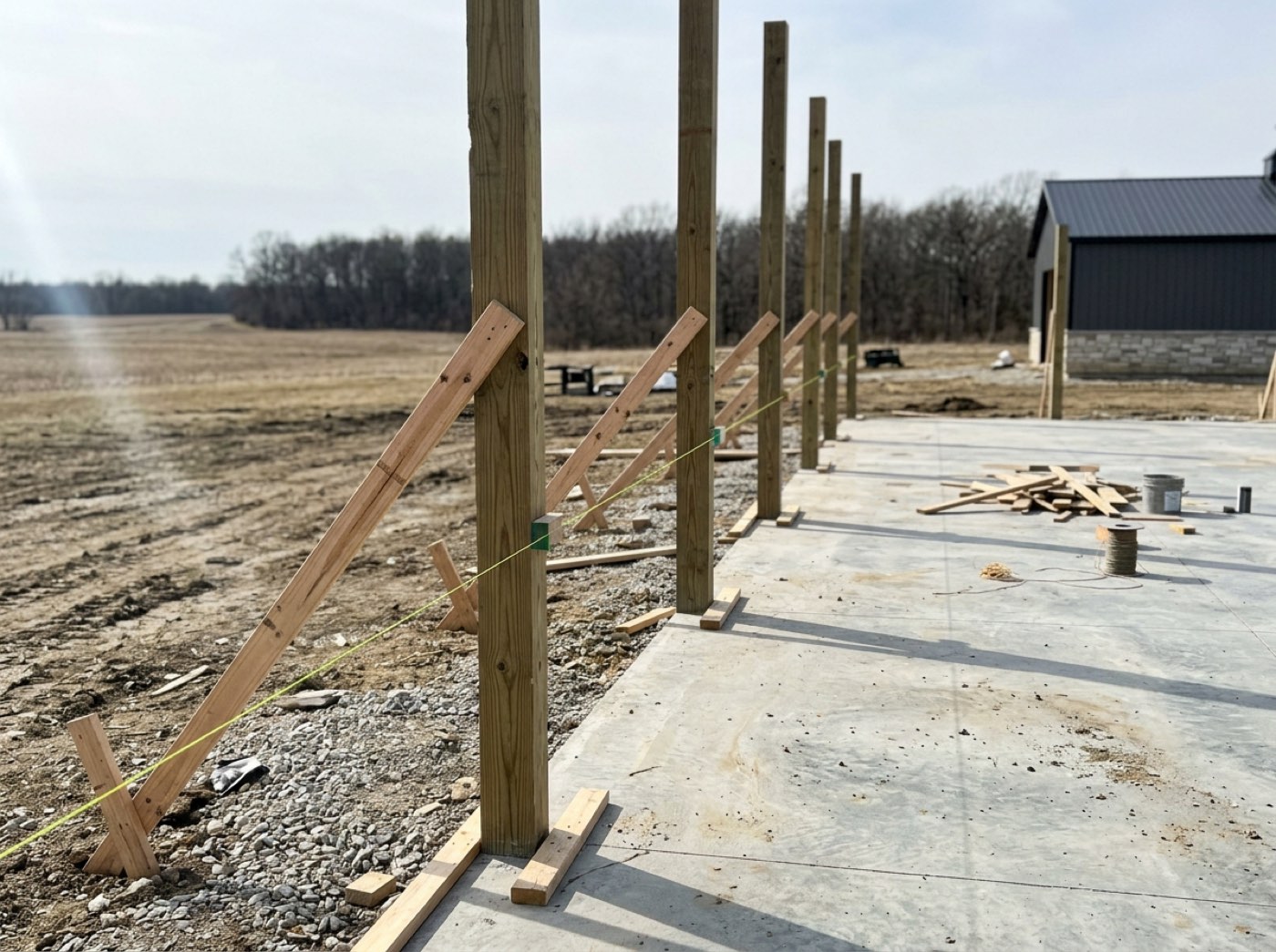
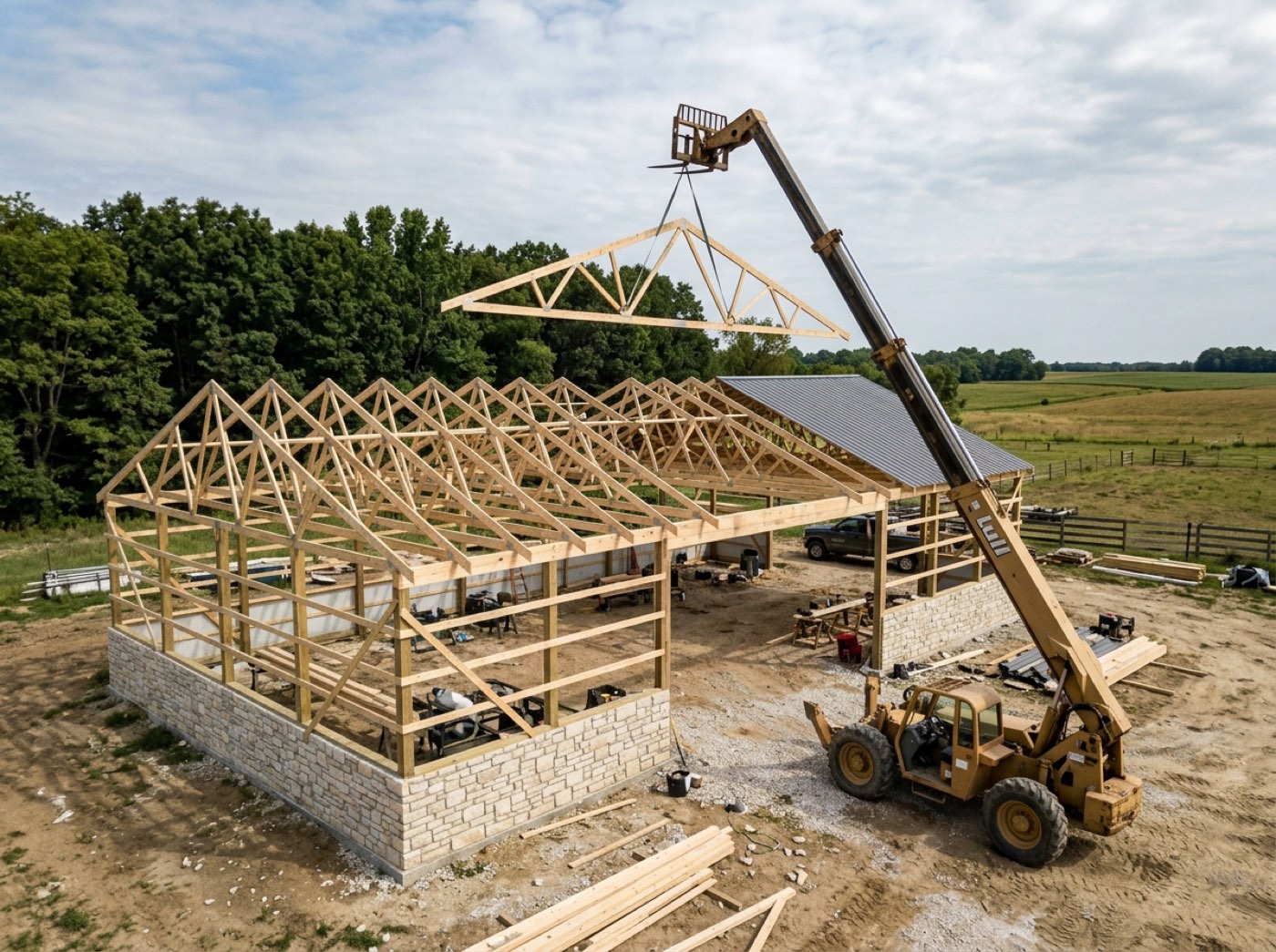
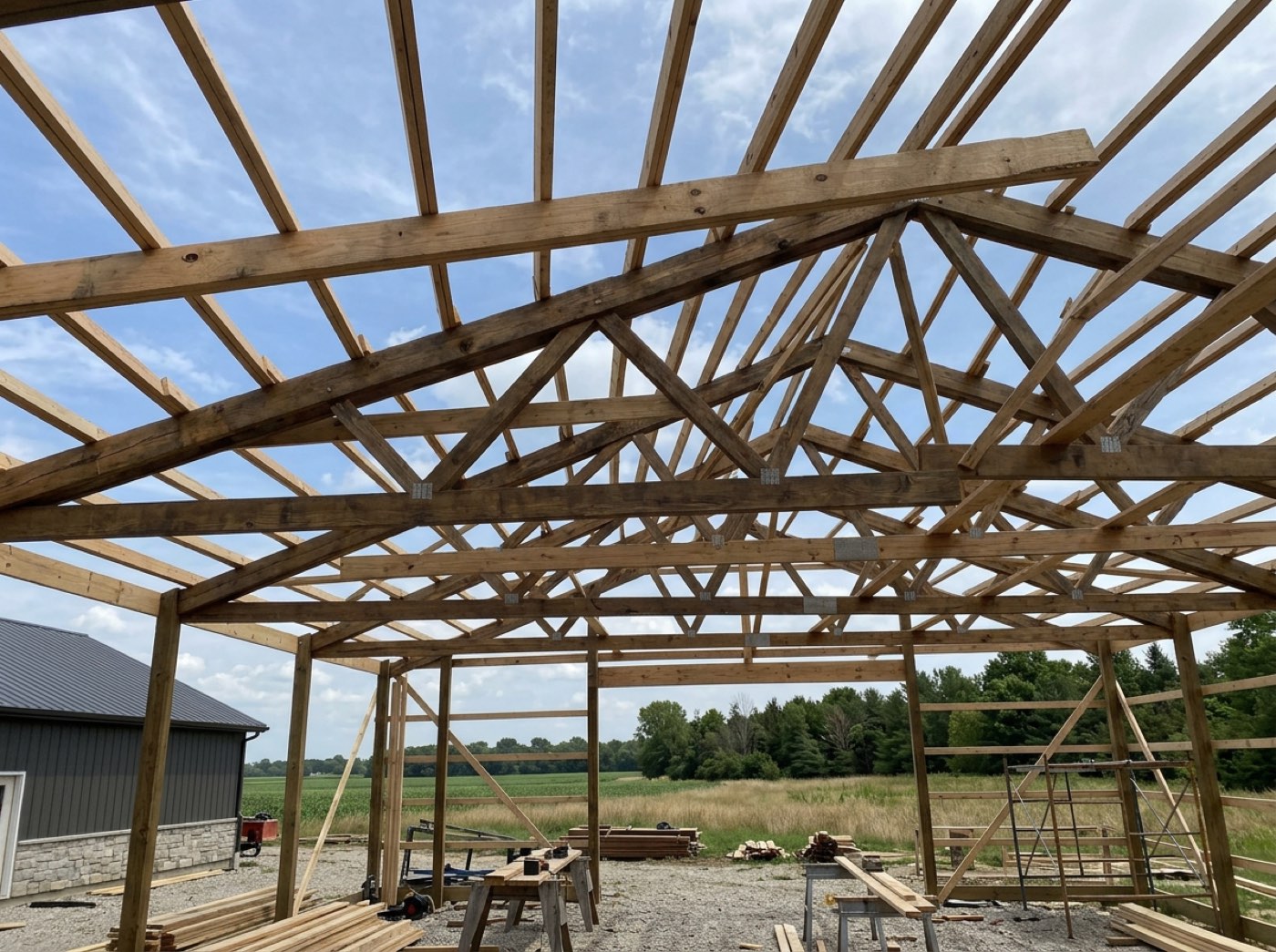
A customer who has just signed for a six-figure building lands on a blank screen and reads it as a broken one.
A customer who just signed for a six-figure building needs to know it's in hand. Naming what's coming is cheaper than five phone calls, and it sets her expectations before the dashboard exists — so nothing on day one is a surprise.
The customer sees a live build only when you say it is one
Try itSigning used to drop a customer straight onto a dashboard listing stages her build does not have — concrete on a job with no concrete — and a progress bar going nowhere while the start date slipped. Now nothing appears until you press Start Project, and pressing it reuses the link she already holds instead of minting a second one.
The customer opens her dashboard and finds a portal with no history, no approval and no contract, which bounces her back to the details form she filled in three weeks ago.
A dashboard listing concrete on a job with no concrete makes the builder look careless. Nothing appears until you start the project, and starting reuses the link she already holds — because a second link once became a second, auto-approved estimate nobody wrote.
A build that is already running opens the gate on its own
Try itThe gate reads two signals: your Start Project press, or a real project already tied to that quote — a build you took on mid-flight, a repair, a job that predates the stamp.
Phases are running and photos are going up, and the customer is still on a your-build-kicks-off-soon screen — underway everywhere except the page she is looking at.
A customer whose build is underway should see it underway. A real project tied to the quote is a started project, so either signal opens the gate — no matter which path joined them.
The quote link turns into their project dashboard
The page they bookmarked months ago stops being an estimate and becomes a live view of their build. Nothing is resent. Nothing is re-bookmarked. The customer who checked her price in the spring is checking framing milestones in the summer, at the same address.
The customer who signed in March emails in June asking where she can watch progress, and you go hunting through your own sent folder for something to send her.
The customer who checked her price in spring should check her framing in summer without asking you for a link. Turning the page over is one press on your side and nothing on hers, and what appears is the phase list this job actually has.
They message your team from the same link
Try itOnce the build starts, the page has Message your team — a real conversation with the people building their job, not a contact form that lands in an inbox. It folds like their Invoices card, and while it's folded the header counts your replies they haven't read: 1 new · A reply from your team — open to read. Opening it reads them. Your side answers from the job's chat or the project window, and replies reach their page live.
The homeowner texts the owner's personal cell, the answer lives in one phone, and nobody else on the job ever sees the question.
The homeowner always knows where to ask — and can see when you've answered. Questions stop going to the owner's cell at night, and the answer sits on the job where the whole team can see it.
A photo or a screenshot goes with the question
Try itMost questions about a building are questions about a picture. The homeowner can attach photos and PDFs — up to four at a time, 15 MB each — or simply paste a screenshot into the box and it attaches like a picked file. Your team's photos and documents come back the same way: thumbnails that open full size, PDFs as named links.
Describing a garage door or a crack in a slab by text message is how the wrong thing gets ordered.
'Is it this one?' gets answered with the picture in front of everyone — so the right door gets ordered and nobody describes a colour over the phone.
Project updates — dated, from the job site
Project updates shows what happened on the build, newest first: the foreman's daily logs once someone shares them — titled On site — Framing, with your note in place of the crew's words — the notes you post, and the weekly updates someone reviewed and sent, each with its photos. Nothing internal reaches it by accident: a log is private until someone shares it, and blockers and crew names never go.
A homeowner who can't tell a slow week from an abandoned job assumes the worst — and calls.
Real progress, dated and in your words, answers 'is anything happening?' before they pick up the phone. And the homeowner who sees the frame going up the day it happens tells their friends.
Nothing on the page sends them somewhere else
The agreement and each invoice open in place, over the dashboard, rather than navigating away. The invoice is a branded document in its own right, and it is still reached at the one address they already have.
She taps the invoice, lands on a different address, bookmarks that one instead, and the next time she wants to see build progress she cannot find it.
One address only works if nothing on the page hands them a second one. The agreement and every invoice open as a layer over the dashboard, so the bookmark she made stays the one she uses.
Your customer sees their builder, and never sees us
Buttons, headings, hairlines and the dark header band are all derived from your own colour, and the entire customer side — quote, forms, agreement, dashboard, invoice — renders light whatever the visitor's phone is set to. The logo, the colour and the type are set once in the Brand Center, and every page this link opens is already wearing them, contrast checked before it ships.
Half your customers have their phone set to dark, so whether your agreement reads as a legal document or a glitch depends on a setting you will never see.
A customer trusts a builder whose paperwork looks like his own. Every customer page is drawn from your colour and renders light whatever her phone is set to — so a page added a year from now can't hand somebody white text in a white box.
A walkthrough video shot on a phone goes through
Try itFiles go straight to storage, up to fifty megabytes, instead of through a path that capped out around four and a half. Anything over the limit is refused before the upload starts, with the file's own size, the limit, and the suggestion to paste a video link instead.
The customer's walkthrough video fails to upload with a message that explains nothing, and nobody attempts it a second time.
People stop trying after one upload fails for no reason. Files go straight to storage with the limit stated up front, so a fifty-megabyte walkthrough goes through and anything bigger is refused with its own size and a better option.
The same path carries the proof and the plans a buyer reads before signing
Try itTestimonial photos and videos, and the plans attached to a quote, travel the same way and are served straight onto the customer's page with nothing standing in front of them. Which plan sets ride along with a given quote is decided on the way out the door, on review and send the estimate.
The buyer asks for the drawings before he signs and you email a thirty-megabyte attachment his phone will not open.
The drawings and the testimonials are what tip a buyer into signing. They travel one route onto the customer's page, so the attachments that persuade are the ones that never fail to open.
- 1You send the estimate, and the customer gets their own link
- 2They open it and land on the stage they are at right now
- 3You open that same link and walk straight in — it is your own quote
- 4Their choices on the page — colours, optional extras, selections — save to the job
- 5You click Start Project, and their link becomes the live dashboard
- 6You fix a number and confirm the new price, and their open tab picks it up with no resend
- 7Once the build starts they message your team from the page — photos and screenshots included — and read Project updates you choose to share
A customer who reached a quote was asked to type back the name and email you already had on their file just to read it. That is a wall in front of a document you invited them to open. Builders hit the same wall on their own estimate. Now the link itself is the key, and nobody gets a password to lose.
- Customers lose emailed PDF estimates and ask for them again
- Account creation kills conversion on a quote a customer wants to look at once
- A separate link per stage means the customer holds four URLs and uses the wrong one
Name, email and phone instead of a password
A three-field card on the customer's link. It is the only gate by default, and there is no password unless the customer chooses to add one. The point is not security. The point is seeing who is reading — and who the link was forwarded to.
Signed in once, for a month
The sign-in is remembered per link, so one shared laptop can hold two different customers' quotes without either one bleeding into the other. It expires after thirty days. It cannot be forged.
You never log in to your own estimate
The page recognises you and your staff and lets you through. Everyone else on a locked link gets the sign-in card. Your own previews are left out of the open alerts and the read times — so those numbers only ever mean the customer.
Four-stage progress rail
Four numbered steps in your brand colour. Done steps carry a green check, the live one is filled, the rest sit muted. It does not click — nobody jumps ahead. A line underneath can say Preparing your agreement while the customer is waiting on you.