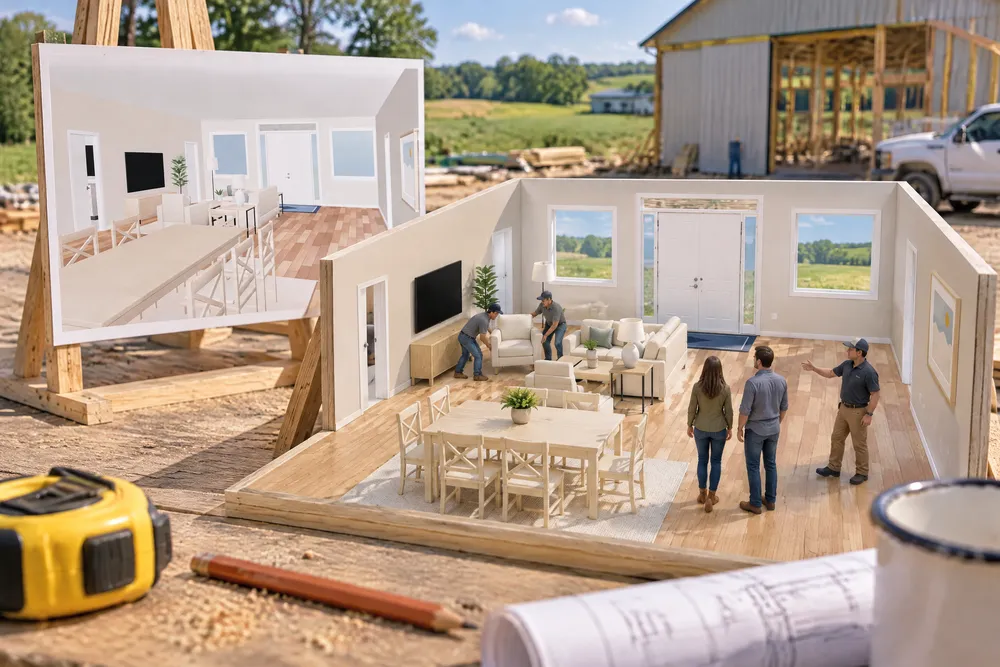
How do you help a barndominium customer picture the floor plan?
Furnish it. Our Stage it fills every room of the plan in one click — beds, a sofa facing the TV, a dining table that fits, rugs, a truck in the shop — in one of three styles, keeps the walking paths clear, and never changes the price, so the customer can walk through it in 3D on the call.
- Post-frame customers typically go through 10–15 quotes before they settle the design, so every revision has to be easy to see. Hansen Pole Buildings, 2015 ↗
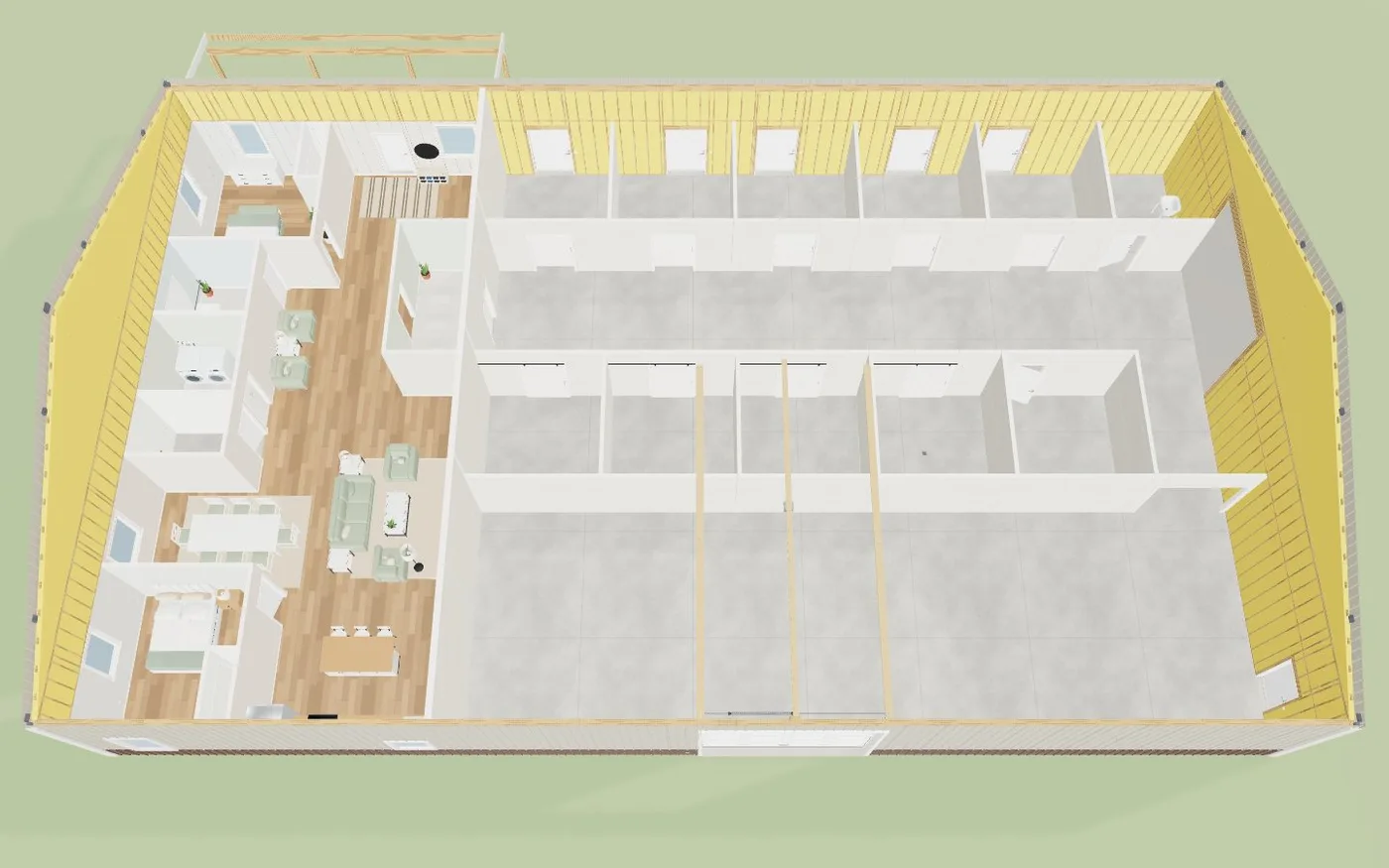
Stage it reads every room — by its name ("Kids' room", "Bunk room", "Office"), its type and its size — and furnishes it the way homes are lived in: bedrooms get the biggest bed that keeps a path to the closet, nightstands and a dresser; kids' rooms a full or twin and a desk; the living area a sofa facing a TV wall at the right distance (a fireplace in Rustic, a sectional in Contemporary), chairs closing the group, a coffee table and a rug; the dining table sized for 4, 6 or 8 so every chair pulls out, on its own rug under the light; stools at the island; a runner and bench at the front door; a truck and a car in front of the overhead doors with a workbench and shelving; rockers on the porch. Open plans are zoned kitchen, then dining, then living. Every room keeps a 36″ path between its doors and 24″ to each bed side and seat, and the plan's Code check never flags a staged piece. Pick a style, Restage for a new look, Clear staging, or select a room and Stage this room — the panel says what Stage it reads the room as, and why. In 3D, Stage it, Restage and Clear sit beside Edit interior. Every staged piece is an ordinary item you can move, swap or delete; Undo takes a staging back; and it's never priced — the takeoff is identical with and without it. A 50×80 shouse stages in about a fifth of a second. Built exclusively for post-frame and barndominium builders, so a horse barn's stalls stay empty while its living quarters are furnished.
Also called: stage a floor plan · auto furnish · virtual staging barndominium · furnish my floor plan · home staging 3d · furniture layout generator · stage this room · show the customer a furnished house
A home, at eye height
Press Stage it and walk the great room: the dining table for eight beside the kitchen, the sofa and chairs facing the TV wall, lamps, plants and rugs.
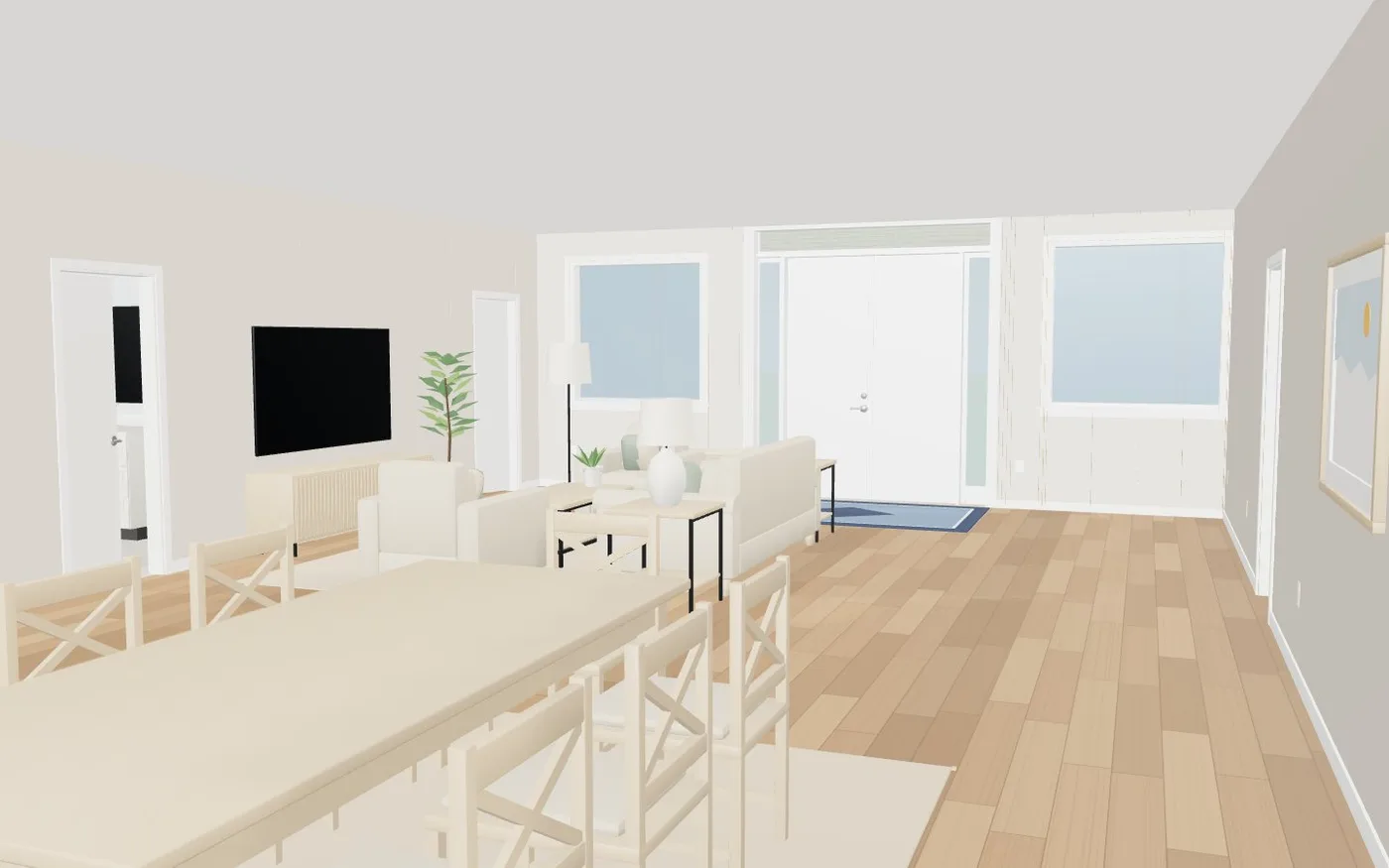
An empty plan asks the customer to imagine.
The customer sees their life in it.
The whole house in one click
Every room furnished — bedrooms, baths, the laundry, the great room, the shop with a truck and a car — in about a fifth of a second for a 50×80.
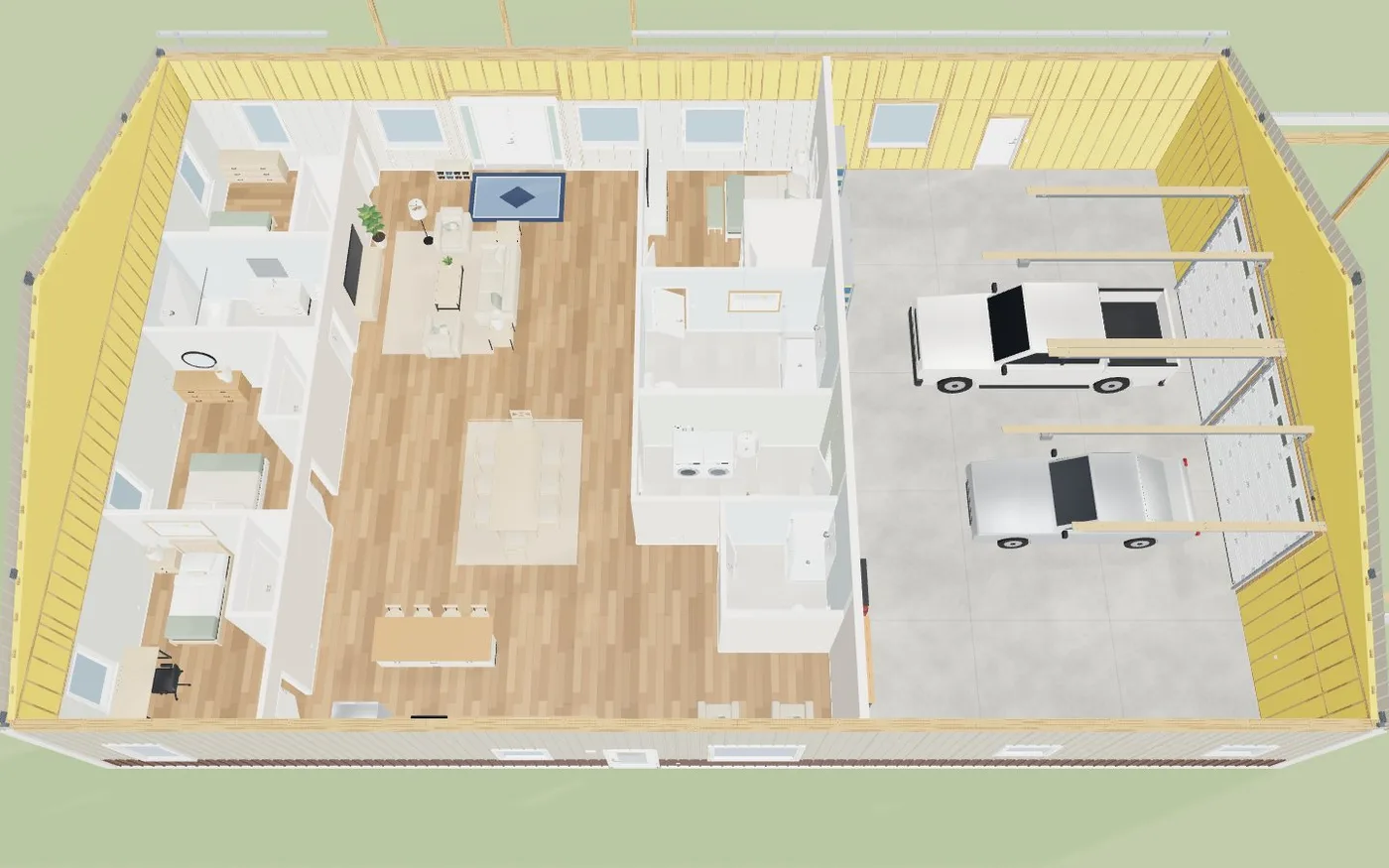
Placing furniture by hand took longer than drawing the plan.
Sixty pieces, no evening lost.
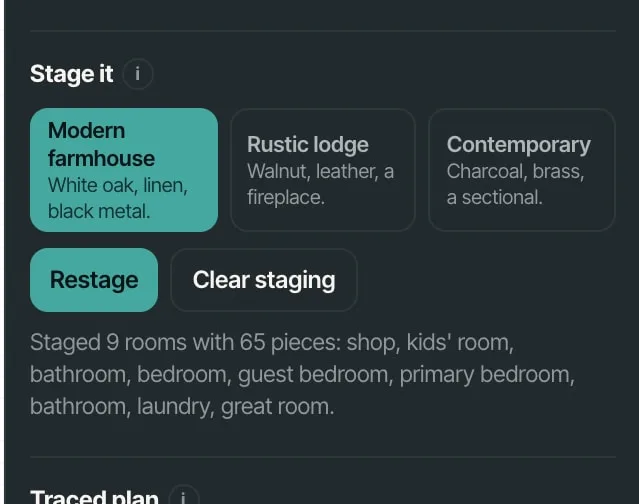
Three styles, and Restage
Modern farmhouse (white oak, linen, black metal), Rustic lodge (walnut, leather, a fireplace) or Contemporary (charcoal, brass, a sectional). Restage for a new look; Clear staging takes it all off. The panel says what was staged in which rooms.
One generic look for every customer.
The style the customer has in mind.
On the plan, as ordinary pieces
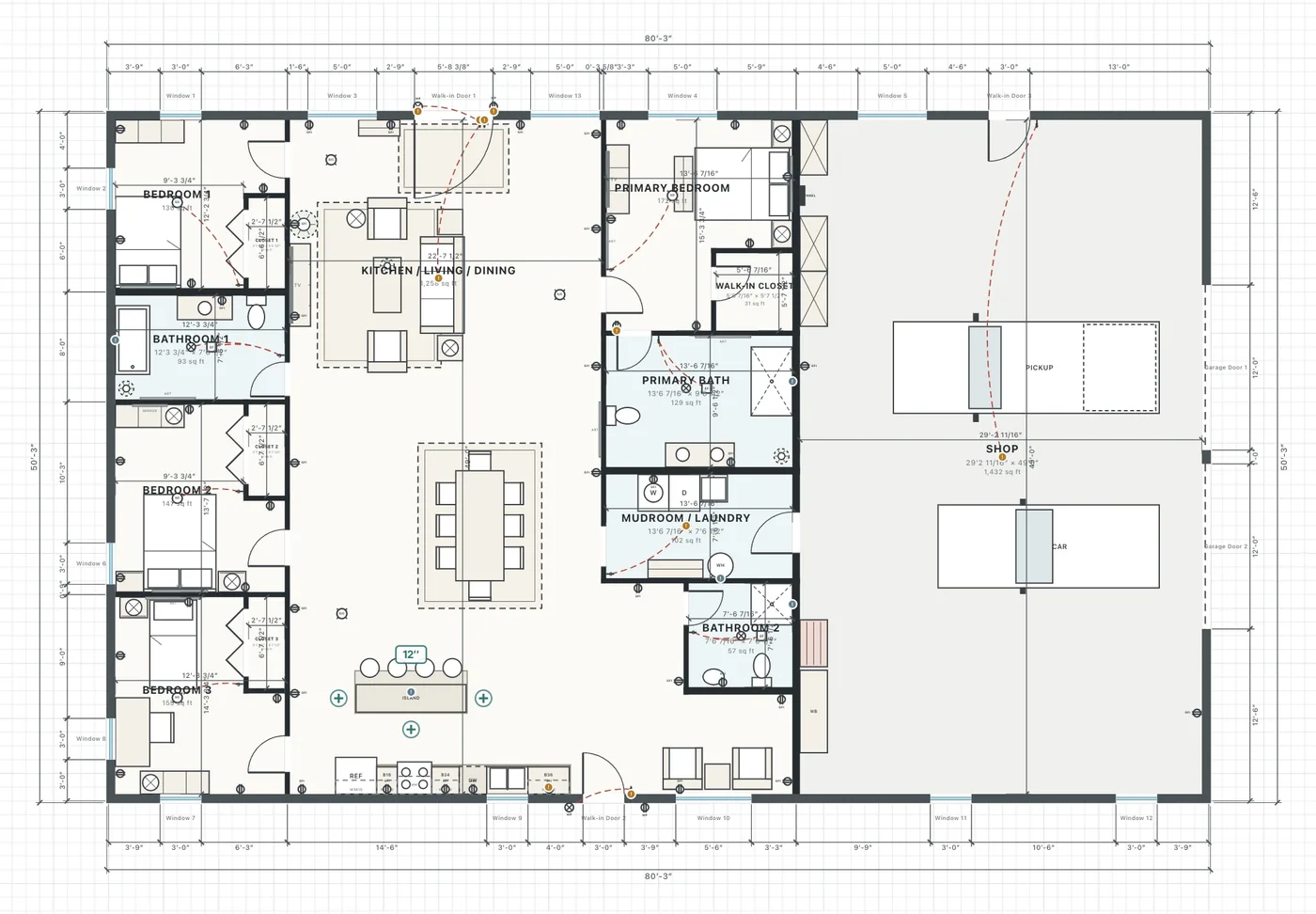
Staged pieces land on the 2D plan like anything else — move one, swap it, delete it. Undo takes a whole staging back, and staging is saved with the design.
Staging tools that lock you into what they placed.
It's a starting point you can change.
Stage one room, and know why
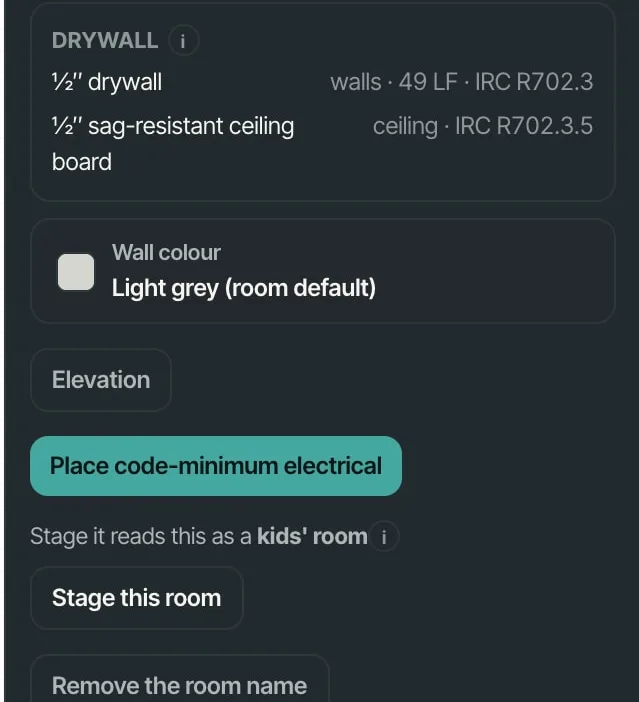
Select a room: the panel says what Stage it reads it as — a kids' room from its name and size — and Stage this room furnishes just that one.
Auto-furnishing that put a king bed in the nursery.
No mystery about why a room got what it got.
Upstairs too, with the stairwell clear
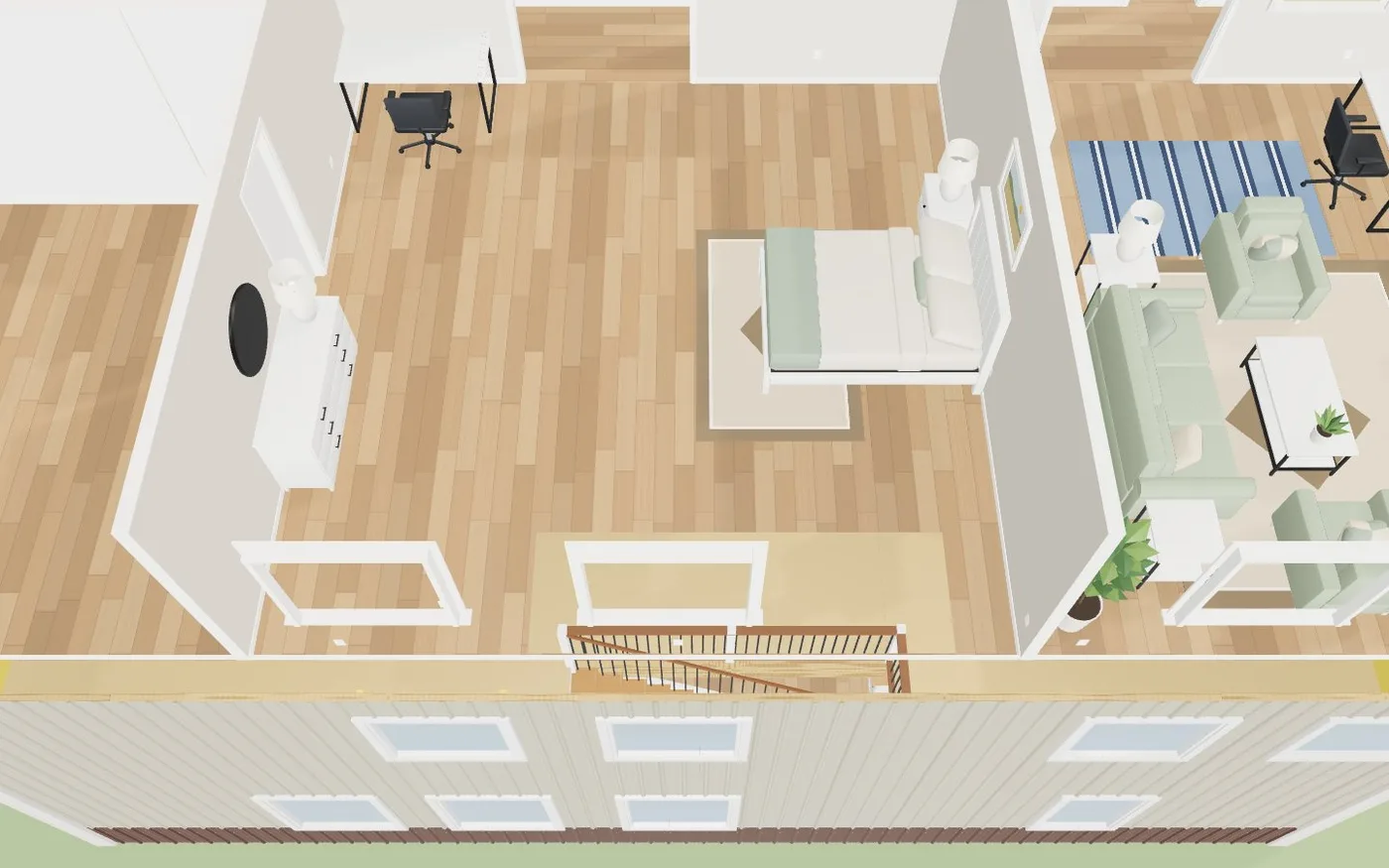
On a two-storey plan the upstairs is staged and the stair and its landings are kept clear.
Furniture dropped on the stair.
Works on the plans people actually build.
Barns stay barns
A horse barn with living quarters gets the quarters furnished and the stalls left empty; a shop gets a truck, a workbench and shelving.
Staging that put sofas in a stall.
It knows what a post-frame building is for.
- 1Turn on Stage it in Settings → Beta features.
- 2Draw or open a floor plan and pick a style: Modern farmhouse, Rustic lodge or Contemporary.
- 3Press Stage it — or select one room and press Stage this room.
- 4Restage for a new look, move or delete any piece, or Clear staging.
- 5Open 3D and Walk the furnished house with the customer.
Customers rarely decide a design in one pass — a national kit seller reports clients going through 10 to 15 quotes before they settle — and every round is easier when they can picture the result. An empty plan asks them to imagine; a furnished one shows them. Placing sixty pieces by hand for every revision isn't something a builder has time for, so it has to be one click, it has to respect the clearances, and it must never touch the price.
- Empty plans customers can't picture
- Hours placing furniture by hand for each revision
- Furniture that blocks doors and paths
- Staging that changes the price