What floor plans fit a 40x60 barndominium?
Several: our floor plan catalogue has eleven 40×60 templates — open plans and centre-hall plans, a shop house, a loft overlooking the great room and a catwalk across a two-storey great room — each passing the floor plan's code check, drawn into the building with one click and changed from there.
- Post-frame customers typically go through 10–15 quotes before they settle the design, so a builder needs to show a believable layout fast and change it easily. Hansen Pole Buildings, 2015 ↗
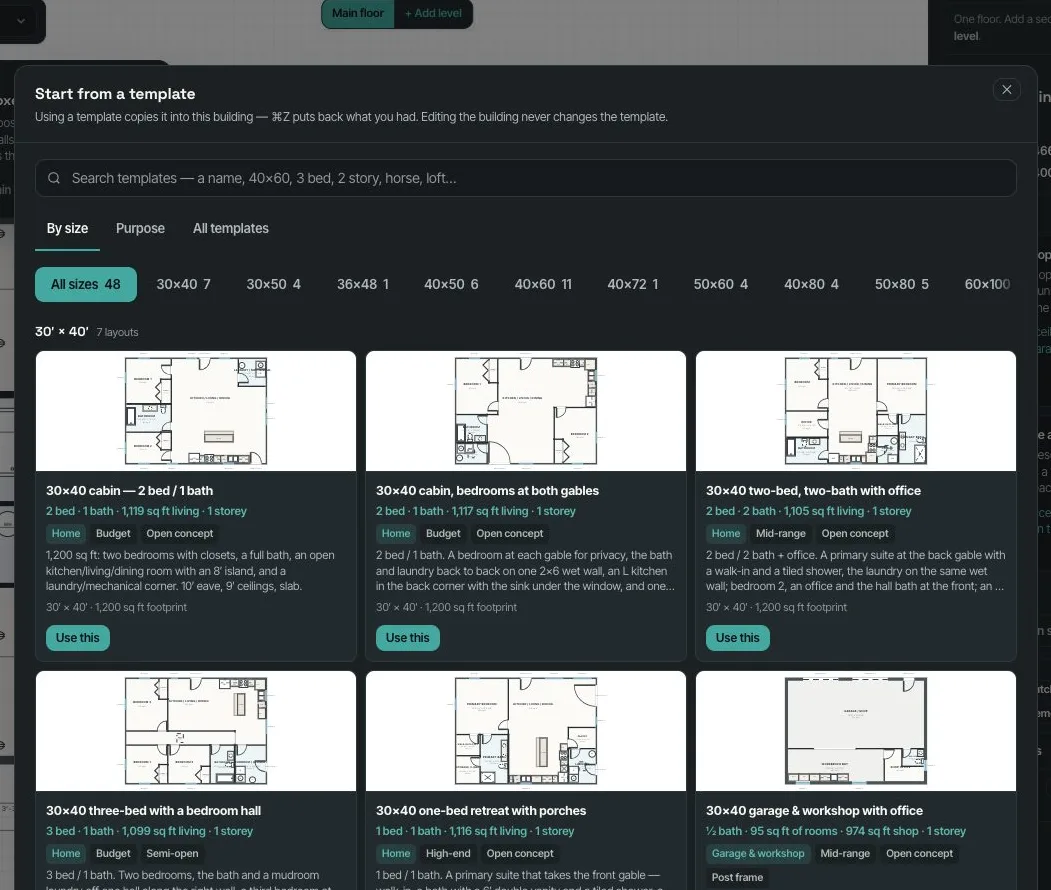
The Templates window holds 48 floor plans across ten sizes — 30×40, 30×50, 36×48, 40×50, 40×60, 40×72, 40×80, 50×60, 50×80 and 60×100 — each one laid out room by room, not rooms around the outside with an empty middle. Six are two-storey: a 30×40 loft cabin, a 40×50 with the bedrooms up, a 40×60 loft overlooking the great room, a 40×60 and a 50×80 with a catwalk across a two-storey great room, and a 50×80 shop house with a loft. Forty are open plans, three semi-open and five have defined rooms off a centre hall; they run from budget to high-end. Every template passes the floor plan's own Code check with no fixes: every room reachable, bedrooms with a closet and an escape window, 36″ halls, fixture clearances, stairs to IRC R311.7 with guards to R312, the garage separation (R302.6) and room sizes (R304). By size lists every footprint smallest first; Purpose groups them — Home, Shop house, Horse barn, Barn with living quarters, Livestock & hobby farm, RV & boat storage, Garage & workshop, Aircraft hangar, Event & wedding barn, Man cave & bonus and Ag storage; All templates shows the whole catalogue and your own saved templates. One search box works across every tab: a name, a size ("40x60" or "40 by 60"), beds ("3 bed"), storeys ("2 story"), a purpose ("horse", "RV") or a feature ("catwalk", "loft", "walk-in pantry"), the words narrowing together. Each card draws the plan (both floors side by side for a two-storey) with beds, baths, square feet and storeys, and Use this draws it into the building; ⌘Z puts back what you had. Built exclusively for post-frame and barndominium builders, so the catalogue has a horse barn and a hangar beside the three-bedroom shouse.
Also called: barndominium floor plans · barndo floor plan templates · 40x60 barndominium floor plan · 30x40 barndominium floor plan · 50x80 shop house plans · 2 story barndominium plans · barndominium with catwalk · horse barn floor plan · RV storage building plan · event barn floor plan · shouse floor plans · pole barn house plans
Several layouts at every common size
By size lists every footprint from 30×40 to 60×100, smallest first, with a row to jump to one size. Each card draws the plan with its beds, baths, square feet and storeys, chips for its purpose, finish level and open or defined rooms, and a short description.
Every design started from an empty building.
The size the customer asked for, already laid out.
By purpose — barns, shops, hangars
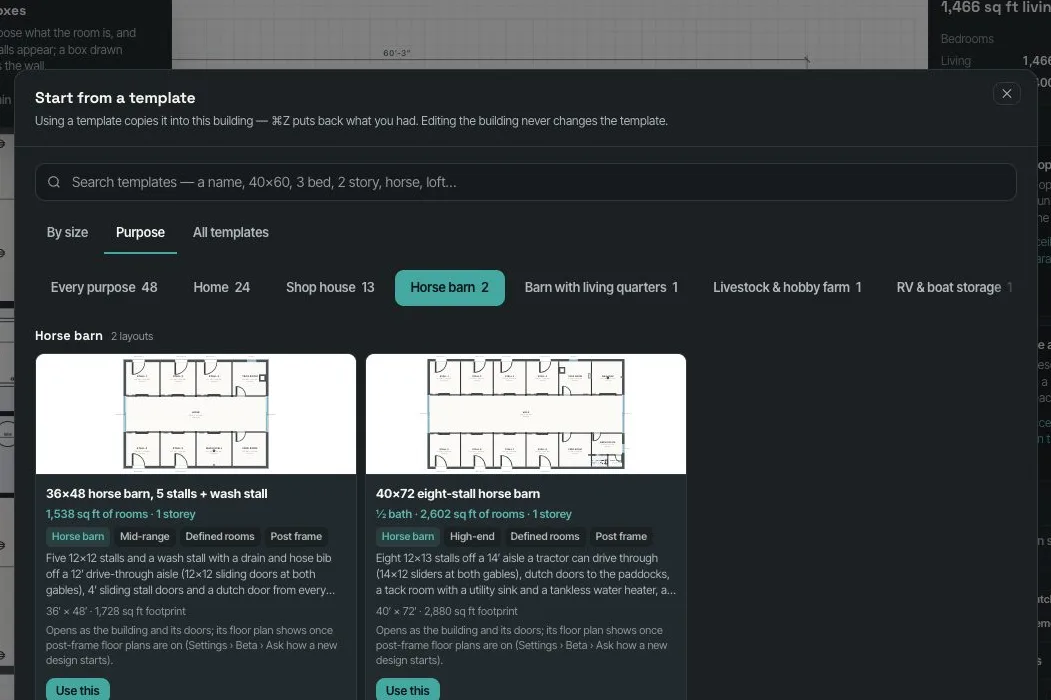
Purpose groups the catalogue the way post-frame buildings are used: Home, Shop house, Horse barn, Barn with living quarters, Livestock & hobby farm, RV & boat storage, Garage & workshop, Aircraft hangar, Event & wedding barn, Man cave & bonus, Ag storage. Here the horse barns: a 36×48 with five stalls and a wash stall, a 40×72 with eight stalls.
Template libraries that only know houses.
Not every post-frame building is a house.
Search the way the customer asks
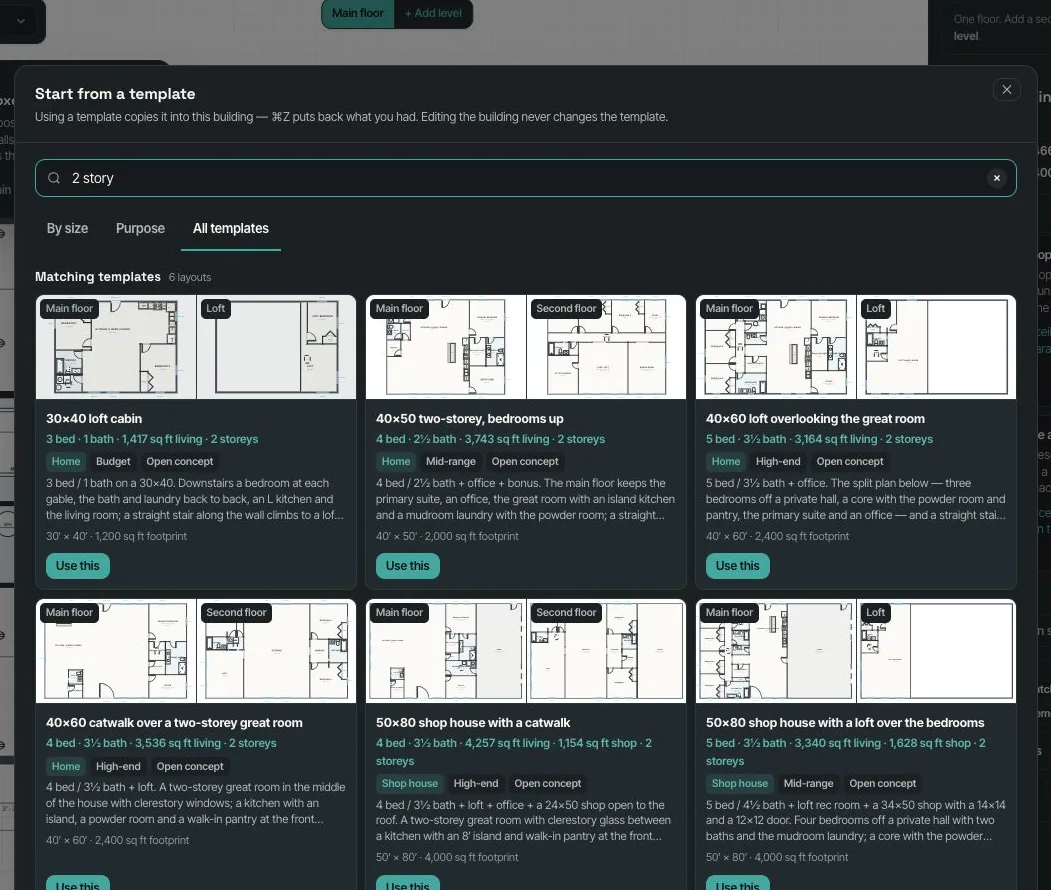
One search box works across every tab: "2 story" finds the six two-storey plans, each card drawing the main floor and the upper floor side by side. Sizes, beds, purposes and features all work, and the words narrow together.
Scrolling a list of plan names to find the one with a loft.
The customer's words find the plan.
A catwalk over the great room
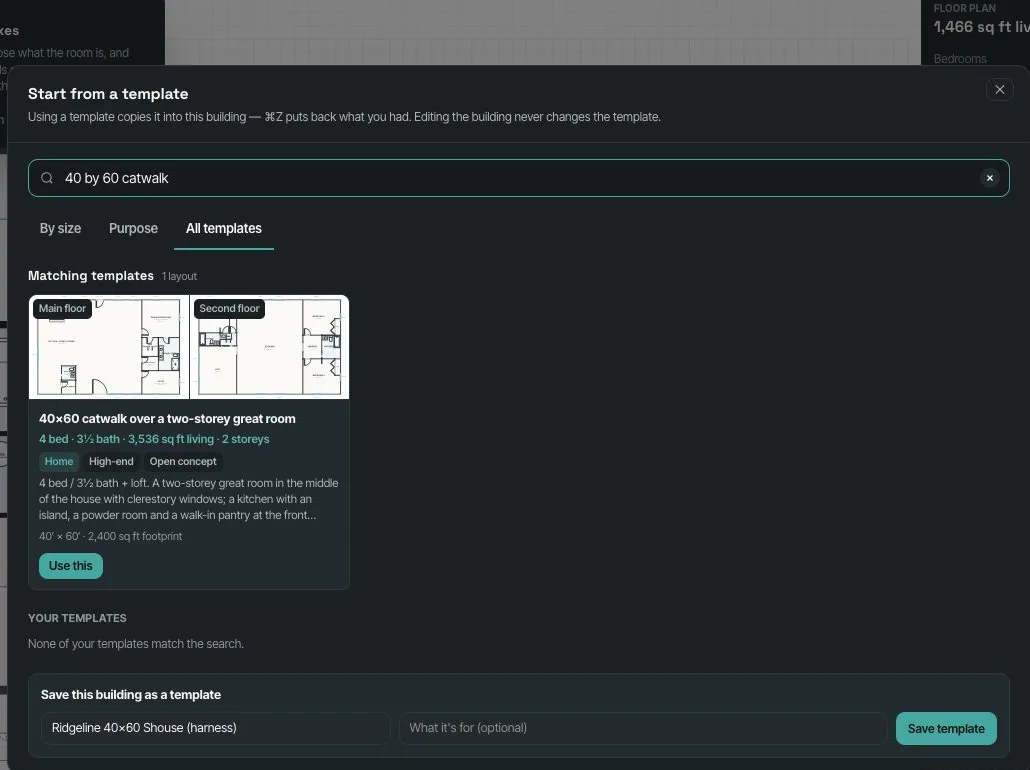
"40 by 60 catwalk" finds the 40×60 with a catwalk across a two-storey great room to the bedrooms on the far side — the stair and guards laid out to the stair rules. Your own saved templates are searched too, and Save this building as a template sits underneath.
The two-storey great room was a photo, not a drawing.
The picture customers bring, as a plan that can be built.
Use this — and it's your plan
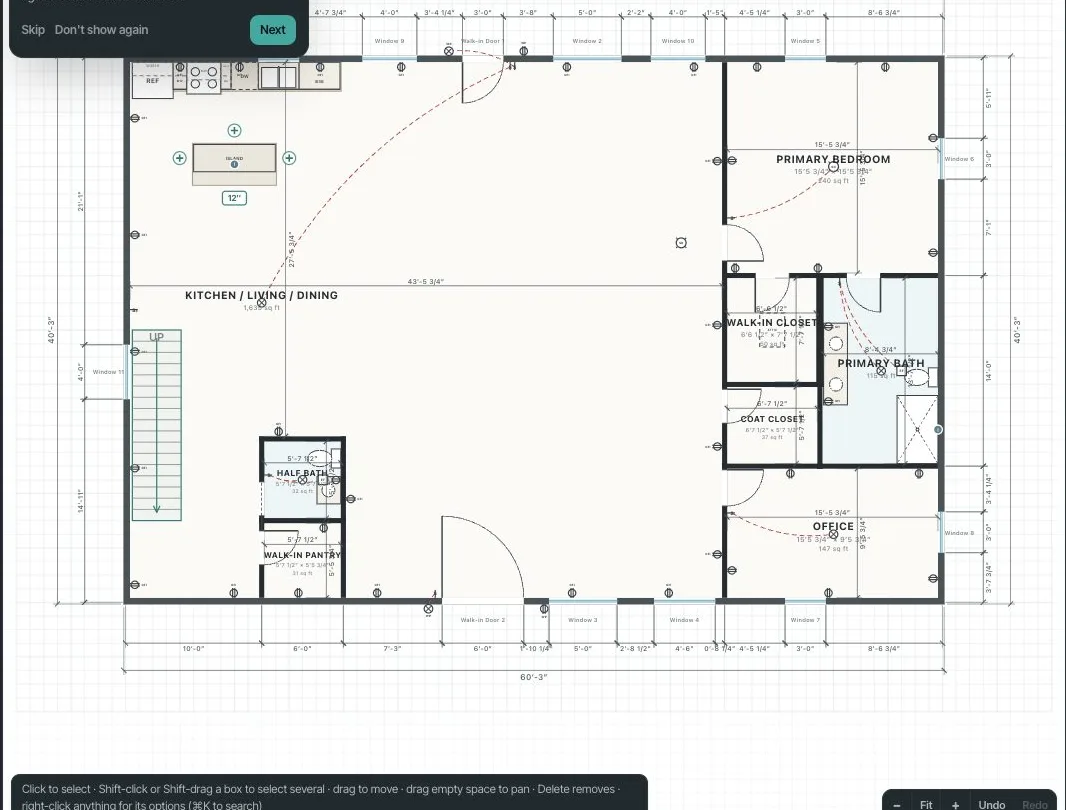
Use this draws the template into the building: walls, doors, windows, rooms named, electrical and the stair. ⌘Z puts back what you had. From there it's an ordinary floor plan — move a wall, price it, stage it.
Templates that can't be changed once they're placed.
A starting point, not a straitjacket.
Two storeys, in 3D
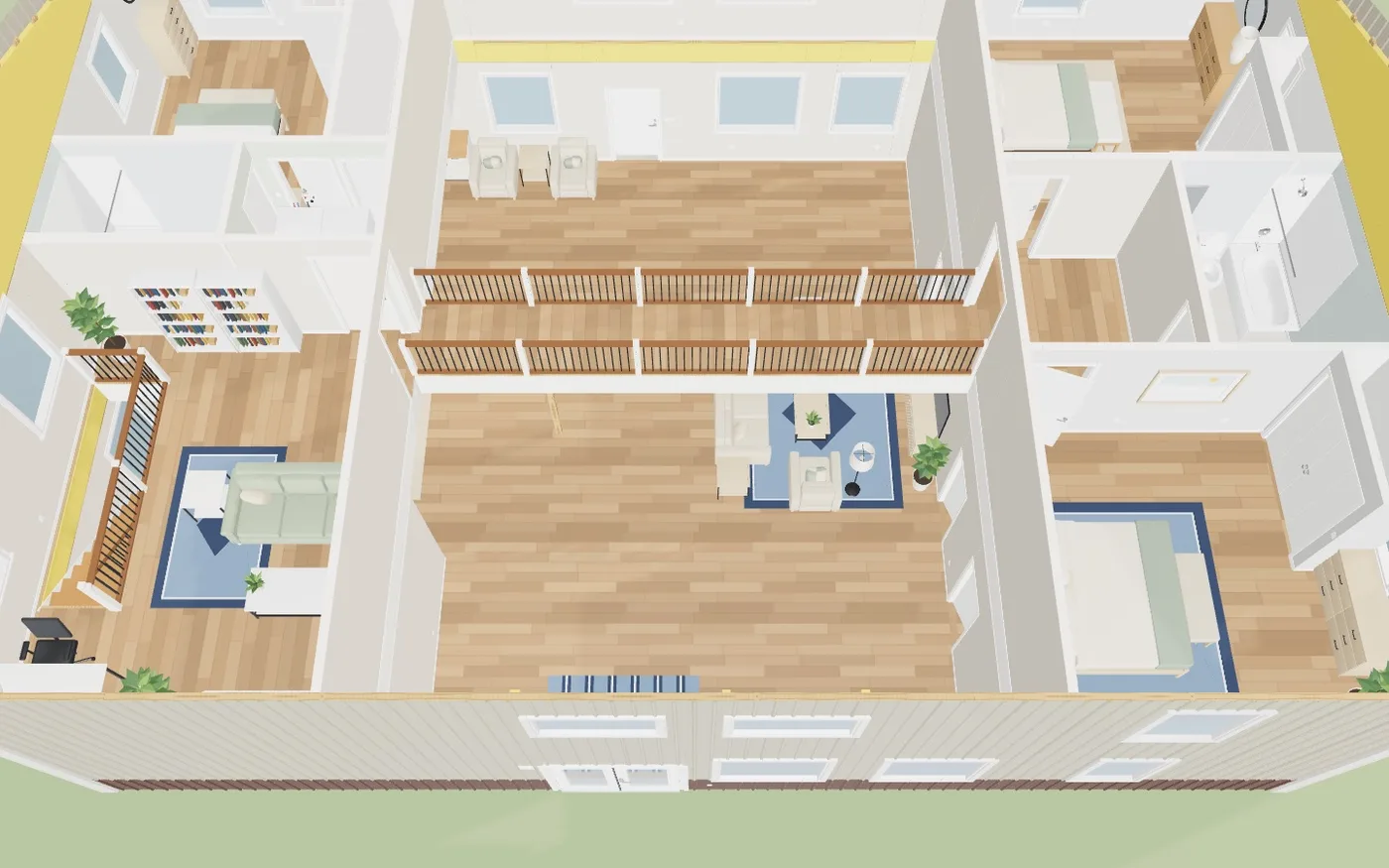
The catwalk plan in 3D with the roof off and staged: the catwalk crossing the great room, the bedrooms beyond, the stair to it.
Two-storey plans that only make sense to the person who drew them.
The customer sees the space, not just the lines.
Barns draw inside, too
A horse barn's stalls stand in 3D down both sides of the aisle, and an event barn shows its open hall with restrooms and a kitchen along one side.
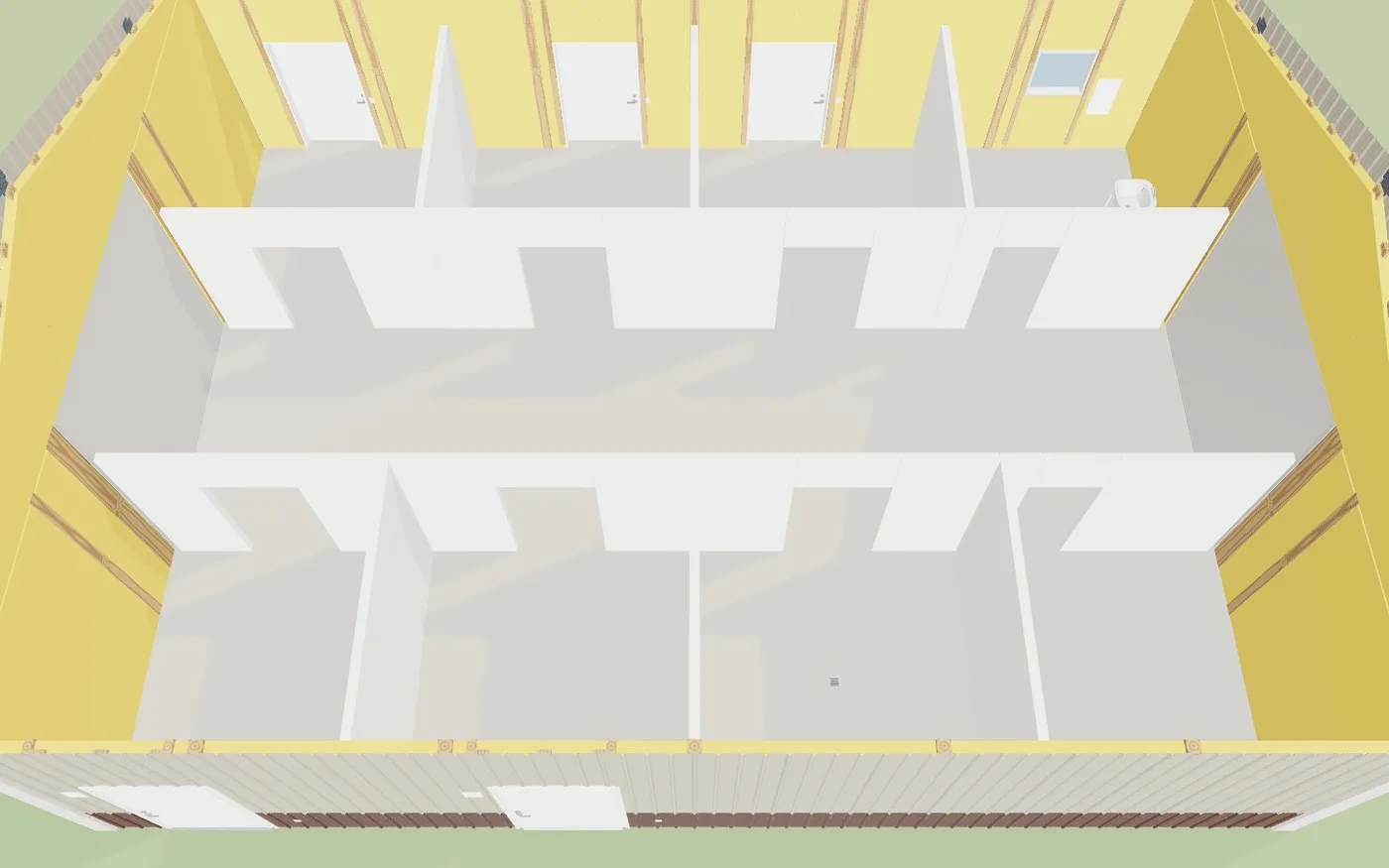
Post-frame buildings with a floor plan drew nothing inside.
Every building in the catalogue is a real 3D model.
An event barn, laid out
The 60×100 event and wedding barn: the open hall, restrooms sized for a crowd and a catering kitchen, ready to price.
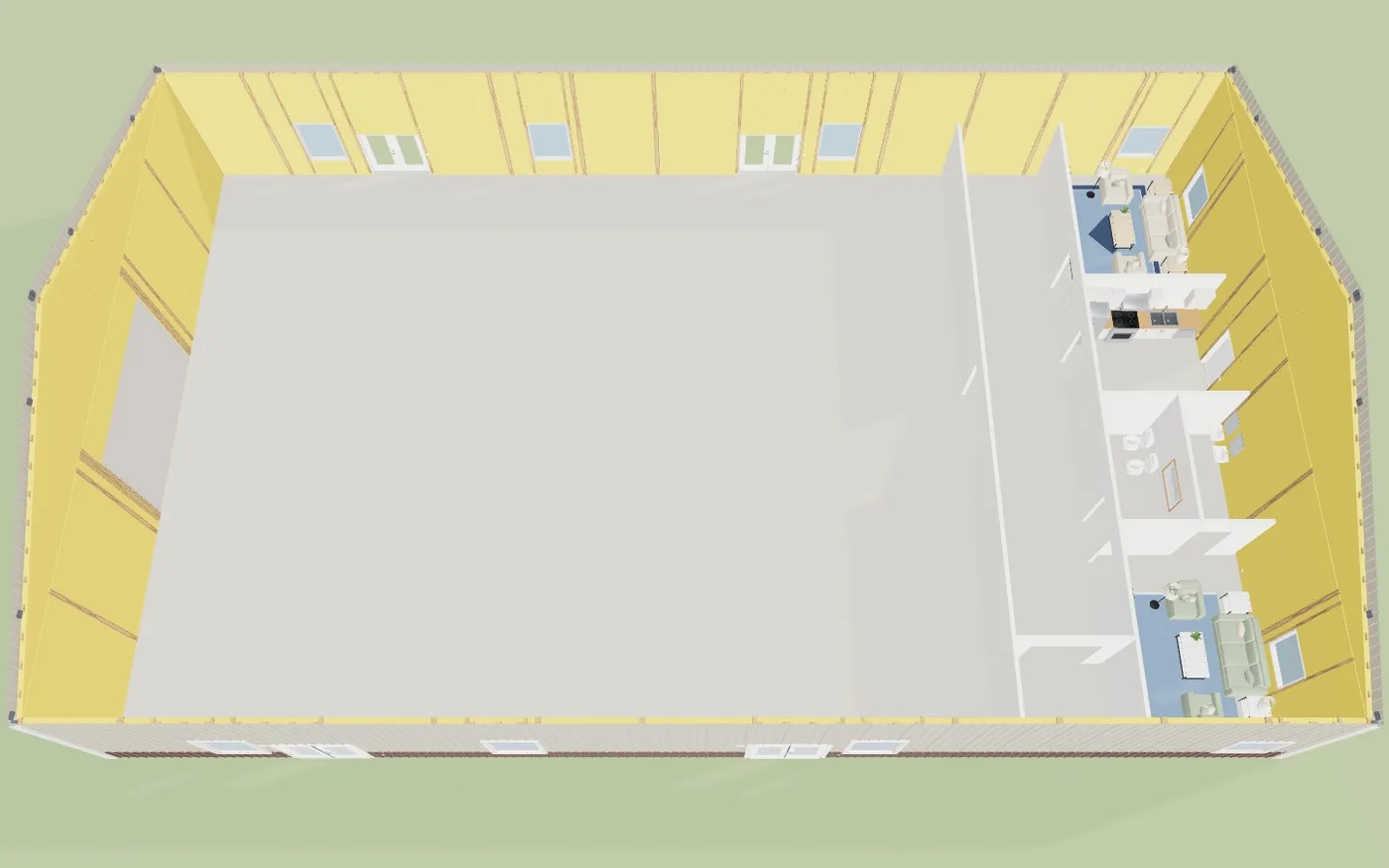
Event barns quoted from a sketch.
Commercial post-frame work starts from a plan too.
On a phone
The same window on a phone: the search box, the tabs and the cards, with Use this under each.
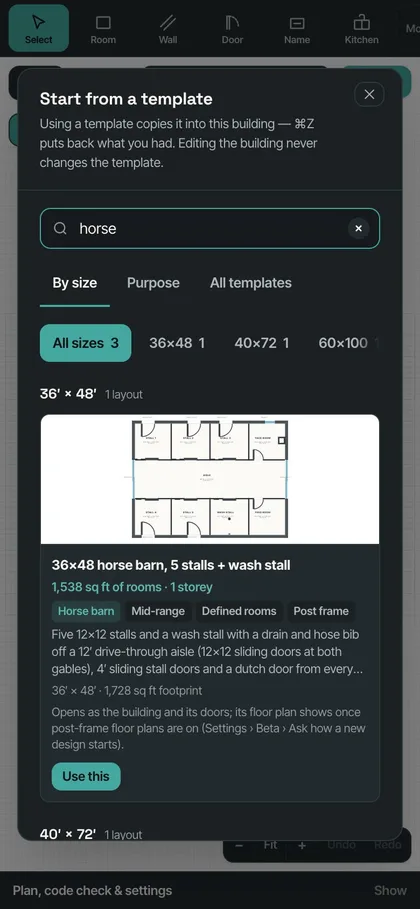
Plan catalogues that only work at a desk.
Show the customer a layout from the truck.
- 1Turn on Floor plan template catalogue in Settings → Beta features. With it off, the Templates window is exactly what it was.
- 2Open Templates from the floor plan, or start a new design from a template.
- 3Browse By size or Purpose, or type in the search box — "40x60", "3 bed shop", "2 story", "horse".
- 4Read the card — beds, baths, square feet, storeys, open or defined rooms — and press Use this. ⌘Z undoes it.
- 5Change anything: it's your floor plan now, priced and checked like one you drew. Stage it furnishes it in one click.
Customers rarely know their layout on the first call; a national kit seller reports clients going through 10 to 15 quotes before they settle the design. Starting each round from a blank building costs the builder an evening, and starting from one generic layout makes every customer's house look the same. A catalogue of real, code-checked plans for the sizes builders actually sell — searchable the way a customer asks for it — gets a believable house on the screen while the customer is still on the phone.
- Every design started from a blank building
- One generic layout for every customer
- Templates that put rooms around the outside and leave the middle empty
- Template plans that fail their own code check