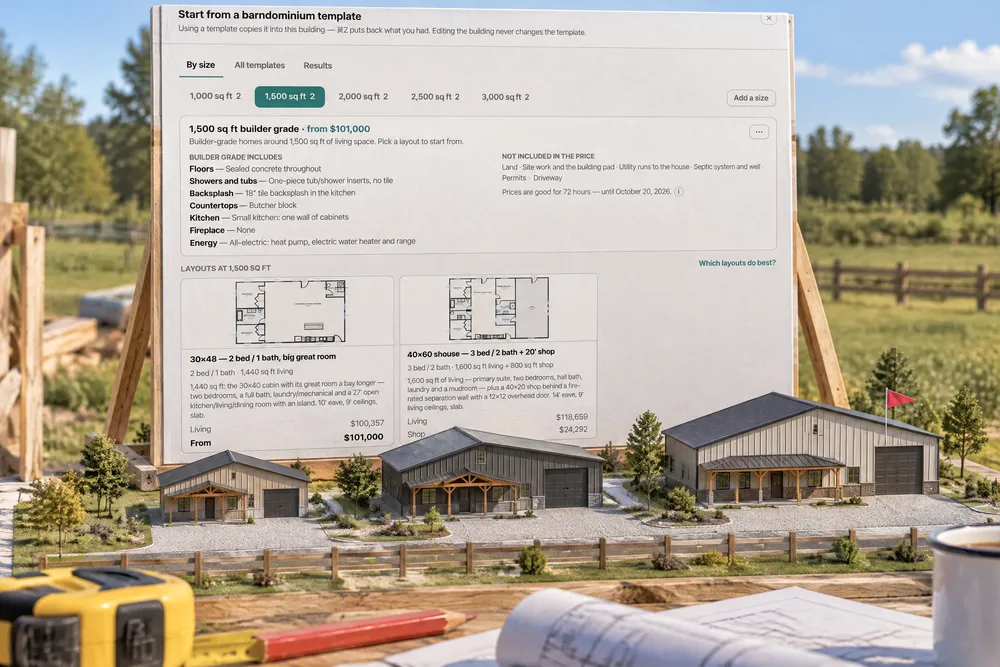
Templates → By size opens a ladder of living sizes — 1,000, 1,500, 2,000, 2,500 and 3,000 sq ft — each a builder-grade starting point (sealed concrete floors, tub and shower inserts, an 18″ backsplash, butcher-block tops, a small kitchen, no fireplace, all-electric) with several layouts under it. Each layout shows a From price, rounded up, with Living and Shop priced as separate lines from your account's own prices, what's included and what's not in the price, and how long prices are good for. Start from this builds it; Save layout files any design as a new layout under a size, and every size and layout is yours to edit. Results — in Templates and in Analytics — ranks every template by times used, how much jobs changed (price change and items changed), profit (for the people who can see pay), problems (fix-it change orders, rework, shortfalls, punch items, failed inspections), on time / late / early and days taken, with a 0–100 score that doesn't over-reward a template used once. Only jobs that stayed close to the template filters to the jobs that changed least.
Also called: barndominium templates · 1500 sq ft barndominium · 2000 sq ft barndo plan · starter plans · standard floor plans · template profitability · most popular plans · plan library by size · builder grade package · from price
A starting point at every size
By size lays out five living sizes. Each opens on its builder-grade package — floors, showers and tubs, backsplash, countertops, kitchen, fireplace, energy — and Not included in the price: land, site work, utility runs, septic and well, permits, driveway. Under it, the layouts at that size, each with Living and Shop priced from your prices and a From price rounded up.
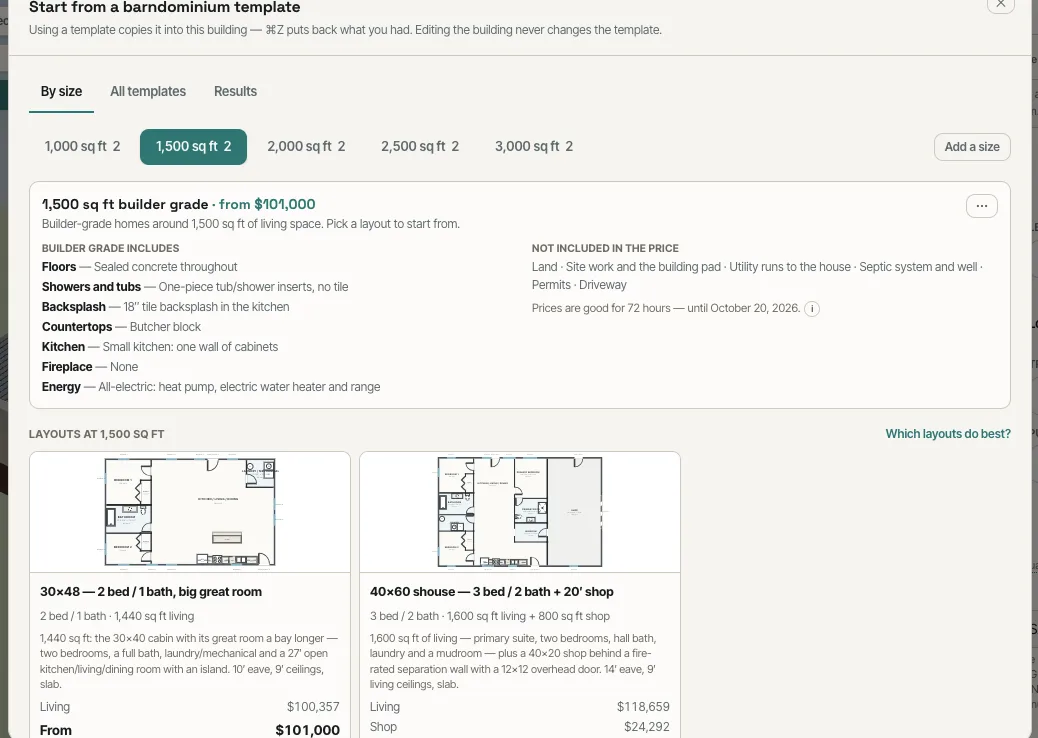
Starting prices quoted from memory, or from a plan book with someone else's numbers.
A customer who asks "what does a 1,500 cost?" gets an honest number in a minute.
Your buildings become layouts
Any design can be saved as a layout under a size — Save layout — with its beds, baths and square footage. Sizes and layouts are yours to rename, reprice and remove.
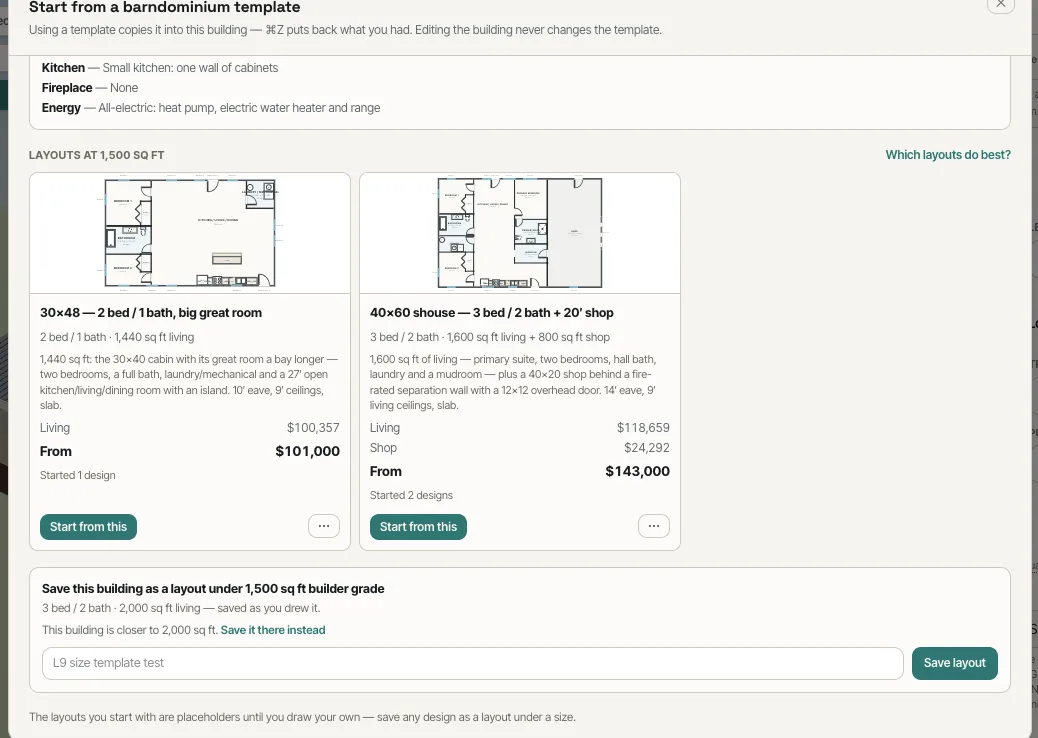
The best-selling plan lived in an old estimate somebody had to find and copy.
The building you sell every month is one click from the next quote.
Which templates pay
Results ranks every template by the jobs started from it: Changed (the average price change and items changed), Profit (from the job budget, shown only to people who can see pay), Problems (fix-it change orders, rework, shortfalls, punch items, failed inspections), On time and Time taken, with a 0–100 score that leans toward the middle until a template has enough jobs behind it.
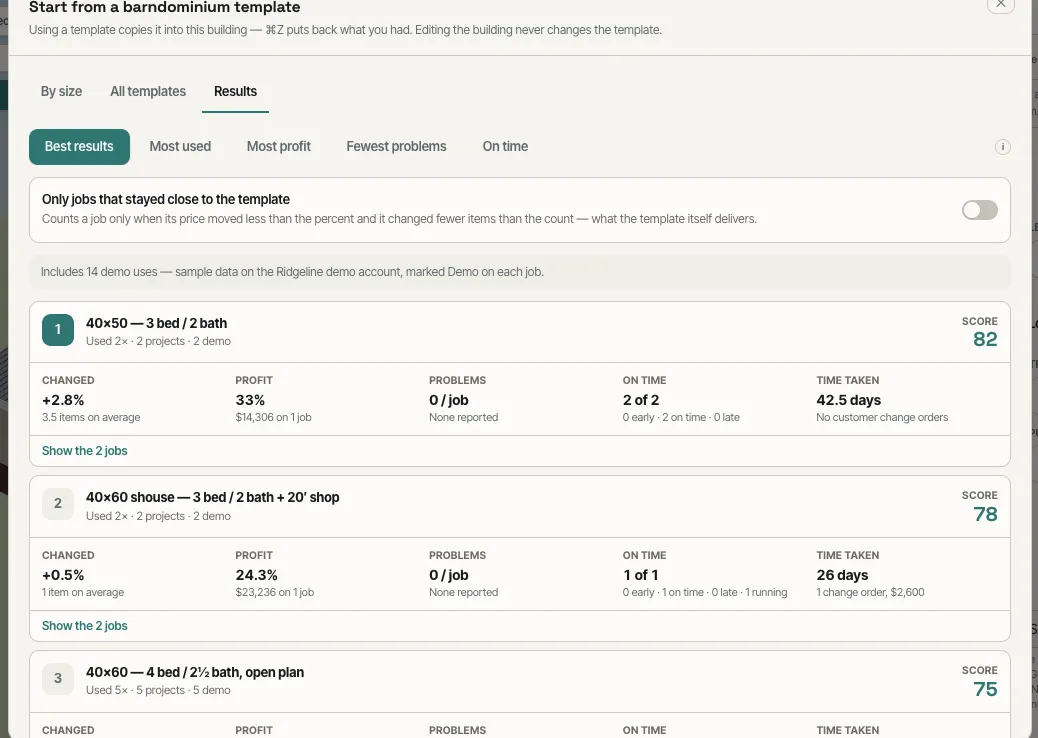
Template popularity said nothing about which ones were good for the business.
The templates a builder recommends should be the ones that make money and finish on time.
Judge a template by the jobs that kept to it
Only jobs that stayed close to the template counts a job only when its price moved less than the limit you set and it changed fewer items than the count you set — so the results describe the template, not the custom job it turned into.
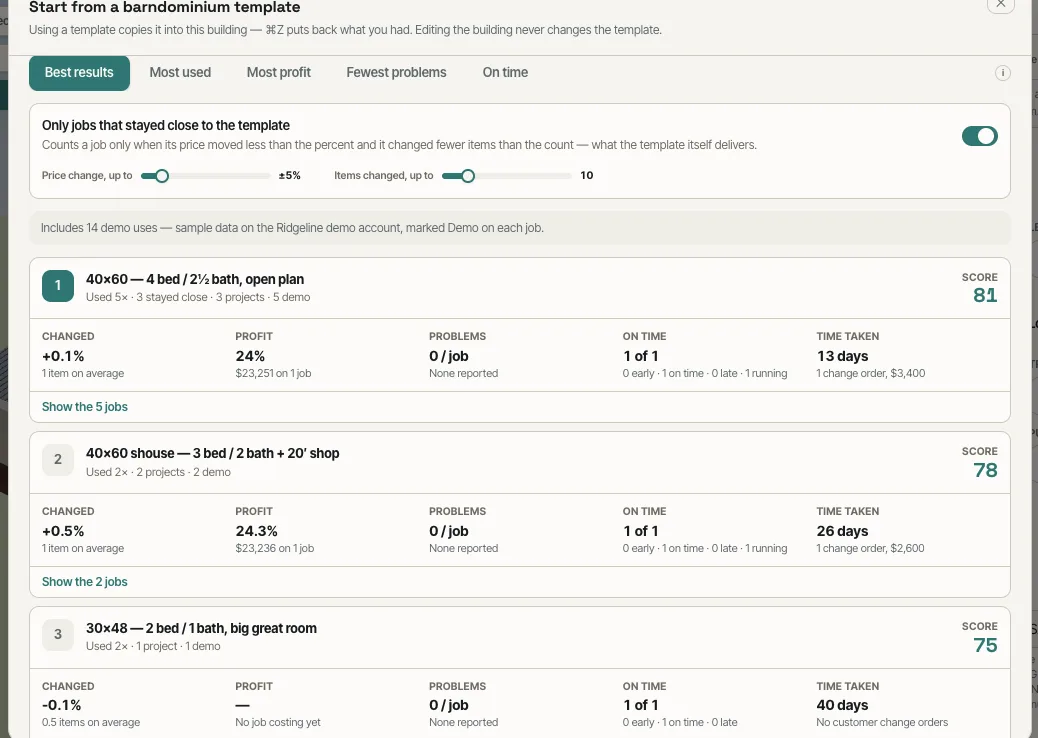
One heavily customised job made a good template look bad.
A template shouldn't take the blame for a job that became a different building.
- 1Turn on Size templates and template results in Settings → Beta features.
- 2In the builder, open Templates → By size and pick a size: the layouts under it each show a From price, what's included and what's left out.
- 3Start from this builds the layout; change anything — the template itself never changes.
- 4Save any design as a layout under a size with Save layout.
- 5Open Results (or Analytics) to rank templates by best results, most used, most profit, fewest problems or on time.
- 6Switch on Only jobs that stayed close to the template to judge each template by the jobs that kept to it.
- 7The Academy's Which templates make your best jobs lesson walks Template results in Analytics.
Builders who sell a lot of barndominiums sell a handful of sizes over and over, and the fastest quote is the one that starts from the building they already know. But a template library on its own can't tell you which of those buildings is good for the business: which ones customers actually pick, which ones get changed beyond recognition, which ones make money, and which ones come back with problems or run late. Recording every use of a template and following the job through to its budget, its change orders and its finish date answers that — so the templates a builder recommends are the ones that earn it.
- Every quote starting from a blank building
- Starter plans priced from someone else's numbers
- No way to tell which standard plans are profitable
- Templates judged by how often they're used rather than how they turn out