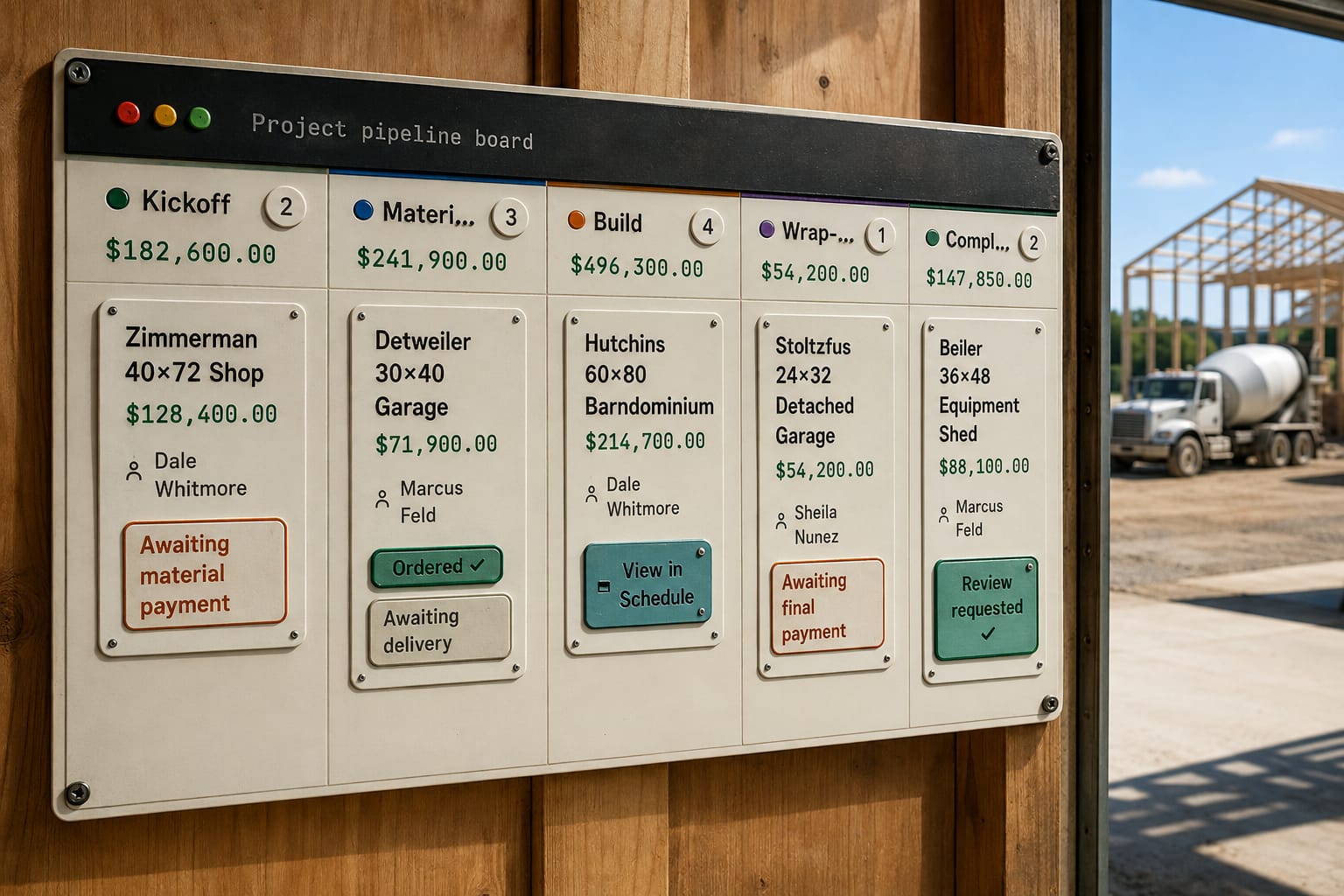
The short answer: The barndominium construction process runs as a set of stages, about a dozen, from signed contract, loan and permit through site work, posts, trusses, steel and dry-in, rough-ins, finishes and final inspection. Track it by stage, not by date. Each stage needs an exit check that proves it is done, and the lender's draws come off those stages, so the board shows where every job's money is parked.
Job tracking software only tells the truth when it tracks construction project stages, not dates. A date is a prediction; a stage is an observation; by week three they disagree, and the prediction was the one that was wrong. A stage board answers the question a calendar cannot — how many jobs are sitting in Permit right now, and which has been there longest — which is where your money is parked. Below: how many stages and where to cut them, the exit criteria that make a stage true, what fires when a job moves, and the draws that come off it.
Why do dates lie and stages don't?
Take a 40x60x14 shop with a 12-foot lean-to. You sold it in February and typed dates into a calendar: posts the week of April 6, trusses April 20, steel May 4. Then the truss plant runs three weeks long, the ground stays soft through mid-April, and your concrete sub takes a school job that eats his May. Every date after the first is fiction, and nobody updates them, because updating them means admitting them. The stage does not have that problem: the job is either in Posts Set or it is not, and rain changes when the next stage starts, not which stage you are in. The pain is five jobs at once and no way to say, without three text threads and a call to the foreman, what state each is in. A project board where every column is reached by doing the work — the board moves itself — shows every job in its stage, and a finished one leaves without being lost. A job that is one visit needs none of this, which is where Jobber for construction work stops fitting a build that runs for weeks.
Stages are the part of a construction schedule that survives contact with weather that stays true when the weather wins.
How many stages, and where do you cut?
Six to twelve. Under six and half your jobs sit in "In Progress" for eleven weeks; over twelve nobody updates it, and a board nobody updates lies with authority. Cut at moments a foreman would announce anyway — "posts are in", "we're dried in" — and where responsibility changes hands, because handoffs are where jobs stall. Name stages after the state of the building, not the department: "Steel On" beats "Production Phase 2".
A set that fits a shop or barn: Sold / Contract Signed · Permit & Engineering · Materials & Delivery · Site Prep & Layout · Posts Set · Framing · Roof & Wall Steel · Openings · Concrete Flatwork (usually your sub, almost always the stage that drifts) · Interior & Options · Punch & Final Inspection · Closeout. A shell-only kit job collapses Openings through Interior into one; a shouse adds mechanical, drywall and finish after Openings and behaves like a house. Build the preset once per building type you actually sell, then stop tinkering — the value is every job using the same one. Stage templates by building type hold exactly that, each type with its own names, lengths and checkpoints.
What makes an exit criterion real?
A stage without exit criteria is a colour on a board. Three to six items, each checkable by the person on site with what is already in his hand; if verifying an item takes a call to the office, it is the wrong item. Permit & Engineering exits when the stamped set is in the job file, the truss drawings match the span you sold, the permit number and inspection sequence are written down, and setbacks and pad elevation are confirmed against the plot plan — code adoption varies by county, and the International Code Council is where to confirm which code year your AHJ is on. Posts Set exits when every hole depth is verified and, where required, inspected before concrete goes in; diagonals are inside your written tolerance; column heights are shot with a laser; backfill is compacted in lifts with bracing left in place. Photograph the exit condition every stage — the hole before the pour, the closures before the trim covers them. Put fall protection in the criteria; OSHA's construction rules do not care that the job is behind, and the NFBA publishes post-frame guidance worth aligning to.
The pain is a foreman who ticks the last box early and a customer who drives out to a building that is not dried in. So the last tick is a different kind of tap: the crew ticks stage checkpoints from a phone, and the one that finishes the stage stops and names what is about to happen.
One person owns the flip, and anything customer-facing is opt-in per job and reversible. When the flip is real, three things follow in order: the internal tasks (moving to Framing creates "confirm the concrete sub's date" and "order trim, confirm colour", because the stage knows the lead time and the foreman should not have to); the customer update — one send, once, two sentences and two photos; and the money.
Which draws come off a stage?
Align draws to stage boundaries, not dates. A stage-triggered draw is easy to defend because the customer is looking at the thing that triggered it; a date-triggered draw is an argument waiting to happen. Say a 40x60 at $32 a square foot, illustrative only: $76,800 plus the lean-to.
| Draw trigger | What the customer can see | What it stops |
|---|---|---|
| Contract signed | Signed agreement | Building on speculation |
| Posts set and backfilled | Columns standing on the pad | Financing your own material bill |
| Dried in — steel and trim done | A weather-tight building | Carrying labor into month three |
| Final inspection passed | A finished building | Chasing the last 10% for six weeks |
When the schedule is agreed on the estimate, each stage becomes an invoice the day it is earned — you are billing what was agreed, not deciding what to bill. One button writes the whole set of draw invoices from it, each already filled with its stage amount.
Getting the invoice itself right matters; getting it out the day the stage flips matters more. If a scope change moves a stage, that is a change order priced before the work, not after.
What does the crew see, and what does the office see?
The office needs every job at once, aging, draw forecasting, and who owns the next move. The field needs today, this job, my crew: what is blocking me, materials on site, the next inspection, and the checklist to close this stage. Serve both with one view and the crew stops looking — if they scroll past a Gantt chart to find the checklist, they use the group text instead. The field view is a phone screen: this job, this stage, the exit checklist, a camera button, and nothing else. That split, with the photos, invoices, change orders and crew payout living on the job itself, is Project Command.
What the research says
- Most barndo delays happen before the first pour, which is why dates typed at signing go stale. One Texas builder, Texas Complete Barndo Solutions, puts design, engineering and permits at 6 to 14 weeks and lists septic, well, the electric co-op, the lender's appraisal, steel backlogs and owner changes as pre-start delays. A stage stays true through all of that; a date does not.
- The money follows the stages. BuildBuyRefi, a barndo lender and broker, describes stage-based draws backed by plans, specs and a line-item builder budget. When the stage board and the draw schedule use the same stages, "Posts Set" is also the day a draw can be requested.
- An exit check works because it doesn't depend on memory. In Haynes and colleagues' eight-hospital study, a short checklist cut deaths from 1.5% to 0.8% and complications from 11.0% to 7.0% among experienced teams. A stage that can't close until its photos and inspection are in is the same idea on a barndo: the job moves when the work is proven, not when someone says it's done.
- Visible progress pulls people toward the finish. Kivetz, Urminsky and Zheng found customers sped up as they got closer to a reward, and even progress that was partly given to them made them speed up more. A board that shows a job one stage from dry-in, or one stage from its next draw, gives the crew and the office the same pull.
What doesn't a stage tell you?
Whether you made money. That a shop sat in Framing for eleven days is useful; that it burned 96 labor hours against 64 estimated is the number that changes next spring's bid, and it only exists if the crew logs time against the stage with one tap at the end of the day. The other gap is structural: your subs do not live in your stage set. The concrete sub's calendar is often the real constraint, and no board you own controls it. The best a stage set does is tell you, early and precisely, which week to start pestering him.