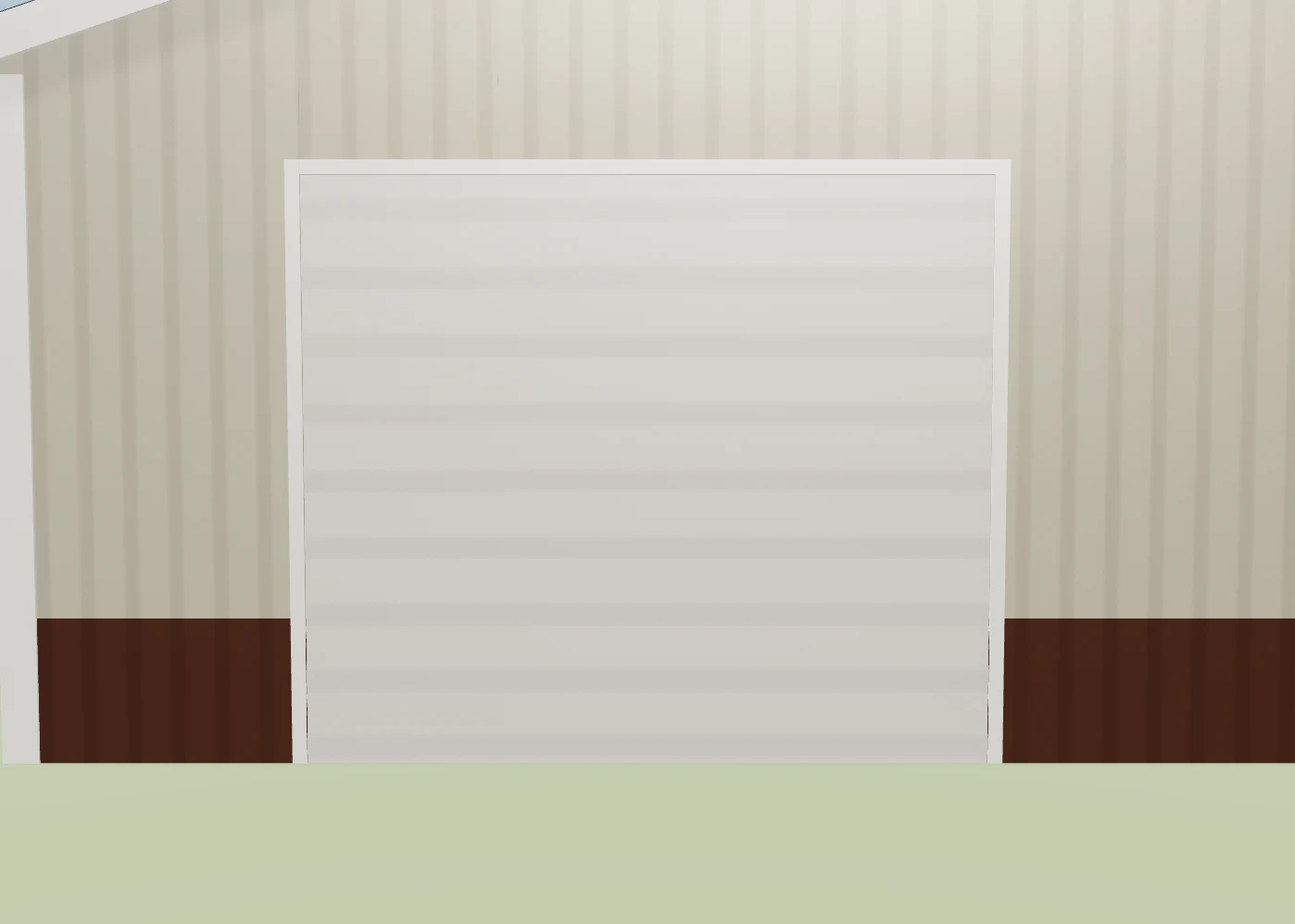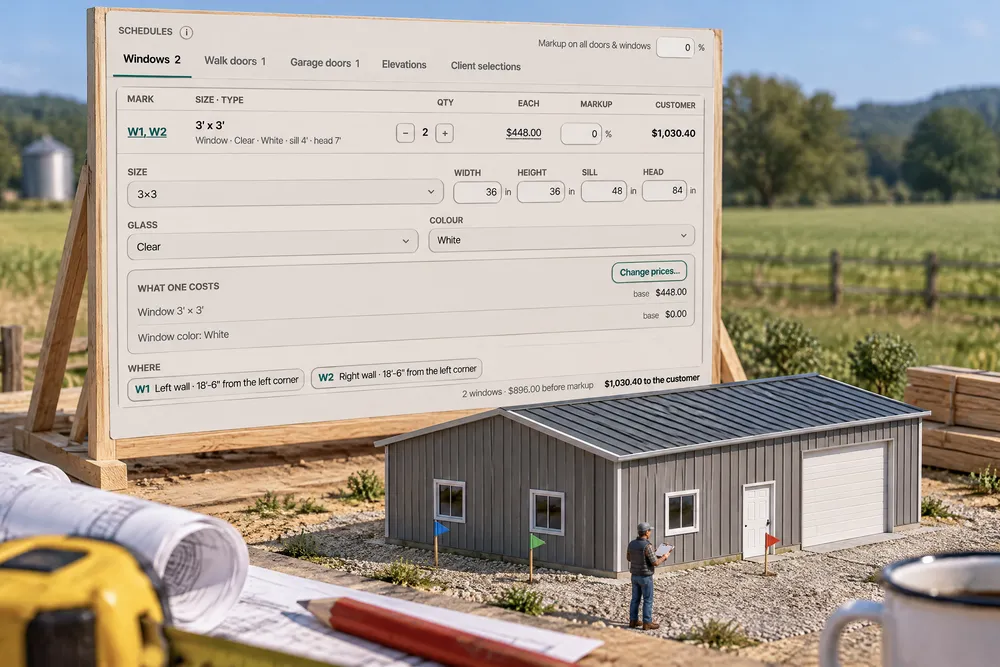
The estimate gets a Schedules card: one tab each for Windows, Walk doors, Garage doors and Sliding doors, identical openings on one line with a quantity, and every line editable in place — size, sill and head, style, glass, hardware, swing, colour, quantity and markup — with what each piece costs and the customer price. It edits the same design the 3D builder reads, so a change on the estimate is a change in the model. Elevations draws the four walls with each opening's mark (W1, D1, G1), and clicking a mark opens its line. Under it, Line items, grouped shows the whole estimate four ways — by estimate section, by trade, by part of the house, and in rolled-up groups like Doors & windows (windows + walk doors + garage doors + their trim) — each group with its own markup, and every view adding up to the estimate's total to the cent. Prices live in three places and they are one price: the ? in the 3D builder, Change prices… on any schedule line, and Settings → Builder prices → Doors & windows all open the same dialog with This estimate only or Base price — every estimate.
Also called: door schedule · window schedule · garage door schedule · opening schedule · elevation tags · W1 D1 G1 · estimate grouped by trade · estimate by part of the house · base price vs job price · change a door on the estimate · doors and windows total
A schedule you edit on the estimate
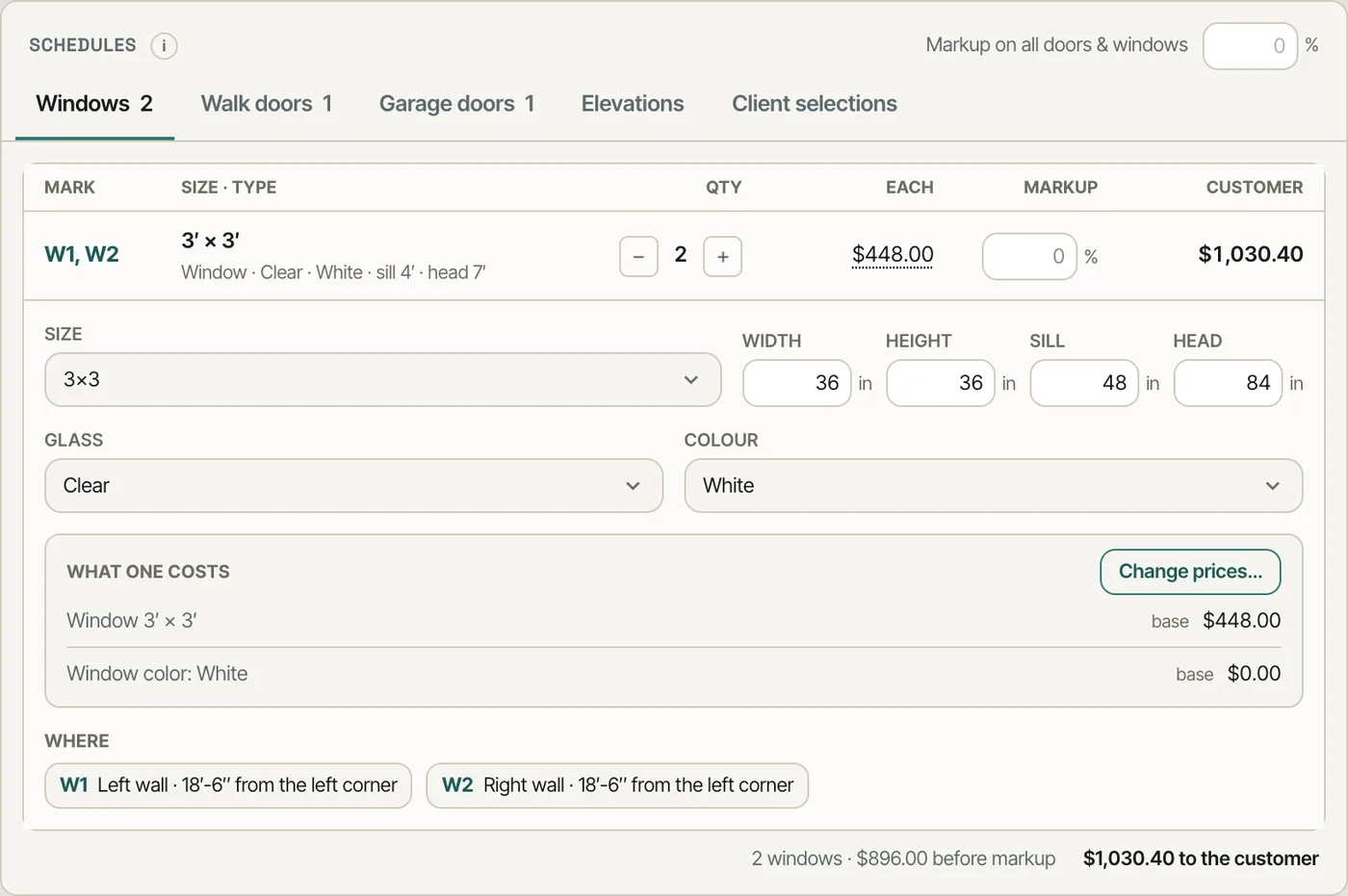
Schedules lists each kind of opening on its own tab. Identical openings share a line — W1, W2 · 3′ × 3′ · 2 — with a stepper for the quantity, the markup and the customer price. Open the line to change its size, sill, head, glass and colour; the 3D builder reads the same design, so the next time it opens the change is there, as one undo step.
Changing one window meant re-opening the 3D builder, finding it, and hoping the estimate re-read it.
The person pricing the job can change a window without leaving the estimate — and the model can never disagree with it.
What every choice on a door costs
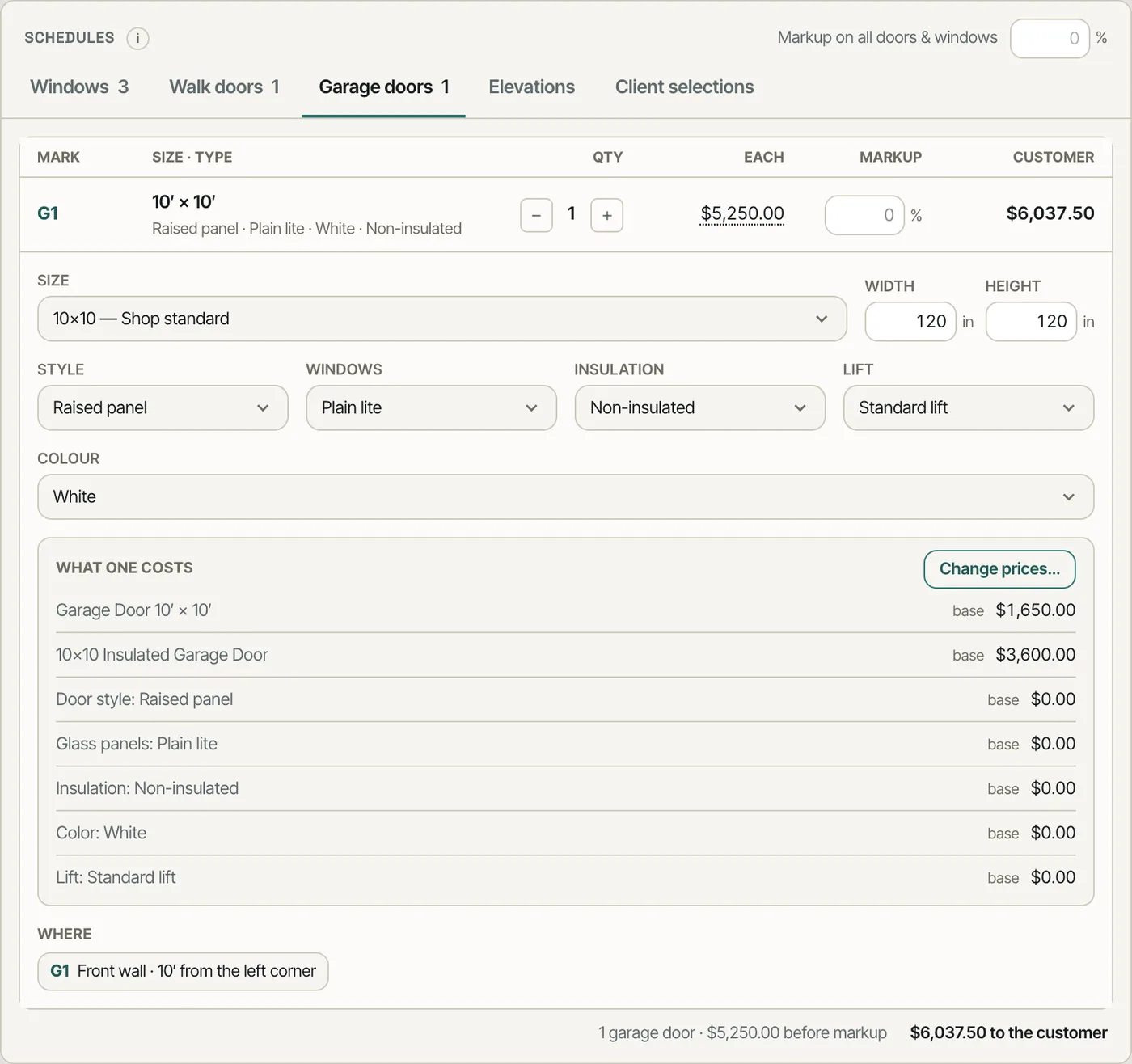
A garage door's line opens to its size, style, windows, insulation, lift and colour, with What one costs listing each piece — the door at its size, then every option — at its base price. Change prices… opens the price dialog for that door.
Door option prices sat in a price book nobody opened during the sales call.
When the customer asks what the insulated door adds, the answer is on the line.
Elevations tagged with the same marks
Elevations draws the front, back and both sides with every opening's mark — G1, W1, W2, D1 — the marks the schedule uses. Click a mark and its schedule line opens.
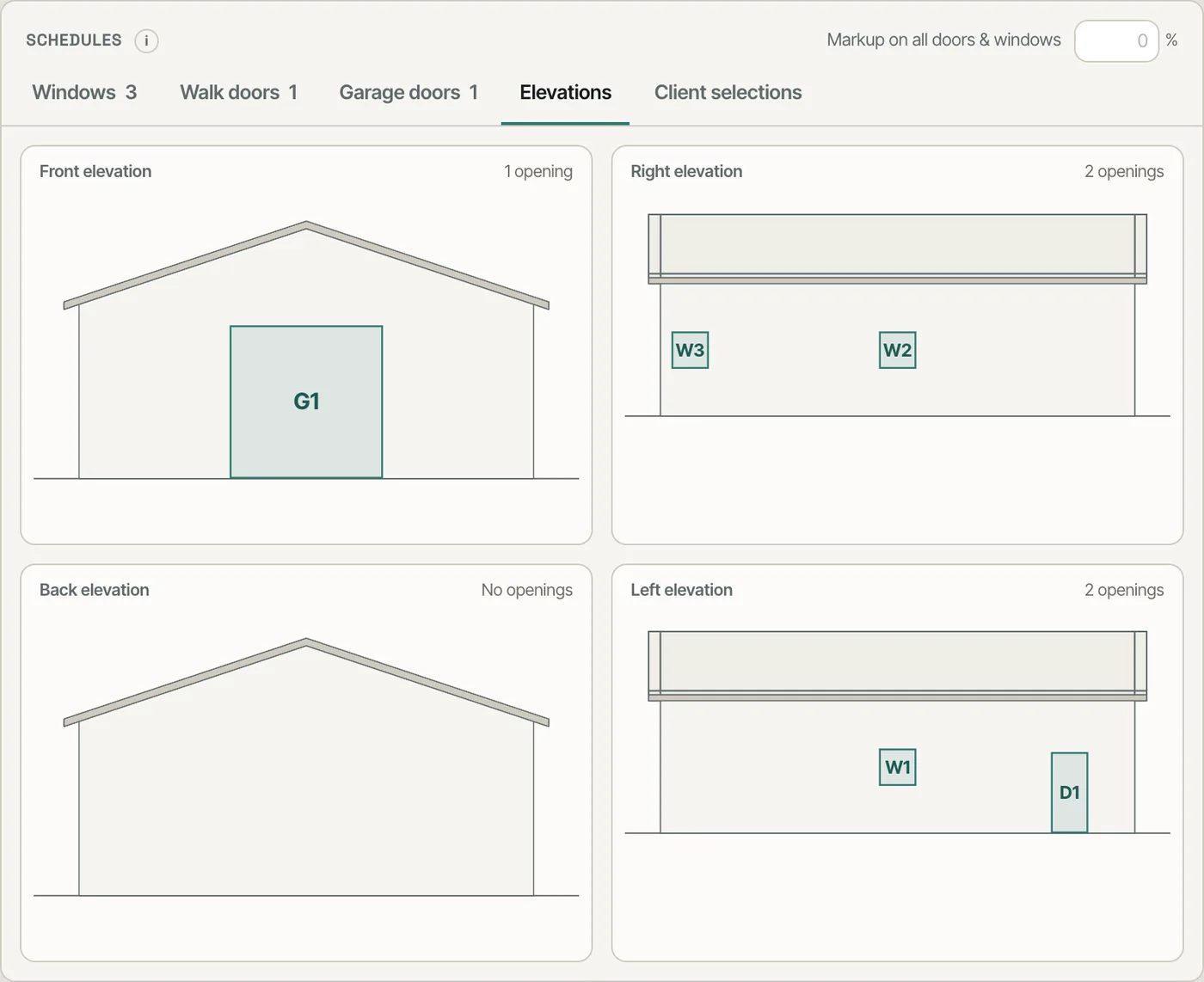
"Which one is W2?" took a phone call and a screenshot.
Customers and suppliers read openings off a wall, not a list — the marks tie the two together.
The estimate four ways, all to the cent
Line items, grouped shows the whole estimate by estimate section, by trade, by part of the house (foundation & slab, frame & structure, roof, walls & siding, windows, walk doors, garage doors…), or in rolled-up groups like Doors & windows. Each group carries its own markup, every line sits in exactly one group, and every view adds up to the estimate's total to the cent.
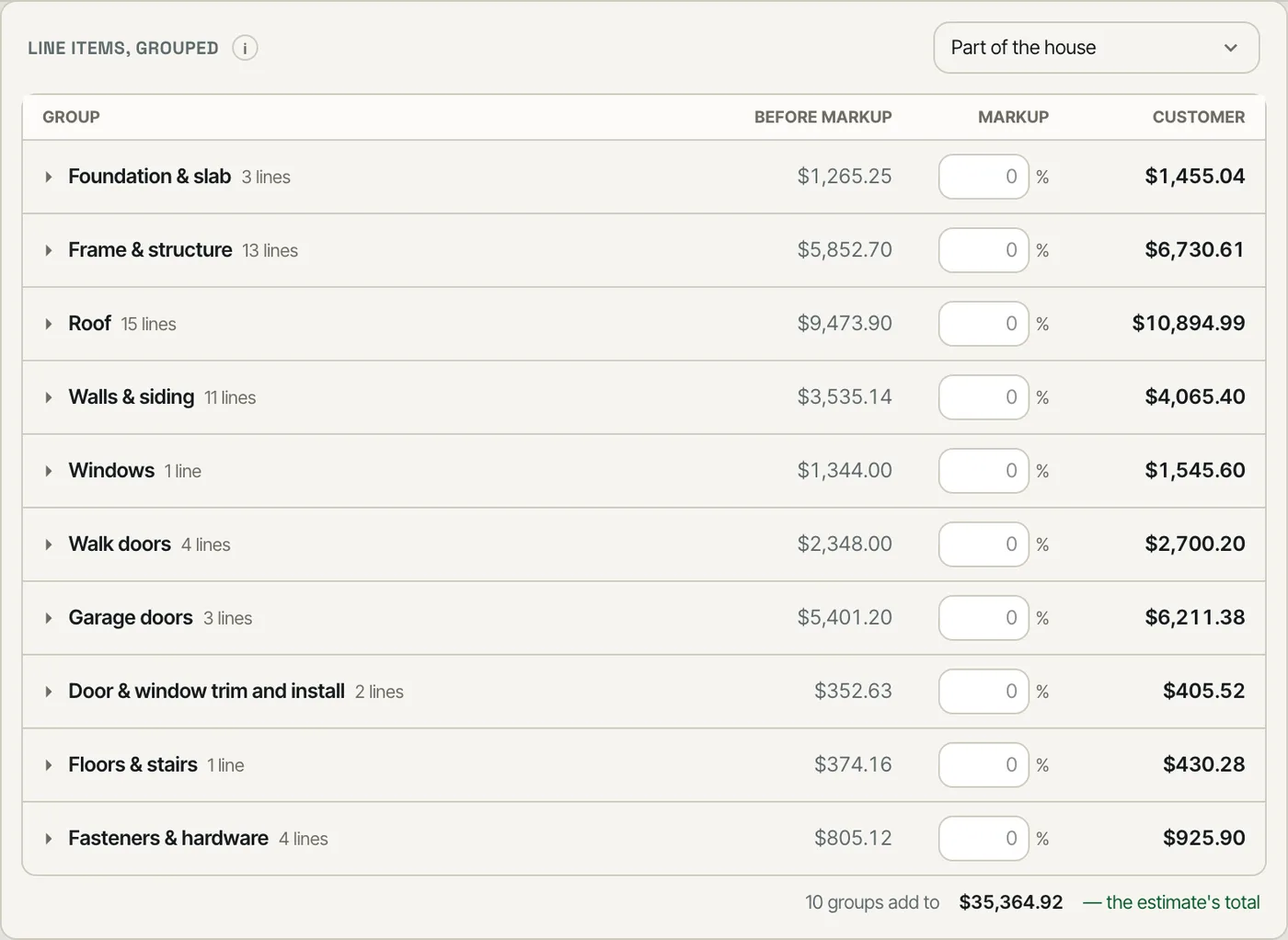
An estimate readable only by material category can't answer "what does the roof cost?"
The same numbers, sorted the way the question is asked — by the bank, the sub or the customer.
Rolled-up groups
A rolled-up group gathers what a customer thinks of as one thing: Doors & windows is every window, walk door and garage door plus their trim and install, each line with its share of the markup.
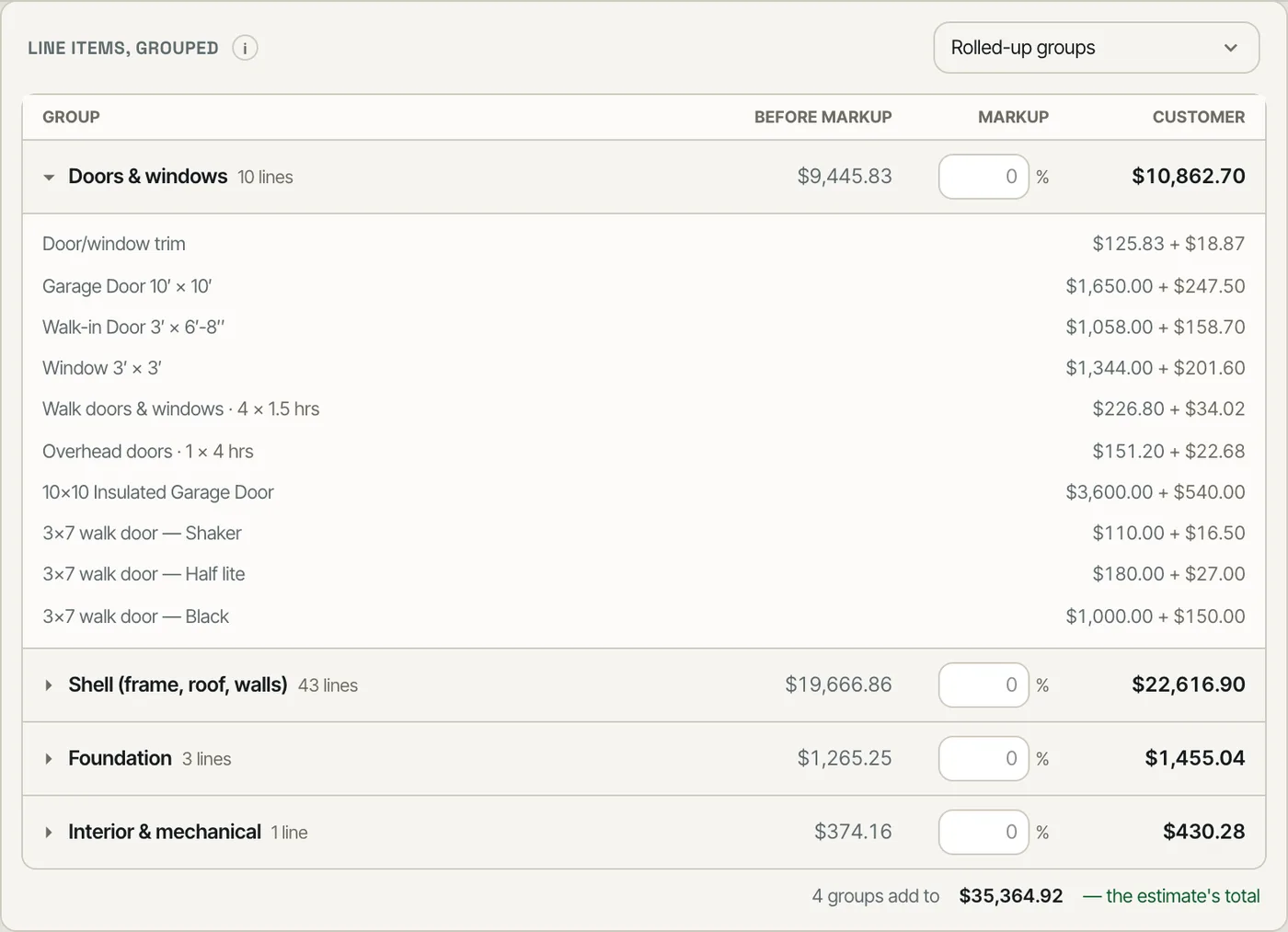
The doors were in one section, the windows in another, the trim in a third.
"What are the doors and windows costing me?" has one number.
One price, three places to change it
The price dialog opens from the ? beside a price in the 3D builder, from Change prices… on a schedule line, and from Settings → Builder prices → Doors & windows. Each piece shows its base and this estimate's price; set it for This estimate only, or as the Base price — every estimate. All three read and write the same prices, and a sent estimate keeps the prices it was sent with.
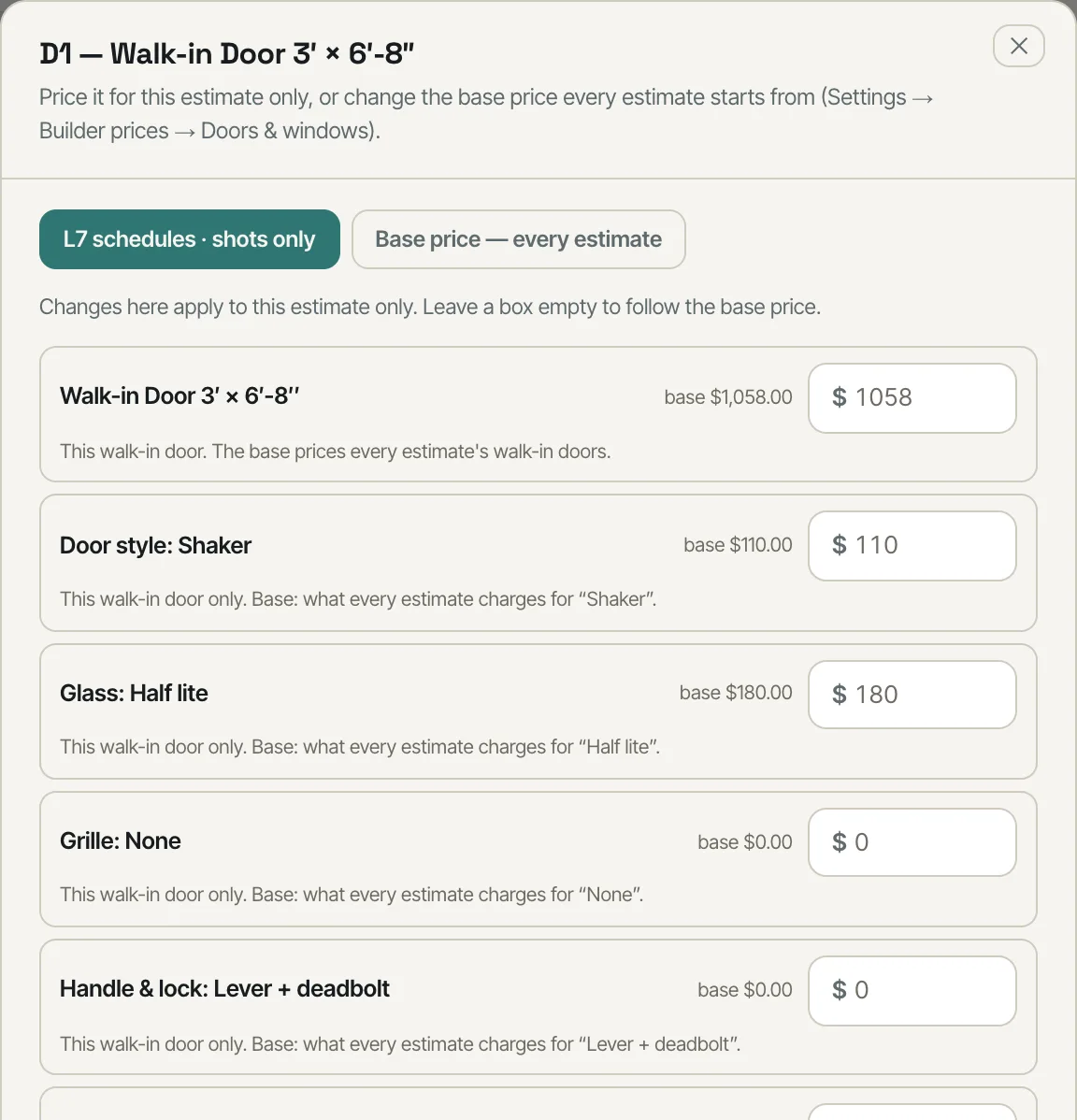
A door price changed in Settings and a different one on the estimate — and nobody knew which the customer saw.
A price is changed once, where you happen to be, and it is the same price everywhere.
The base prices in Settings
Settings → Builder prices → Doors & windows lists the base price of every window, walk door, garage door and sliding door, the garage doors by size, and the door options — the same numbers the builder and the schedule show as base. The garage-door line there is the one used when no size row on your service list matches the door's size and insulation, and a door part nobody has priced reads $0 — set your price.
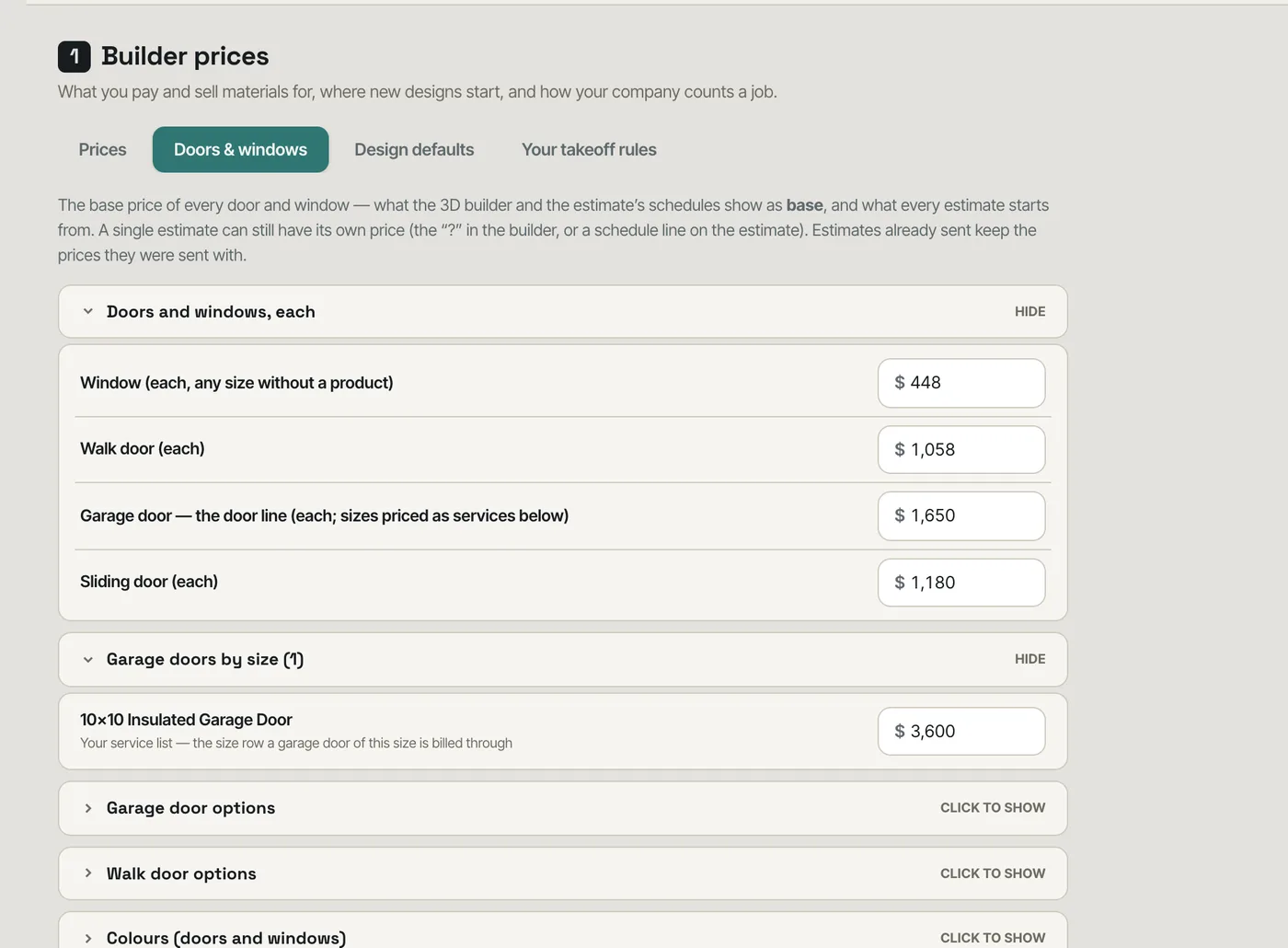
Base prices were spread across the price book, the door options and the service list.
Base costs live in one place an owner can audit.
- 1Turn on Schedules, elevations and grouped views on the estimate in Settings → Beta features.
- 2Open an estimate's Summary: Schedules lists every opening by kind, identical ones on one line.
- 3Open a line to change its size, sill and head, style, glass, hardware, swing, colour, quantity or markup — the 3D builder opens with the same change in it.
- 4Change prices… shows what each piece costs; set a price for This estimate only, or as the Base price — every estimate.
- 5A garage door is charged once: from your service list's size row when one fits its size and insulation, otherwise from the price book's garage-door line — and the schedule shows the one it used.
- 6A walk door's parts — sidelites, transoms, jamb depths, sills and hinge upgrades — start at $0 — set your price until you set one; a part at $0 writes no line.
- 7Elevations shows the four walls with the marks; click a mark to open its schedule line.
- 8Line items, grouped switches between sections, trades, parts of the house and rolled-up groups, with a markup per group.
- 9A sent estimate's schedule is read-only — what the customer saw stays what they saw.
- 10The Academy has lessons for it: Door and window schedules on the estimate, Price a door or window: this estimate or every estimate and See the estimate grouped your way.
Windows and doors are where a post-frame or barndominium quote moves most between the first number and the signed one, and they are the part a customer asks about by name. When they only exist as icons on a 3D model and as lines buried in a materials list, nobody can answer "how many windows, what size, at what price" without opening the builder. A schedule is how architects and suppliers already list them, so the estimate now carries one — editable, tied to the model in both directions, tagged on the elevations, and priced at the same number wherever you look at it.
- Window and door counts that can only be read off the model
- Changing an opening means re-opening the design
- A price set in one place and different in another
- Estimates that can only be read one way, by material category
- Elevation drawings with no link back to the price