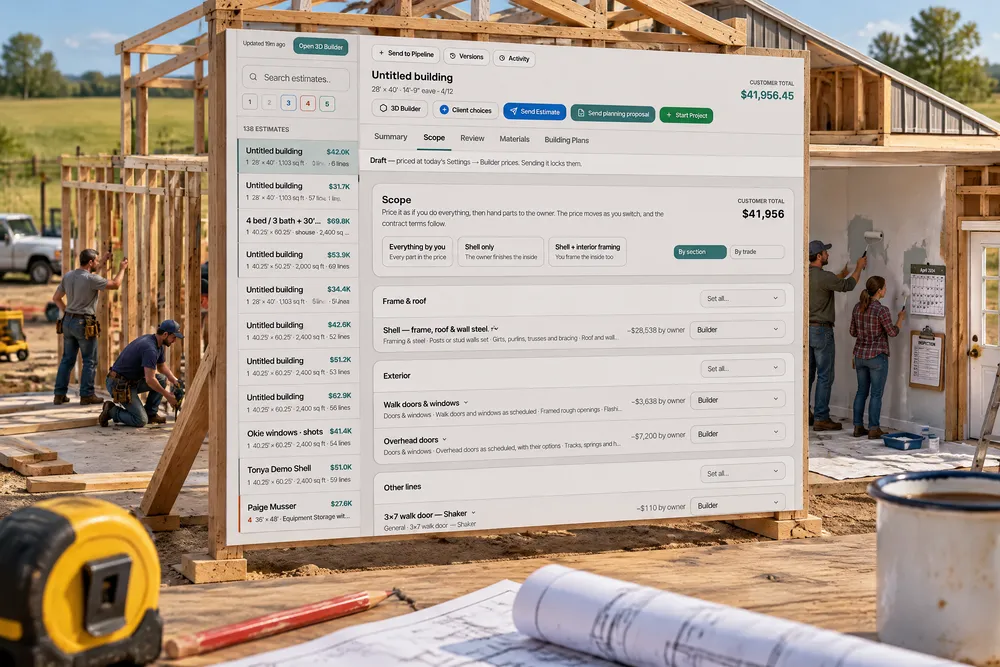
How should a builder handle owner-performed work in a construction contract?
Put it in the contract as its own scope: list exactly what the owner does, who holds the permit and inspections for licensed trades, when the owner's part must be finished, and what happens if it is late. Ours lets each part of the estimate move to the owner as a defined bundle with its price change and hours, and builds an addendum from optional clauses with milestones, notice and a right to complete.
- The AIA A201 general conditions treat work the owner does with their own forces as a separate contract the builder must coordinate with, with its own schedule obligations. AIA A201 Article 6 — study summary ↗
- Construction-management software builders compare it with marks cost groups as optional but has no by-owner state with time, clauses or a schedule handoff. Buildertrend help — Advanced Estimate overview ↗
The estimate gets a Scope tab: every priced part of the job in one list, by section of the building or by trade, each part a bundle that says what it includes. Set any part to Builder, By owner, Owner supplies material or Not in contract and the customer total moves beside it. Start from Everything by you, Shell only or Shell + interior framing, save up to three mixes and compare their totals side by side, and make one the quote with Use this mix. Every part an owner takes shows how long it takes a professional and the range an owner should expect, from published productivity rates scaled to this building, with a deadline in the contract. What follows lists the consequences — an owner doing electrical, plumbing or HVAC takes on the permit and the inspections, and insulation and drywall are held until the passed inspection card is uploaded. The customer sees Work you're doing yourself — each part, what it includes, the hours and the deadline, never an amount — on the estimate page, the printed copy, the PDF and the contract, where an owner-performed work addendum is built from 13 optional clauses you can edit.
Also called: by owner · owner-performed work · sweat equity · owner supplies material · not in contract · exclusions · scope of work · homeowner does the electrical · owner builder addendum · shell vs turnkey · compare scope options · scope tab
One list of everything, each part a switch
The Scope tab lists every priced part of the job, by section of the building or by trade. Each part is a bundle — it says what it includes — and has one of four states: Builder, By owner, Owner supplies material (you keep the labour) or Not in contract. The price change sits beside the switch; nothing is deleted, so switching back brings it home.
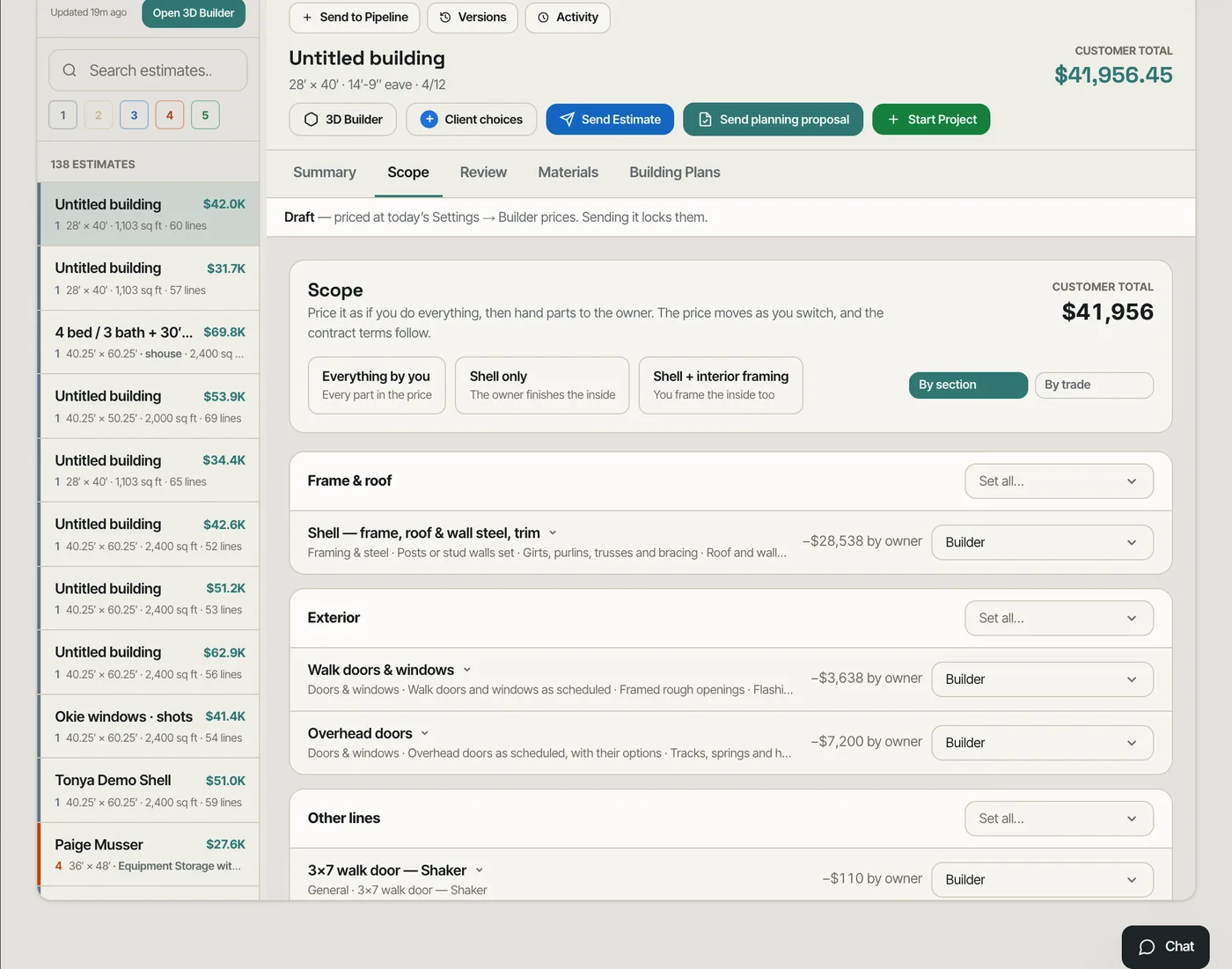
Owner work was a crossed-out line and a number worked out on a calculator.
"What if we do the paint?" is answered in one click, in front of the customer.
By section or by trade
The same scope groups by trade — framing, concrete, electrical, plumbing, drywall, paint — for the conversation about who brings which sub.
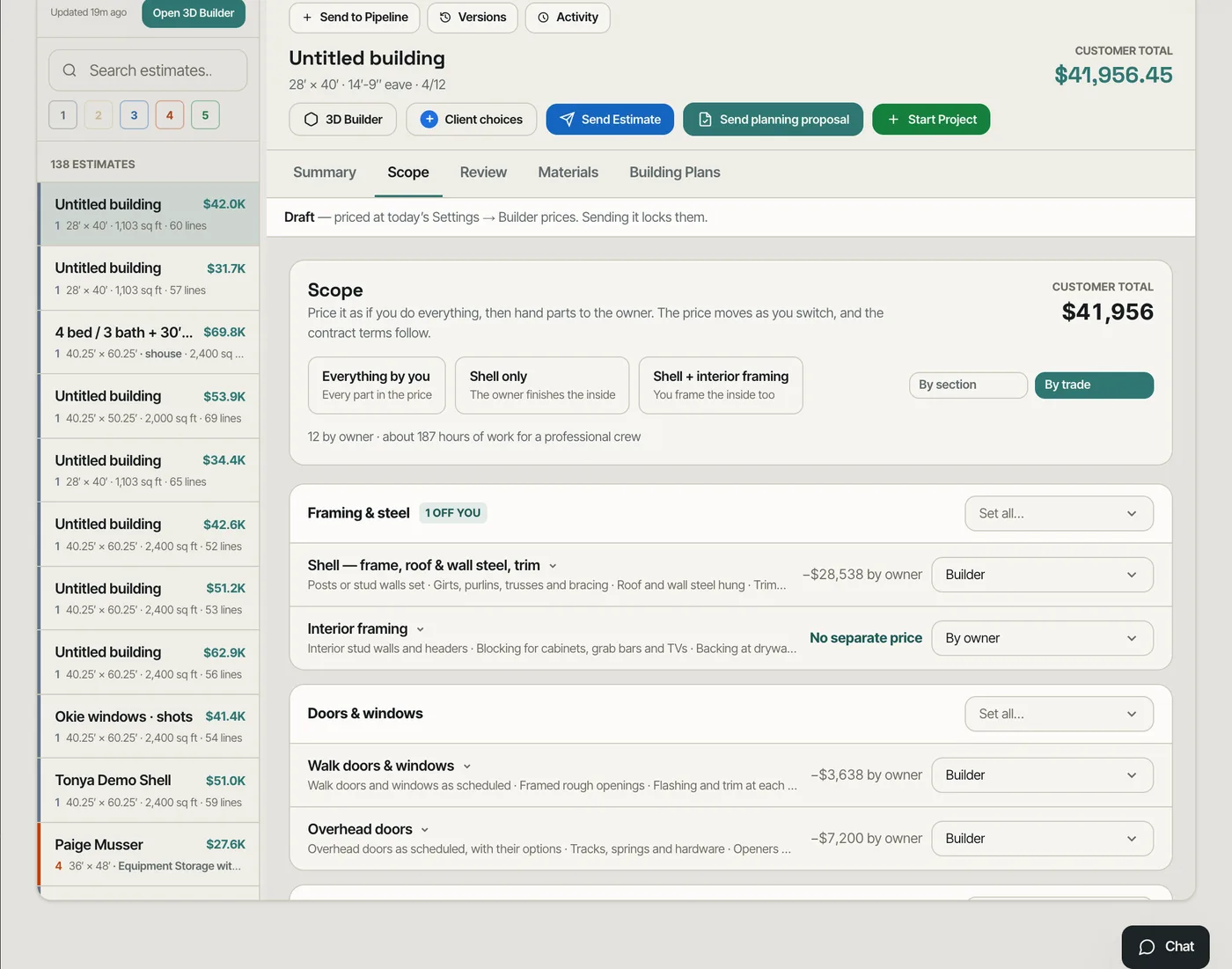
A scope written one way could not answer the question asked the other way.
Owners and lenders think in trades; the builder thinks in the building. Both views are the same switches.
How long it really takes
Open a part the owner takes and it says what it includes, how many hours a professional crew takes on this building — from published productivity rates times this building's quantities — and the range an owner working alone should expect. Owner finishes it sets the deadline: days after your notice, or a date.
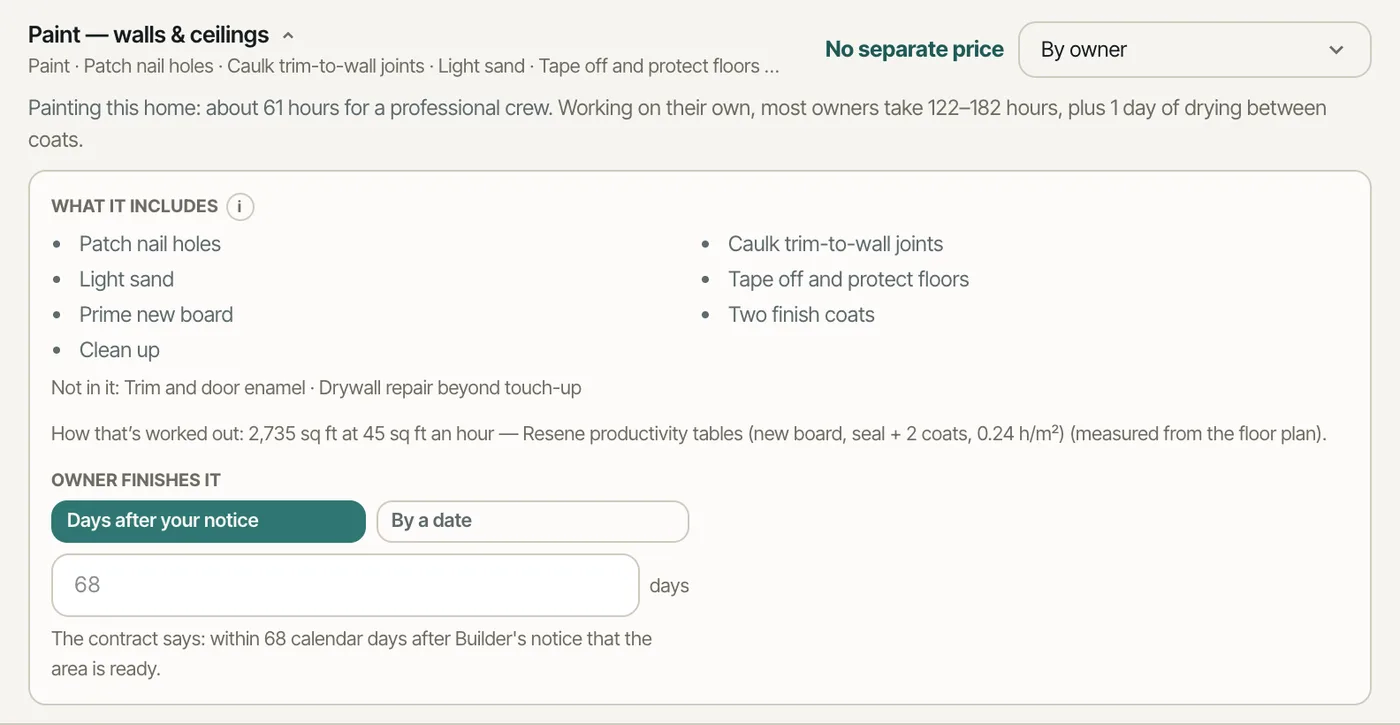
Owners underestimate their part by weeks, and the builder's crew stands around waiting.
An owner who sees the hours before they sign decides with their eyes open — and the deadline is in writing.
What follows from each choice
What follows spells out the consequences. An owner doing electrical, plumbing or HVAC takes on that trade's permit and every inspection, and insulation and drywall are held until the passed rough-in inspection card is uploaded. Owner drywall needs its inspection first; owner paint schedules your trim after it; plumbing under a slab must pass before the pour. The holds appear on the job's schedule.
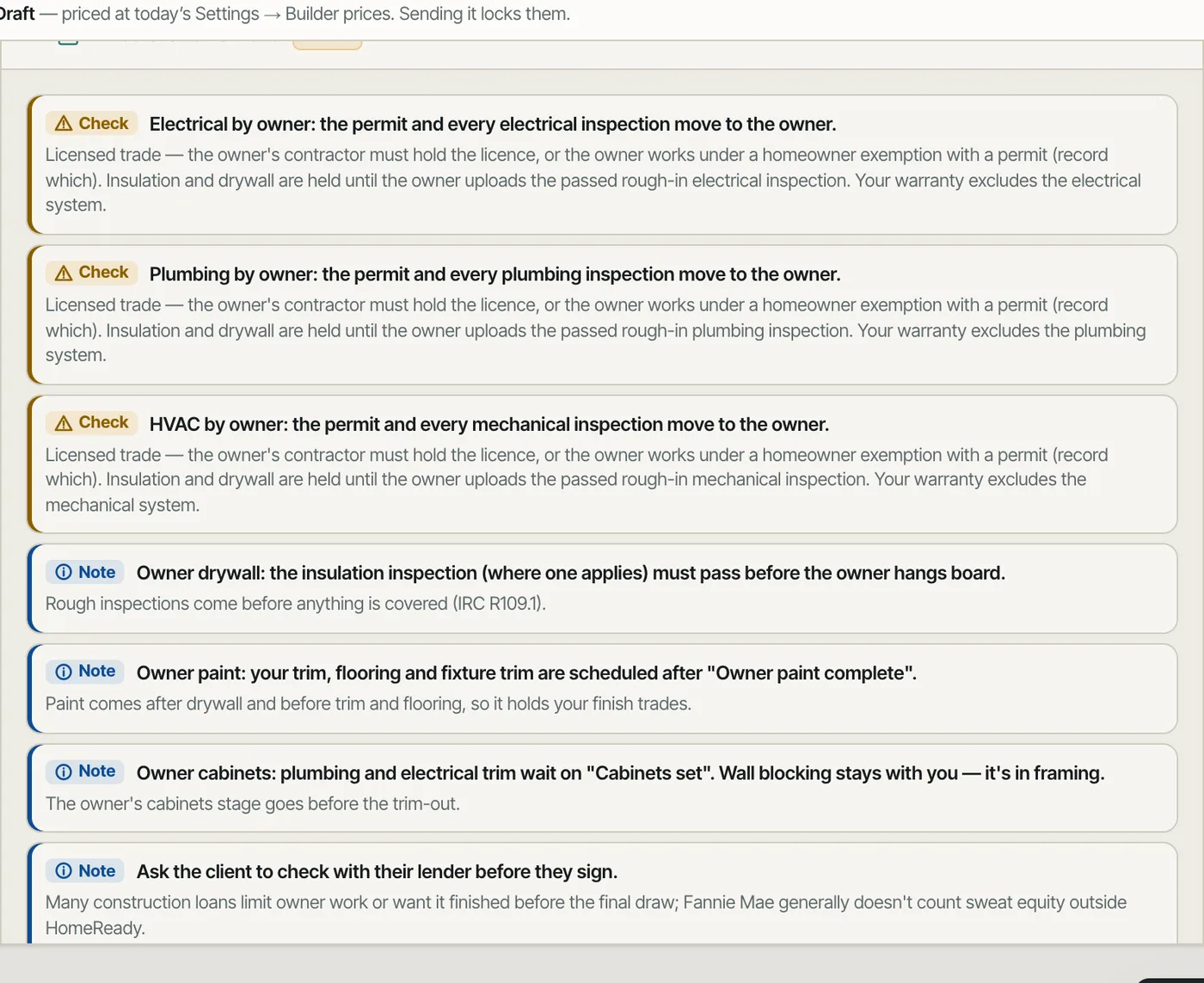
The crew closed up walls over an owner's rough-in that had no inspection.
Nobody insulates over wiring that was never inspected.
Terms that protect the schedule
Schedule and contract terms sets the notice before owner work, the days after which you may finish it yourself, the delay cost per day, a remobilisation charge and the markup when you finish it. Blank fields use your account's wording.
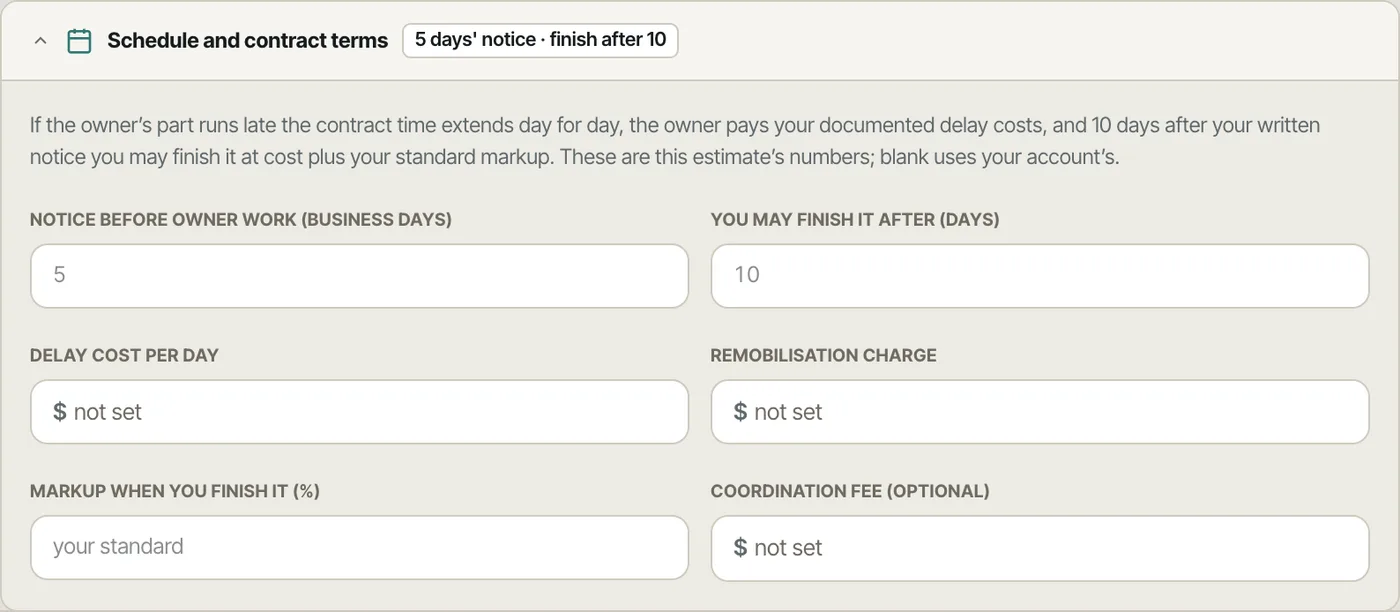
When the owner ran late, the builder had no right to step in and no way to charge for the wait.
Owner delays have a cost the contract already names.
An addendum written from the scope
The contract's owner-performed work addendum is built from the scope as sent: the parts, what each includes, the milestones and the clauses that apply — chosen from 13 optional clauses your account can edit, with a note to have them reviewed by your attorney. Your existing contract text is never changed; the addendum is a block you add.
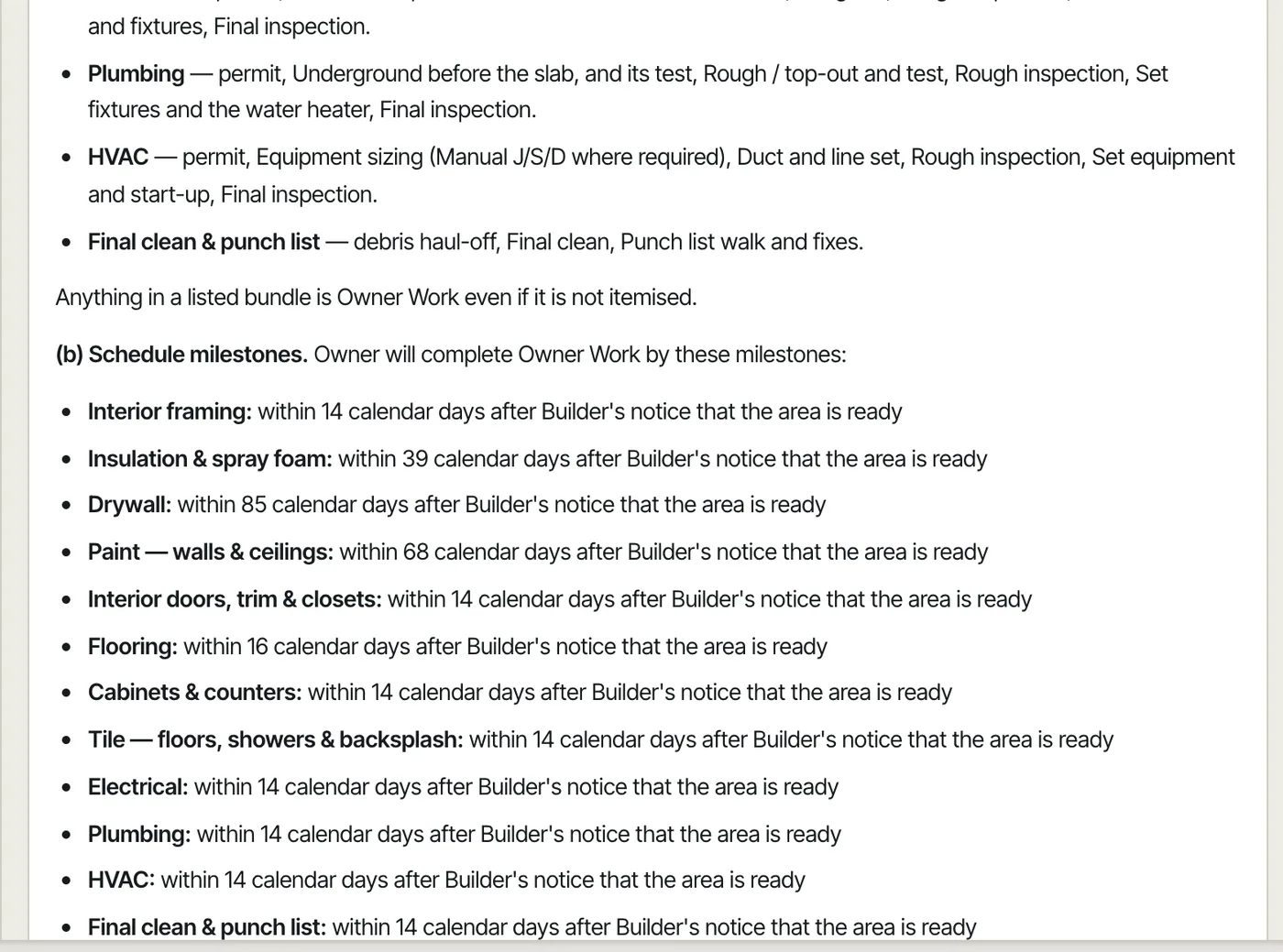
Owner work lived in an email thread, not the contract.
What was agreed at the table is what the contract says.
- 1Turn on Owner work and scope mixes in Settings → Beta features.
- 2Open an estimate's Scope tab: everything priced, By section or By trade, each part with its state and the price change.
- 3Pick a preset — Everything by you, Shell only, Shell + interior framing — or set parts one by one.
- 4Open a part to see what it includes, the hours, and Owner finishes it: days after your notice, or a date.
- 5Compare mixes saves up to three versions of the scope side by side; Use this mix makes one the quote.
- 6Schedule and contract terms sets the notice, finish-after days, delay cost, remobilisation charge and the markup when you finish the owner's part.
- 7Send the estimate: the owner work is frozen into it, and the contract's addendum is filled from it.
Barndominium buyers ask to do part of the work themselves more than almost any other kind of customer — the electrical because a brother-in-law is an electrician, the paint to save money, the concrete because they know a supplier. Every one of those requests changes the price, the schedule and the risk, and most estimates handle it with a line crossed out and a verbal promise. The builder then waits on an owner who is three weeks late, insulates over wiring nobody inspected, or argues about whose fault the drywall is. So the scope is one list where each part can move to the owner as a defined bundle, with its price change, the time it really takes, the schedule holds it creates, and contract language that says who does what by when.
- Owner work agreed verbally and never written into the contract
- Price changes for owner work worked out by hand
- Owners who don't know how long their part takes
- The builder's crew waiting on an owner with no deadline and no consequence
- Insulation or drywall going over an owner's uninspected rough-in
- Shell-only and turnkey prices that can't be compared side by side