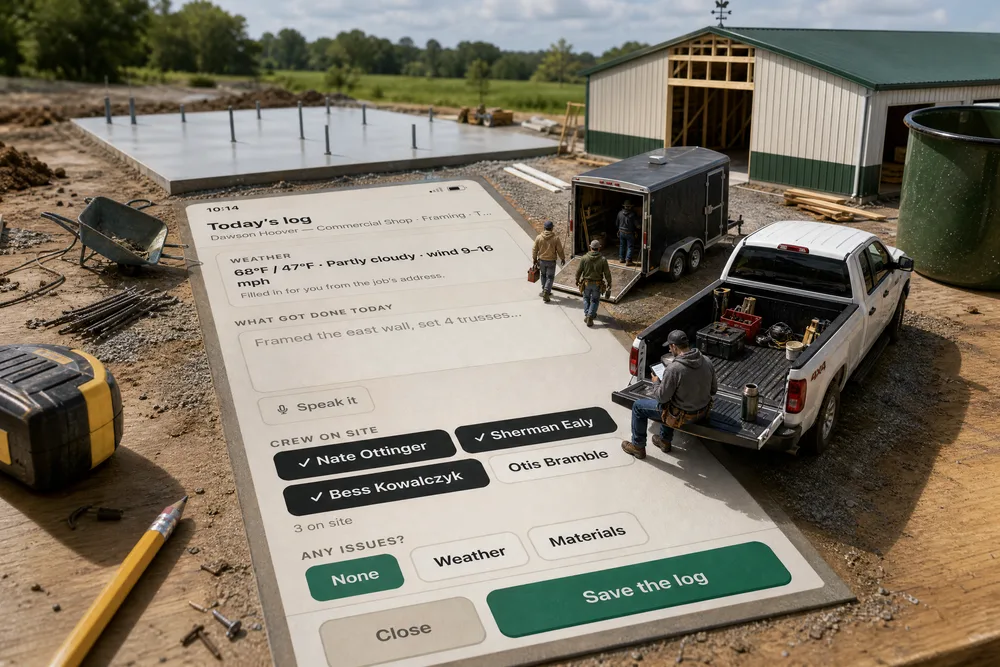
A Today's log button on the crew leader's link — no login, the same phone he clocks in on. It opens the job's daily log already holding the weather at the job's address, the men who clocked in on it today and every photo filed there today. He says what got done (or types it), picks an issue if there was one — weather, materials, equipment, crew, permits — and saves. The office opens the job's Daily Log on the schedule and finds his entry, Logged from the field by Nate Ottinger, in the same log the office keeps. Every log stays private until someone in the office shares it with the homeowner, and then only the date, what got done (or a note written for them) and the photos — never the blockers or the crew names. It's part of the operating system for post-frame and barndominium builders, so the day it records is a pole-barn day: trusses set, girts on, a framing inspection that passed or didn't.
Also called: foreman daily report · field daily log · daily report from the phone · site diary app · crew daily log · job site daily report · superintendent daily log
Today's log sits on the crew leader's phone, one tap from the clock
Try itEvery crew leader on a job gets a third button on his crew link, under Add Photo and Blocked: Today's log. No login, no app to find, no form back at the office. Crew members don't see it — the log is the crew's account of the day, and the leader is the one accountable for it. He can write it on the clock or after he's clocked out, before he leaves the site.
The daily log lives in the office, so it gets written days later from memory — or never.
A foreman asked for his account of the day feels trusted, not watched — and a log that's one tap from the clock gets written while the day is still fresh. For you, that's a record of every day on every job instead of a gap in the file.
The weather, the crew and the photos are filled in before he starts
The log opens holding what the system already knows: the weather at the job's address — 68°F / 47°F · Partly cloudy · wind 9–16 mph — the men who clocked in on this job today, already ticked, and today's photos further down. Otis didn't clock in today, so he's on the list but not ticked. The forecast is the same one behind site weather; the roll call comes off the punch clock.
A blank log asks a tired man to type the weather and a roll call at the end of a ten-hour day — so he doesn't.
Nobody wants to do paperwork the computer could have done for him. Filling in what's already known leaves one question — what got done — and that's the difference between a log that gets written and one that doesn't.
He says what got done — the mic turns it into text
Try itUnder What got done today is Speak it. He taps it, says installed H2.5A hurricane ties on all 24 south-wall truss connections and photographed each bay for the reinspection, taps to stop, and it's in the box. He can say another sentence, or fix a word with his thumb. The same button sits under the issue box.
Typing a paragraph on a cracked phone with gloves on is why field notes come back one word long.
A foreman can describe his day better than he can type it, and talking takes as long as the walk to the truck. The detail you get — which wall, how many ties, what's left — is what settles a question three weeks later.
Any issues? One chip for the kind, a few words for the rest
Try itAny issues? is a row of chips — None, Weather, Materials, Equipment, Crew, Permits, Other. None is green; any other turns red and opens a box for the words. On Wednesday Nate picked Permits and wrote Framing inspection failed — hurricane ties missing on the south wall. Reinspection needed before siding. For a hold-up that stops work right now, there's still Blocked, which tells the office the moment it happens.
A problem that only lived in a phone call is gone by Friday, and nobody can say why the job slipped.
A crew leader wants it on record that the delay wasn't his crew's doing. The chip makes the kind of problem countable later; his words explain it to whoever opens the job next — you, the PM or the inspector's office.
Today's photos go in — tap one to leave it out
Try itEvery photo filed on this job today shows as a tile, ticked. Nate keeps the hurricane ties and the west endwall girts and taps the footing photo to leave it out — 2 in the log · tap one to leave it out. Nothing is uploaded twice: the log points at the photos the crew already took.
The written day and the pictures end up in two places, so the log says 'ties done' with no proof beside it.
Proof beside the words is what makes a crew's account believable — to you, to the inspector, to the homeowner. Letting him leave a photo out keeps the log about the day's work, not every picture on his phone.
Two jobs going? It asks which one — and only offers his
Try itIf he's clocked in, the log is for that job. If his crew has two jobs running and he isn't on the clock, it asks Which job is this log for? with one big button per job — Dawson Hoover — Commercial Shop or Kendra Burkholder — 30×40 Garage — and opens the log on the one he picks. A job that isn't his can't be picked.
A log filed on the wrong job makes one job look quiet and the other look busy.
The question is only asked when the answer isn't already known, so it never feels like busywork. For you, every log lands on the right job without anybody sorting them.
The office opens the job's Daily Log and finds his entry, by him
It's the same log the office keeps — one per job per day — opened from the page icon beside the job on the Build Schedule. The summary reads Logged from the field by Nate Ottinger. Stage: Framing. Weather: … On site: …, then what got done, the issue, how many were there and who. Wednesday's entry sits under it with its Permits line and by Nate Ottinger at 4:35 PM. Everything else the daily crew log does still works on the same entry.
The office and the field keep two different diaries, and when a job slips nobody agrees what happened on Tuesday.
When the foreman's own words are on the record, he stops getting the 'what happened today?' call at 6pm. One log per job per day, whoever wrote it, is the only record that settles an argument — with a customer, a sub or an inspector.
The office hears about it once a day — not on every edit
Saving the log rings Daily log submitted for the people on the job — Daily log: Dawson Hoover — Commercial Shop, with the first words of the day — through the company's own notification settings. It rings once per job per day: if he saves it again at four, nobody is pinged twice. An issue shows in the row, so a bad day reads as one.
A log nobody knows was written might as well not exist — but a ping on every edit gets muted.
Once a day per job is often enough to read and rare enough to keep switched on. The PM gets the day's news without asking, and the foreman knows somebody saw it.
What the homeowner reads on their page
On the homeowner's page, Project updates shows the shared day as From the job site · Thursday, October 8 — On site — Framing, the note and the two photos, newest first beside anything the office posted. Days nobody shared aren't there at all.
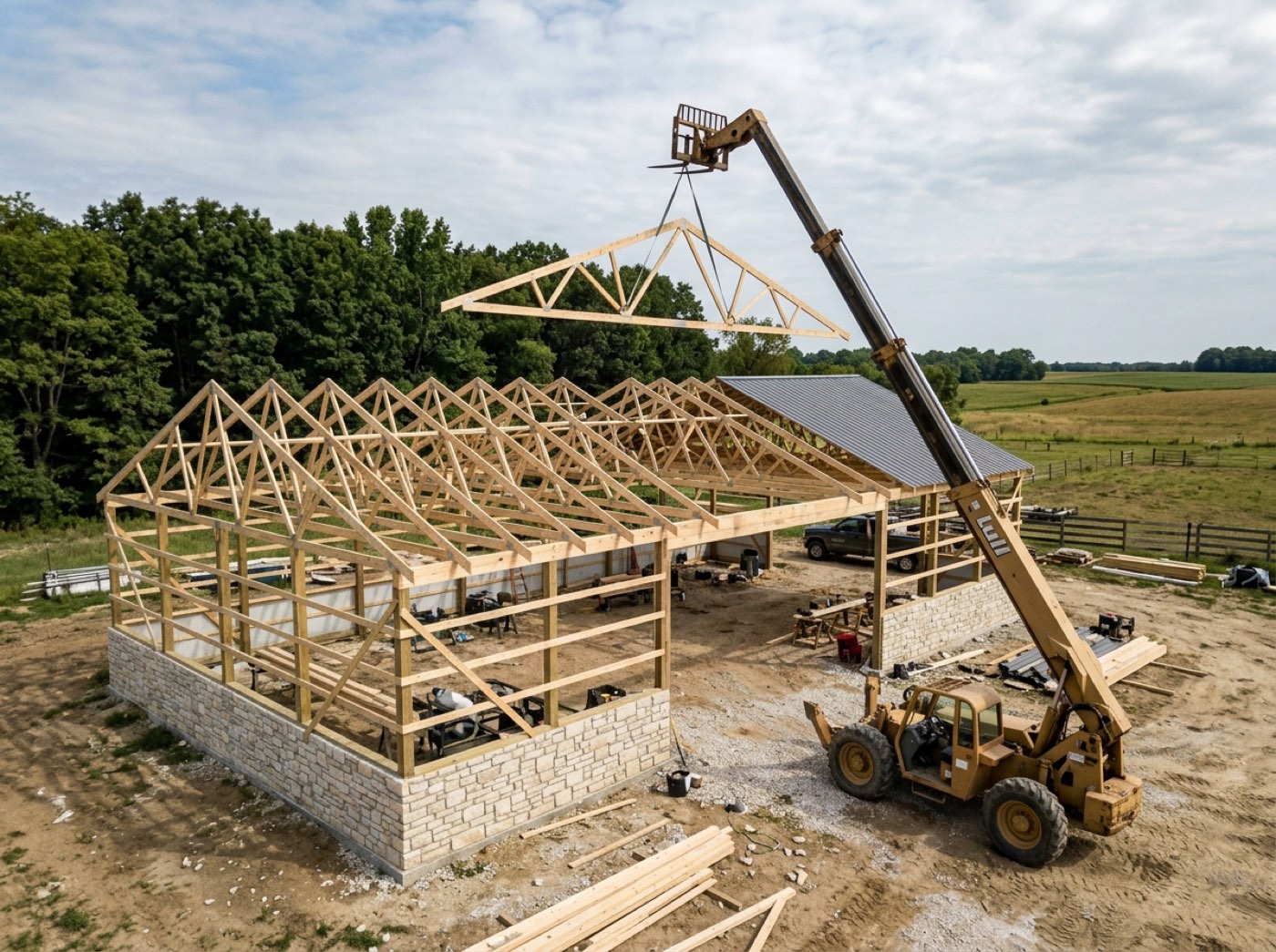
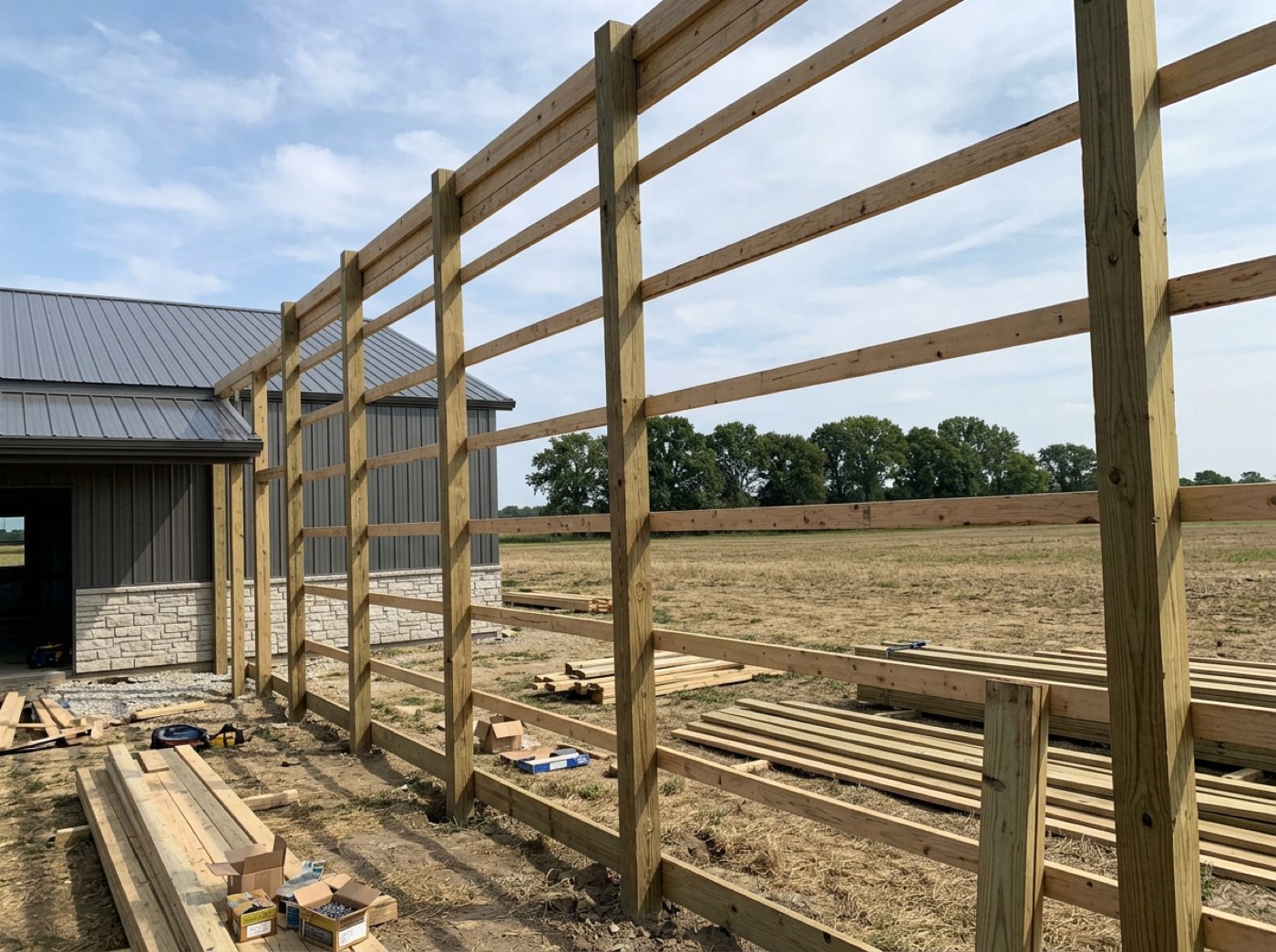
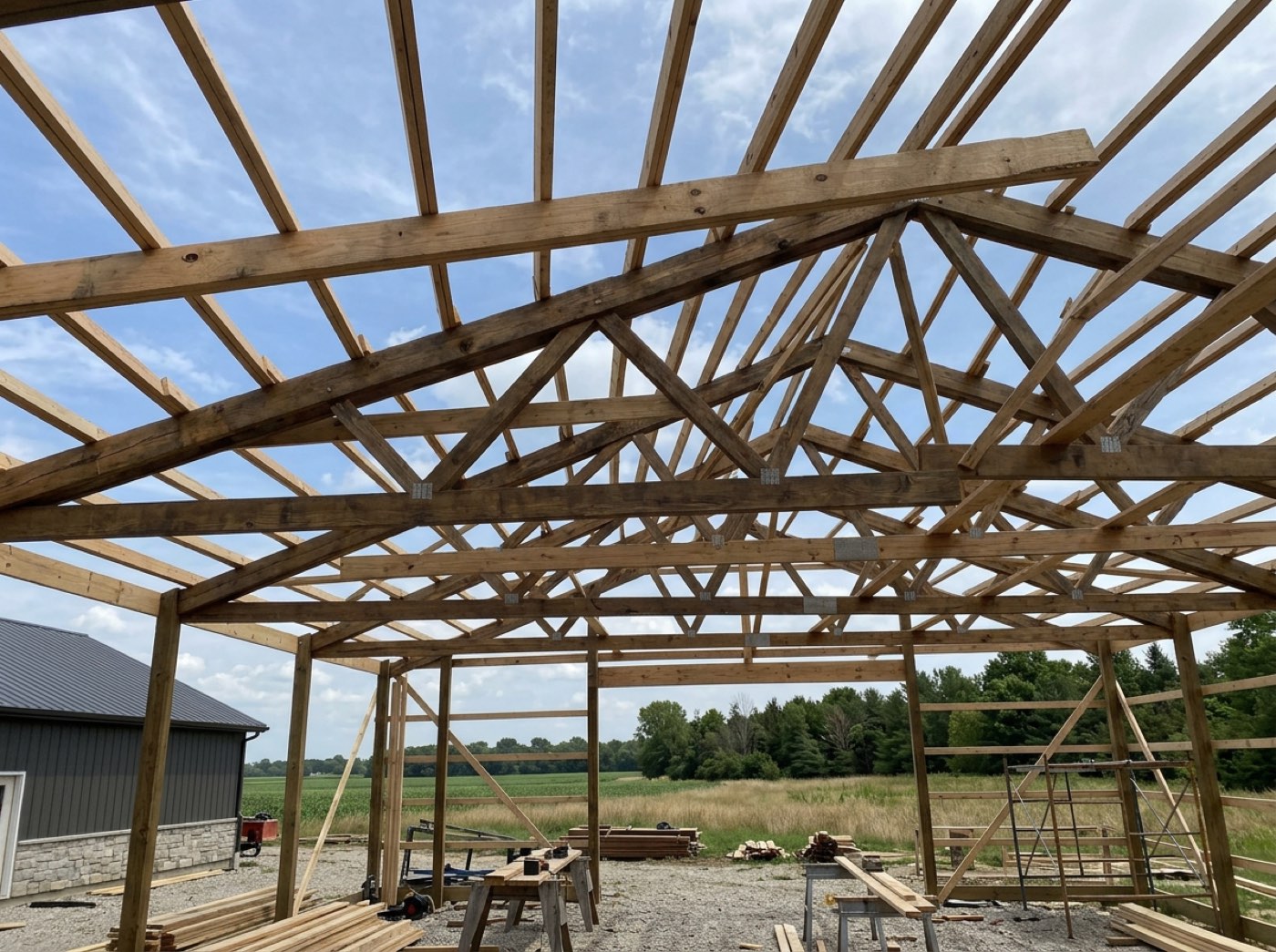
Homeowners drive by, see a half-built shop and wonder whether anything happened this week.
A homeowner who hears from the site feels looked after — and stops calling to ask. A short dated note with a photo turns 'is anything happening?' into 'they're on it'.
Saved twice is still one log
Try itOpen Today's log again the same day and it says Written earlier today by Nate Ottinger. Saving updates it. — and the button reads Update the log. There's one log per job per day; anyone who adds to it edits that entry, and the man who first wrote it stays its author. With no signal it says so plainly — the log wasn't saved — instead of pretending.
Two logs for the same day means two stories, and the office has to guess which one is true.
A leader can add the thing he forgot without worrying he's made a mess. For you, the day has exactly one version, with a name on it.
- 1The crew leader taps Today's log on his crew link — it sits under Add Photo and Blocked, and only a leader on a job sees it.
- 2The log opens with the weather at the job's address, the crew who clocked in on that job today already ticked, and today's photos from that job.
- 3He says what got done with Speak it, or types it, and picks an issue — None, Weather, Materials, Equipment, Crew, Permits or Other — with a few words if there was one.
- 4He unticks anyone who wasn't there and any photo he doesn't want in it, then taps Save the log.
- 5If his crew is running two jobs and he isn't clocked in, it asks which job first — and only offers his own.
- 6It saves to the job's daily log — one per job per day — under his name; the people on the job hear about it once that day, through the company's notification settings.
- 7Opened again the same day, it says who wrote it and updates that entry instead of starting a second one.
- 8In the office, the job's Daily Log on the schedule shows his entry; in the project's Client updates card any day can be switched to Shared, with an optional note in the office's own words.
The daily log lived in the office, which meant it was written days later by someone who wasn't there — or not at all. The man who knew what happened was standing on the slab with a phone in his pocket and no way to write it down that didn't mean typing a paragraph in gloves. So the log moved to where the work is, and everything a machine already knows — the weather, who clocked in, what got photographed — is filled in before he opens it. What's left is the part only he can say, and he can say it out loud. And because crew notes are written for the crew, nothing he writes reaches the homeowner unless somebody in the office chooses to share that day.
- Daily logs written days later, from memory, by someone who wasn't there
- No dependable record of weather, crew and progress for each job, each day
- Crew notes reaching the customer unfiltered — or the customer hearing nothing at all