Weekly client update — drafted Friday, sent by you

Every Friday each active job gets a short update drafted from the week's real work — you read it, change what you'd say differently, and Send to homeowner emails it in your branding and posts it on their project page. Nothing goes until a person presses Send.

The operating system for post-frame and barndominium builders.

Part of The Handover
What it is

On Friday the homeowner's update is already written. It is built from what the job recorded that week — the stages finished, what's moving and roughly how far along, what starts next, the daily logs, anything that slowed the job and the week's photos — as a plain draft in a builder's voice, and it waits in the project's Client updates card while the project's people are told it's ready. Nothing goes to the homeowner until a person presses Send: then it is emailed as a letter from your company and posted under Project updates on their page, where it stays. When the writing pass has reworded a draft it says Polished by Claude, and Use the template instead puts the plain one back. The operating system for post-frame and barndominium builders, so the update reads the way your jobs run — stage by stage, off the schedule your crew already ticks.

Also called: weekly homeowner update · weekly progress email · friday update · construction progress report for client · weekly construction update for homeowner · homeowner progress email · client update template

See it, piece by piece
01

Friday, the update is already drafted

Every Friday, each active job that has a homeowner page and something to report that week gets a draft — and the people on the project get a notification: Weekly update ready to review. The project window's Client updates card says 1 draft to review on the outside, so it waits where you'll see it. A week with nothing to say gets no draft.

Friday — a weekly update to review
Notifications
1 unread
Mark all read
Today
Weekly client update ready to review
Weekly update ready to review — Dawson Hoover — Commercial Shop
This week's update for the homeowner is drafted. Read it, edit it, and send it from the project's Client updates card.
2h ago· Open the project →
Client updates1 draft to review1 daily log shared2 updates sent
Homeowner messagesDawson: Good to know, thanks for the heads up. Is the g…Oct 2
The bell and the closed card both say a draft is waiting. Real screen · sample data.
Without it

Weekly updates are the job everyone means to do on Friday and nobody does, because starting one takes half an hour.

Why we built it

The project manager starts from a finished draft, not a blank page — so the update that always slid to 'next week' takes two minutes and actually goes out. For the business, every homeowner hears from you every week without anybody having to remember.

Sound familiar?“homeowner calls every week asking what's happening”
02

Written from what the job recorded this week

Try it

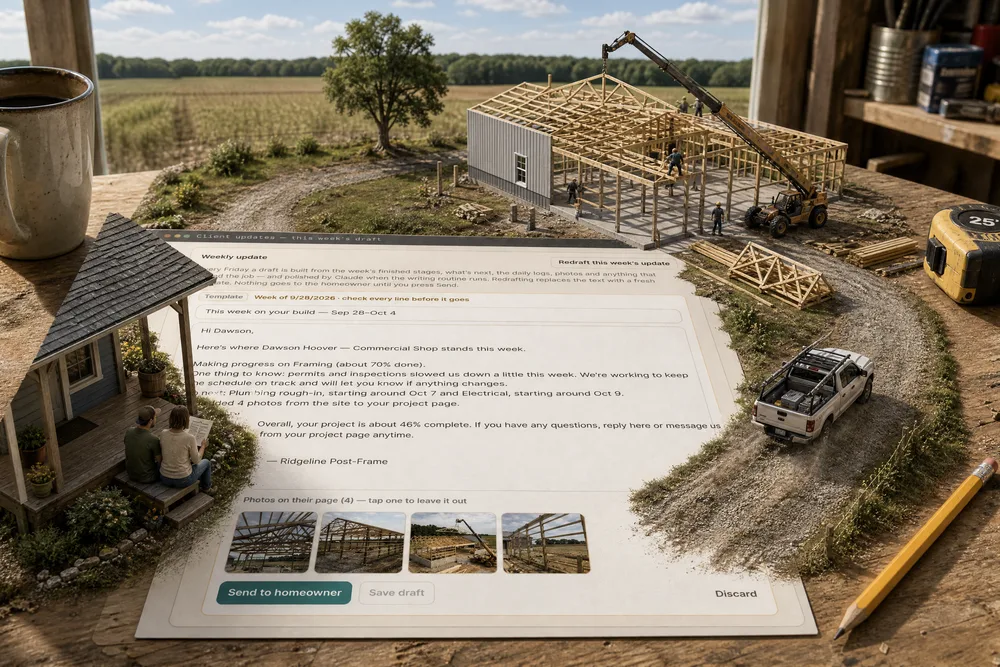
The draft reads the week off the job: stages finished, what moved and about how far along it is, what starts next — counted from today forward, so a late stage never shows up as 'next' — the daily logs, anything that slowed the job, and the week's photos, the ones already marked for the customer first. A slowdown becomes one calm sentence — permits and inspections slowed us down a little this week — without blame and without naming anyone. Change any line, tap a photo to leave it out, and Save draft keeps your edits.

Client updates — this week's draft
Weekly update

Every Friday a draft is built from the week's finished stages, what's next, the daily logs, photos and anything that slowed the job — and polished by Claude when the writing routine runs. Redrafting replaces the text with a fresh template. Nothing goes to the homeowner until you press Send.

TemplateWeek of 9/28/2026 · check every line before it goes
Photos on their page (4) — tap one to leave it out
Discard
Try it: tap a photo to leave it out, and Save draft lights up. Real screen · sample data.
Without it

An update written from memory on a Friday says less than the job's own records — and sometimes says the wrong thing.

Why we built it

It says what actually happened, so the homeowner trusts it — and nobody digs through the week to write it. A failed inspection is told straight and calmly, which is how a homeowner wants bad news: early, plain and already handled.

03

Any day, not just Friday

Try it

The week the trusses go up is the week the homeowner wants to hear about it. Draft this week's update builds the draft from the job straight away, whatever the day. Once a draft exists the button reads Redraft this week's update and replaces the text with a fresh template — handy after a big day on site.

Client updates — Draft this week's update
Weekly update

Every Friday a draft is built from the week's finished stages, what's next, the daily logs, photos and anything that slowed the job — and polished by Claude when the writing routine runs. Redrafting replaces the text with a fresh template. Nothing goes to the homeowner until you press Send.

Try it: press Draft this week's update. Real screen · sample data.
Without it

Big days on a job rarely land on a Friday, and by the time the scheduled update comes round the moment has passed.

Why we built it

The update fits your week, not the other way round. Good news goes out while it's still news, and the homeowner feels the progress the day it happens.

Sound familiar?“no time to write client updates”
04

Polished — with the plain version a click away

Try it

When the writing pass has run, the draft reads warmer, in a builder's voice — from the same facts and no others. It says so: the badge reads Polished by Claude instead of Template, and Use the template instead puts the plain draft back. The writing pass is never given prices, costs, internal notes, crew names, email addresses or phone numbers; it only touches a draft nobody has started editing; and it can't send anything.

Weekly update — Polished, or the template
Polished by ClaudeWeek of 9/28/2026 · check every line before it goes
Hi Dawson, Good week on your shop. The framing is close to wrapped up — bracing is done on the north and east walls, and the girts are going up on the west end. The county's framing inspection flagged one thing on the south wall. The crew put the fix in the next day and the reinspection is booked, so we're working to keep the schedule on track and we'll let you know if anything changes. Next up is the plumbing rough-in around October 7, then electrical around the 9th. We added four new photos to your project page. Overall you're about 46% of the way there. Any questions, just reply or message us from your project page. — Ridgeline Post-Frame
Discard
Try it: Use the template instead swaps the text back. Real screen · sample data.
Without it

A template reads like a template, so the builder either rewrites it every week or sends something that sounds like a form letter.

Why we built it

The project manager gets a warmer letter without writing it — and never loses control of what it says. The badge always tells you which version you're reading, so nothing reaches a homeowner that a person didn't choose.

Sound familiar?“clients only hear from us when something goes wrong”
05

Nothing goes until a person presses Send

Try it

Send to homeowner asks once more and names who it goes to: It's emailed to Dawson Hoover at … in your company's branding and posted under Project updates on their project page. With no email on file it says so, and the update still goes on their page. Until somebody presses it, the draft sits in the card — nothing is ever sent on its own.

Send this week's update?

Send this week's update?

It's emailed to Dawson Hoover at dawson.hoover@demo.invalid in your company's branding and posted under Project updates on their project page.

Cancel
Who it goes to, how, and where — then Send. Real screen · sample data.
Without it

Automatic customer emails go out with the wrong news in the wrong week, and the builder hears about it from the customer.

Why we built it

You stay the one talking to your customer. Software that emails a homeowner by itself is software a builder can't trust with the relationship — so here a person reads it, and a person sends it.

06

It arrives as a letter from your company

The homeowner gets a letter in your branding — your company name and colours, always light whatever their phone prefers — with the week as the heading, the job under it, the update in paragraphs and a See your project and photos button to their page. The branding is the same one your estimates and invoices wear, set once in the Brand Center.

The weekly update — in the homeowner's inbox
Ridgeline Post-Frame to dawson.hoover@demo.invalid
This week on your build — Sep 28–Oct 4
Ridgeline Post-Frame
Project update
This week on your build — Sep 28–Oct 4
Dawson Hoover — Commercial Shop

Hi Dawson,

Here's where Dawson Hoover — Commercial Shop stands this week.

Making progress on Framing (about 70% done).
One thing to know: permits and inspections slowed us down a little this week. We're working to keep the schedule on track and will let you know if anything changes.

Up next: Plumbing rough-in, starting around Oct 7 and Electrical, starting around Oct 9.

We added 4 photos from the site to your project page.

Overall, your project is about 46% complete. If you have any questions, reply here or message us from your project page anytime.

— Ridgeline Post-Frame

See your project and photos
Ridgeline Post-Frame · ridgelinepostframe.example
Their inbox: your name, the week, the button to their page. Real screen · sample data.
Without it

An update typed into a phone's mail app reads like a favour; one that looks like it came from a company tells the homeowner the job is in good hands.

Why we built it

The homeowner hears from their builder, not from a software company — and a tidy weekly letter tells them the job is run by a business that has its act together. That's the customer who refers you.

Sound familiar?“writing progress emails takes all evening”
07

And it stays on their project page

Every sent update lands under Project updates on the homeowner's page, dated, with its photos — beside the daily logs you've shared and any note you've posted. It's the same link they've had since the quote, so the whole build's story sits in one place they can scroll back through: the live project dashboard.
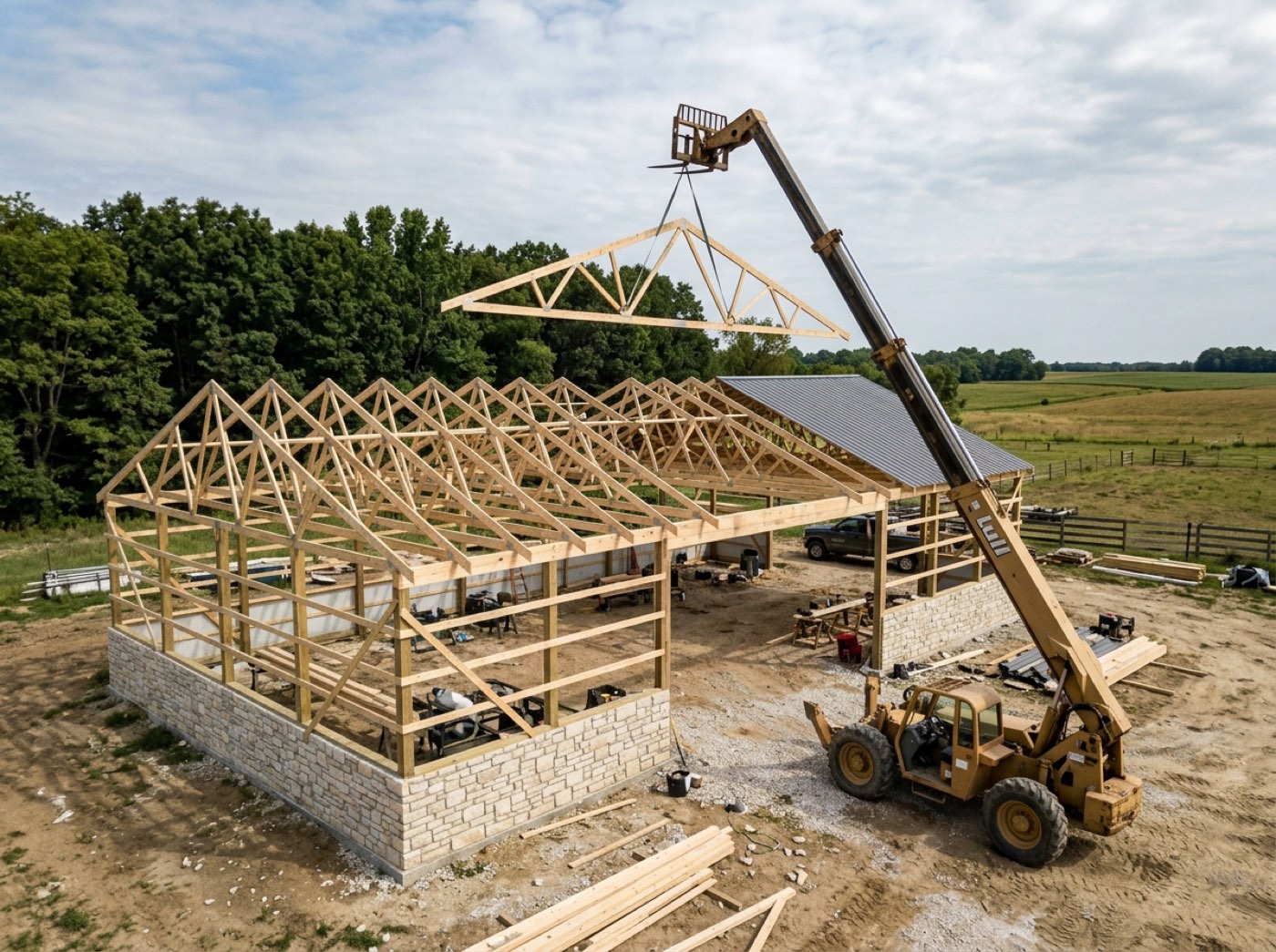
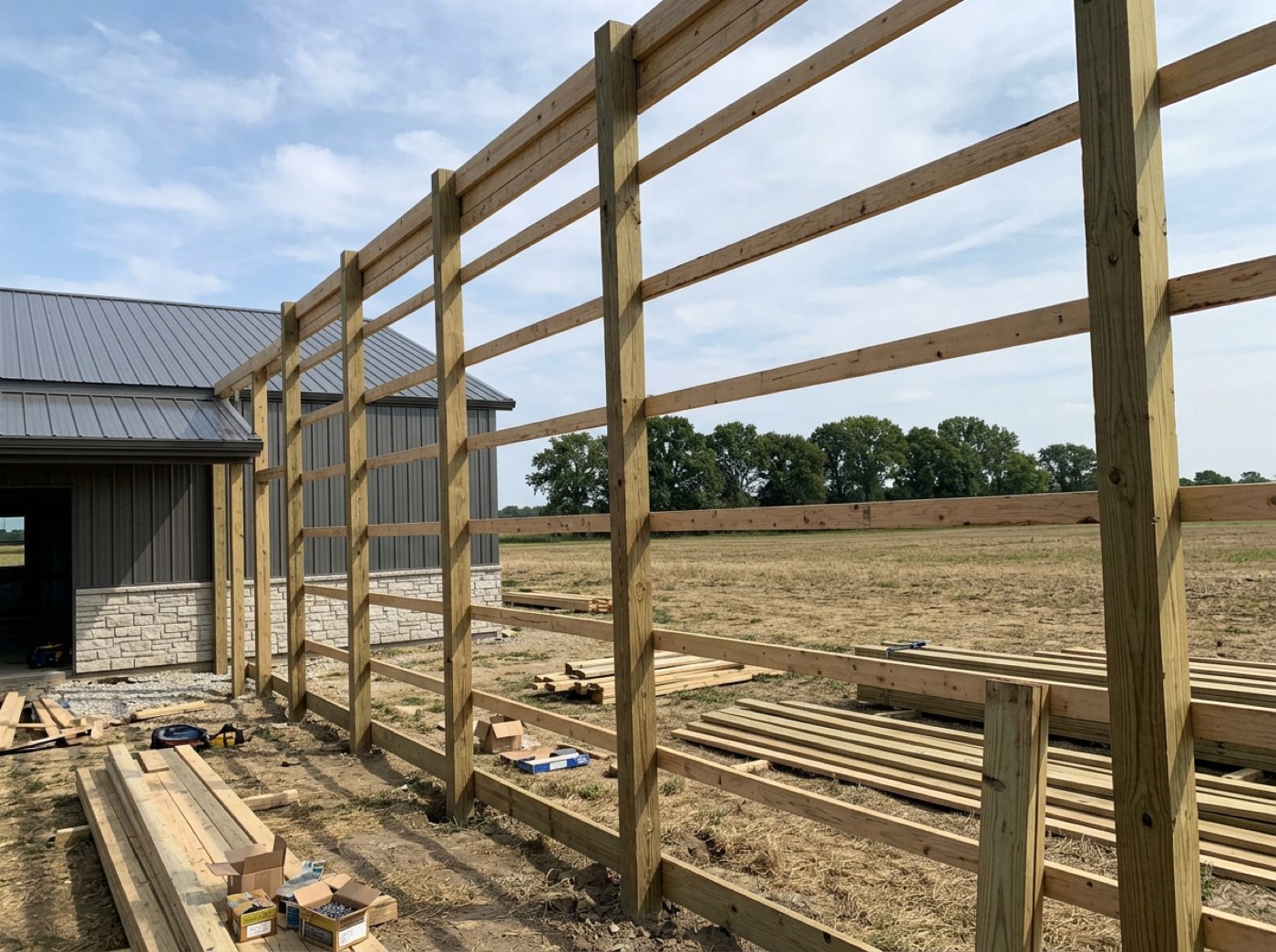
Project updates — the homeowner's page
Project updatesWhat's happening on your build, from your builder.
From the job site · Friday, October 2
On site — Framing
Quick fix on the south wall today — the hurricane ties the inspector asked for are in, and the reinspection is booked. No change to the schedule.
Weekly update · Friday, September 25
This week on your build — Sep 21–Sep 27
Hi Dawson, Here's where Dawson Hoover — Commercial Shop stands this week. Finished this week: Concrete. Making progress on Framing (about 35% done). Up next: Plumbing rough-in, starting around Oct 7. We added 3 photos from the site to your project page. Overall, your project is about 38% complete. If you have any questions, reply here or message us from your project page anytime. — Ridgeline Post-Frame
Update · Thursday, September 24
The frame is going up
Hi Dawson, Big week on your shop — the posts are set, the trusses went up on Sep 23 and the crew is working on bracing and girts now. Next up is the framing inspection, then the steel goes on. — Ridgeline Post-Frame
Project updates on their page — newest first, with photos. Real screen · sample data.
Without it

Updates sent only by email get buried, so the homeowner asks for the same news twice.

Why we built it

A homeowner who can scroll back through every week stops wondering whether anything is happening. Email gets buried; the page doesn't.

Sound familiar?“I forget to update the homeowner until they call”
08

Their reply comes back to the job

Try it

The update ends by inviting questions — reply here or message us from your project page anytime. When they write from Message your team on their page, it lands on the job: the project window's Homeowner messages card and the job's Customer tab in team chat, seen by everyone on the job. A reply from there reaches their page live.

Project window — Homeowner messages
Homeowner messages1 unreadDawson: Good to know, thanks for the heads up. Is the g…Oct 2

The homeowner reads everything written here. Internal talk belongs in Project chat.

Dawson Hoover (homeowner) · Oct 1
Hi! Drove by tonight — the trusses look great. Nate mentioned the inspector was out today. Did it go OK?
You · Oct 2
Thanks Dawson! The framing inspection flagged missing hurricane ties on the south wall — a quick fix. Nate's crew is putting them in today and the reinspection is booked. It won't move the schedule.
Dawson Hoover (homeowner) · Oct 2
Good to know, thanks for the heads up. Is the garage door still the bright white we picked?
Try it: type a reply and Send — the unread tag clears. Real screen · sample data.
Without it

The homeowner answers the update from their phone, and the reply lives in one person's texts.

Why we built it

Their question reaches the people who can answer it, not one person's cell phone. The homeowner gets a fast, right answer; the office sees the whole conversation on the job.

09

A record of every update that went out

On the homeowner's page, inside the Client updates card, lists every update that went out — who sent it, when, the address it was emailed to and how many photos — weekly updates and posted notes together, newest first.

Client updates — on the homeowner's page
Client updates1 daily log shared3 updates sent
Weekly update

Every Friday a draft is built from the week's finished stages, what's next, the daily logs, photos and anything that slowed the job — and polished by Claude when the writing routine runs. Redrafting replaces the text with a fresh template. Nothing goes to the homeowner until you press Send.

On the homeowner's page
This week on your build — Sep 28–Oct 4
Weekly update Fri, Oct 2 by Carla Weaver · emailed to dawson.hoover@demo.invalid · 4 photos
This week on your build — Sep 21–Sep 27
Weekly update Fri, Sep 25 by Carla Weaver · emailed to dawson.hoover@demo.invalid · 3 photos
The frame is going up
Posted Thu, Sep 24 by Carla Weaver · 2 photos
Who sent what, when, and where it went. Real screen · sample data.
Without it

A disagreement about what the homeowner was told comes down to whose memory is better.

Why we built it

'We told you that' is easy to prove when it's written down. If a date or a decision is ever questioned, the job holds the record of exactly what the homeowner was told and when.

Sound familiar?“customer asks what happened on site this week”
10

A quiet week? Discard it

Not every week needs a letter. Discard drops the draft — it won't be sent, and the Friday run won't redraft this week — and you can still draft one by hand if something happens before Sunday. One draft per job per week: a week you've sent or discarded is left alone.

Discard this draft?
TemplateWeek of 9/28/2026 · check every line before it goes
Hi Dawson, Here's where Dawson Hoover — Commercial Shop stands this week. Making progress on Framing (about 70% done). One thing to know: permits and inspections slowed us down a little this week. We're working to keep the schedule on track and will let you know if anything changes. Up next: Plumbing rough-in, starting around Oct 7 and Electrical, starting around Oct 9. We added 4 photos from the site to your project page. Overall, your project is about 46% complete. If you have any questions, reply here or message us from your project page anytime. — Ridgeline Post-Frame
Discard

Discard this draft?

It won't be sent, and the Friday run won't redraft this week. You can still draft it again by hand.
Cancel
Discard means that week is done. Real screen · sample data.
Without it

Automated reminders that keep coming back teach people to ignore them.

Why we built it

You decide when there's nothing worth saying, and the software respects it — no nagging, no duplicate drafts, no update sent for the sake of sending one.

How it works
  1. 1Friday, every active job with a homeowner page and something to report gets a draft — and the project's people get a notification that it's waiting.
  2. 2Open the project's Client updates card — closed, it already says 1 draft to review. Or press Draft this week's update any day.
  3. 3Read every line, change what you'd say differently, tap a photo to leave it out, and Save draft if you're not finished.
  4. 4Press Send to homeowner and confirm: it's emailed in your company's branding and posted under Project updates on their page.
  5. 5When they write back from their project page, it lands on the job — in Homeowner messages and the job's Customer tab in Chat.
  6. 6Nothing to say this week? Discard it, and the Friday run leaves that week alone.
Why we built it

Homeowners who hear nothing assume nothing is happening — and on a nine-week post-frame build that silence turns into the Friday-night phone call. A good update takes a project manager half an hour he doesn't have on a Friday, so it doesn't get written. The draft does the gathering and the first pass from the job's own records; the person who knows the job still decides what goes out, and presses Send.

The problem
  • Weekly updates that never get written.
  • Updates that say less than the job's own records do.
  • A slow week explained badly — or not at all.
  • No record of what the homeowner was told, or when.
What you get
A weekly touch with every homeowner in minutes, not an evening.
Written from the job's real records, and never sent without a person.
Every update stays on their page — a dated record of what they were told.
One system for the whole post-frame job: the schedule, the logs, the photos and the letter to the homeowner all come from the same place.
CLIENT PORTAL

See weekly client update — drafted Friday, sent by you
on one of your own jobs.

Twenty minutes, your building, your numbers. Bring the job where “homeowner calls every week asking what's happening” — we will show you exactly where that stops.

leads2build.com
Client updates — this week's draft
Weekly update

Every Friday a draft is built from the week's finished stages, what's next, the daily logs, photos and anything that slowed the job — and polished by Claude when the writing routine runs. Redrafting replaces the text with a fresh template. Nothing goes to the homeowner until you press Send.

TemplateWeek of 9/28/2026 · check every line before it goes
Photos on their page (4) — tap one to leave it out
Discard
Weekly client update — drafted Friday, sent by you — Leads2Build