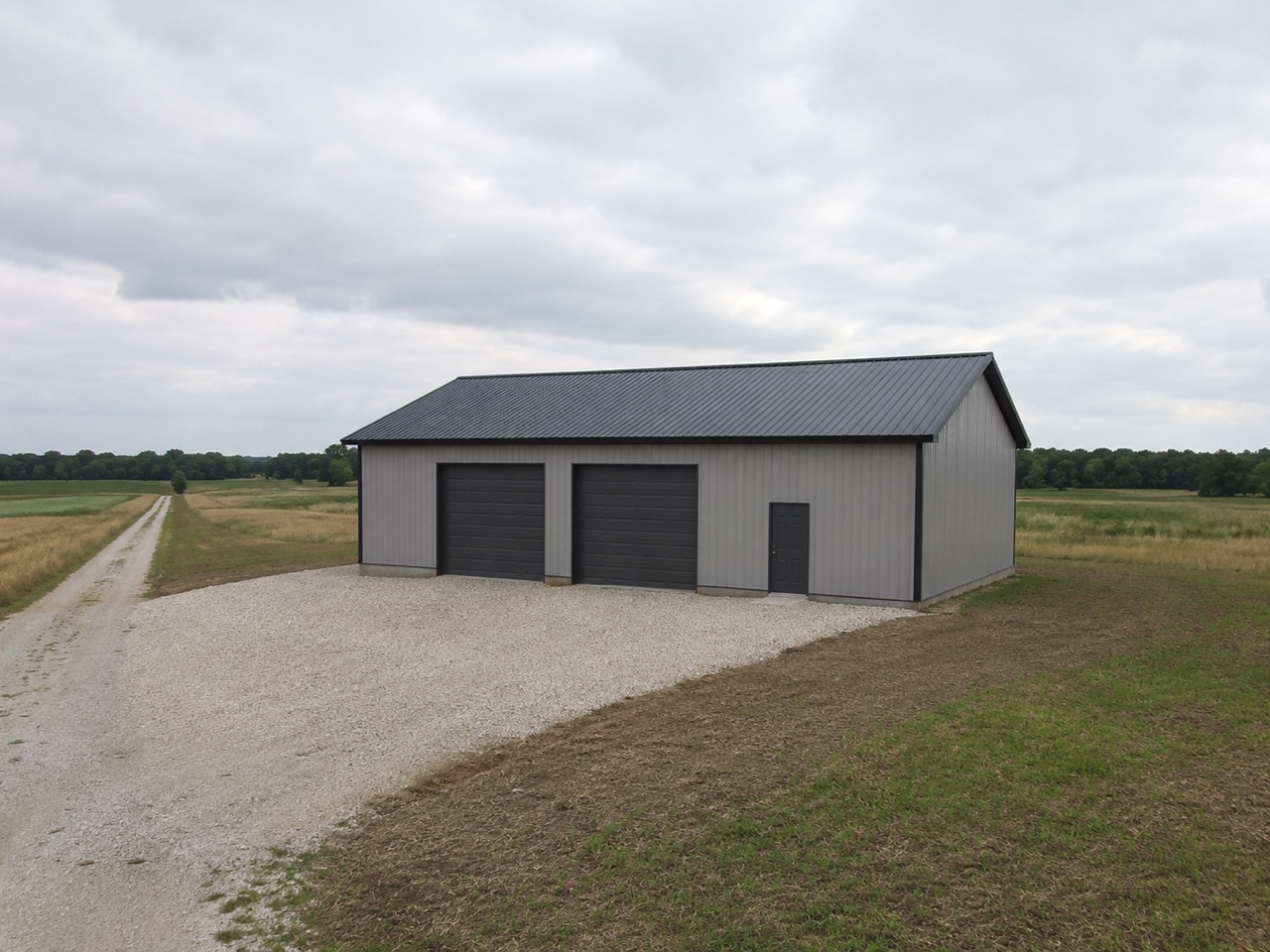
Where do I start a pole barn building permit lookup?
Start from the street address, because a town line you can't see decides whether the town or the county governs. Our pole barn building permit lookup checks, on its own, every lead whose county we hold rules for and shows required or not, fee, typical cost, review time, farm exemption, stamped plans and the office's phone, with sources, saved on the deal. Confirm with the local authority before you price.
- A permit problem found late is the most expensive kind. The Pole Barn Guru reports a permitted 1,900 sq ft pole barn in New York stopped after framing because it sat 50 feet from the road where 110 were required: about $25,000 to build and about $35,000 to move. Hansen Pole Buildings, 2022 ↗
- Neighbors can have opposite rules. Three Minnesota towns gave three answers for the same barndo: one banned metal siding, one capped garage size, and one called it agricultural and required 40 acres. Hansen Pole Buildings, 2026 ↗
- A surprise cost after the price is out hurts more than the same cost known up front. Prospect theory shows losses weigh more than equal gains, which is why builders so often eat a late permit bill to keep the job. Kahneman & Tversky, 1979 ↗
- The trade association says ask early. NFBA's Frame Builder magazine advises checking with the building department early to avoid costly delays on post-frame barndos. NFBA, 2025 ↗
A building permit lookup built into the sales pipeline for post-frame, pole barn and barndominium work — exclusively post-frame and barndominium builders, so the rules it holds are the ones for your buildings: the farm exemption, stamped plans over a size, what a 40×60 typically costs to permit. Type a street address, a town or a county — or type nothing: leads whose card names a county we hold rules for (or one of the few towns we have researched) are checked when the board opens, and any other lead is looked up from its street address when you open the deal. Type the street address and it works out from the official boundary lines whether the town or the county governs, then shows whether a permit is required, the fee, the typical cost, the review time, the farm exemption, whether you need stamped plans, and the department's phone number. The answer is frozen onto the deal with who checked it and when, and a chip on the pipeline card names the office. Where we hold no verified rule it says so, it never invents a no, and a town guessed from a caller's phone number never decides anything.
Also called: building permit lookup · pole barn permit requirements · do I need a permit for a pole barn · permit check · county permit rules · barndominium permit
Checked before anyone asks, where we hold the rules
Open the board and every deal that arrived with a town or county and no check yet gets one. The location on the contact is matched against rules we already hold, so there's no cost per card and no waiting on a map. The answer sits on the card with the office that governs. Deals outside our coverage are skipped rather than answered wrongly, and a check that found no verified rule says call office.
The permit step gets skipped on a busy Monday, and the surprise bill turns up after the quote went out — far too late to work as a reminder.
A busy rep skips the step nobody asked for, so the check is already done before they get to it. The owner stops eating surprise permit bills, and the rep walks into the first call knowing which office to name.
A street address, a town, or just a county
One box takes whatever the lead gave you. Towns come first, then counties, and counties we already hold verified rules for are ticked. Only know the area? The state, county and town pickers walk you down to the office that actually decides — there is no statewide permit for a post-frame building.
Half the leads arrive as 'somewhere out past the highway', and a lookup that only takes a street address never gets run on them.
A rep never has to send the lead away to find an address first — whatever the customer said on the phone is enough to start, so the check actually gets run.
The line decides whether the town or the county governs
The parcel is matched against the official boundary, not a name that looks close. Inside a town, the town's rule wins; outside every town, the county answers — and when a town governs, the county rule still shows underneath. The map draws town, county and state lines in their own colours, and you can click any jurisdiction on it for its rule.
A builder quoted the county fee on a job that turned out to be three blocks inside the town line — different office, different fee, different review time.
The rep quotes the right office's fee the first time, and the owner never has to call a customer back to add one. Plenty of towns share a name with the county around them, so the line itself decides — not the spelling.
Every town around the county, one click each
Try itPick a county and the panel lists the cities in and around it, each in its map colour. Click one and the answer becomes that town's — for Millbrook, a permit required, $980 to $1,240 typical, stamped plans above 3,000 sq ft — with Kessler County's rule kept underneath as county context.
Town lines don't show from the road. The rep picks the county because it's the name they know, and the town's fee turns up later.
A rep can answer the customer on the first call — 'you're inside Millbrook, so it's their office' — instead of promising to find out. Seeing both rules at once is what stops the wrong one getting priced.
One card: required, the fee, the exemption, the stamp, the phone
A green, amber or red header says whether a permit is required, conditional or not required. Under it: the typical cost, the farm and ag exemption and what it depends on, whether you need engineered stamped plans, the fee detail, the review time, the department and its phone. A confidence badge sits beside the name and every claim links back to the page it was read from. Where a county is known not to take a post-in-ground barndominium as a primary home, the county's answer says so under Wall systems — a builder's report, to confirm with the county.
The same pile of facts otherwise takes a morning of calls — one office for the fee, another for the exemption, a third for the plans.
It saves the rep a morning of phone calls — one office for the fee, another for the exemption, a third for the plans. And linking every line to its source means the owner can check the answer rather than take it on trust.
The answer you priced on stays on the deal
Each lookup is kept with the address, the parcel, who governed, who ran it and when, and the whole answer exactly as it appeared. Re-open the deal and you get that answer replayed, not a fresh one — and the panel fills itself from the contact, so nobody retypes the address.
A county changed its rule between the quote and the build, and the builder had no way to show what the answer was on the day he priced it.
The owner can show what was known on the day the job was priced if a customer or a county pushes back — a record, not a memory. The rule can move next month; the record shouldn't.
No data means 'call the office', never 'no permit'
Where we hold no verified rule, the panel names the jurisdiction and tells you to call the local building or zoning office — never assume "no permit." A pin only drops on a real rooftop match — an approximate location gets no pin at all. And every permit screen carries the same line: confirm with the local authority before you quote.
A wrong 'no permit' is worse than no answer: it's the exact failure that leaves a builder holding a bill he never priced.
The rep is never handed a false green light to repeat to a customer. A gap in coverage is painted as loudly as a red answer, because silence would read as 'no permit' — the exact mistake that leaves the builder holding the bill.
A town guessed from a phone number never picks the rule
Some leads arrive with only a phone number, and the town can be filled in from its area code. That guess is labelled on the deal — "(from their phone number)" — and the permit check ignores it: the board's automatic check won't answer for that town, and the panel opens asking for the real address instead of answering for the place the phone was issued.
A phone number says where the phone was issued, not where the barn goes — and a permit answer built on it would be confidently wrong.
The rep can tell a real answer from a guess at a glance, and the customer never gets quoted the permit for the town their phone came from. A guess is fine for sorting a mailing list and wrong for anything that decides money or law.
Only know the state? It tells you who decides
Pick just a state and the panel explains how post-frame, pole-barn and barndominium permits work there — issued by the county or the city, never statewide — and which counties hold verified rules. Then the pickers walk you down to the office that decides.
A rep who only knows the state goes looking for a state rule that doesn't exist, and quotes without one.
A new rep learns where permits come from by using the tool, not by asking the owner — and knowing which office decides is half the answer to the customer's question.
Once it's sold, the permit moves onto the job
The answer doesn't stop at the quote. When the job starts, its Permits & inspections card offers the county this check found — and any permit number the customer gave on the intake form — as the first permit, with where each came from. From there the job tracks its permits and inspections, each inspection tied to the stage it signs off.
The rep found the county to quote it; three weeks later the project manager looked it up again to pull the permit.
The office never looks up the same county twice, and the answer the rep priced on becomes the project manager's starting point. One system from the first call to the final inspection is the whole point of running the business in one place.
- 1Leads whose card names a county we hold rules for — or one of the few towns we have researched — are checked when the board opens — the card reads Permit required · Boone County before anyone opens the deal.
- 2Open the deal and the permit panel is already answered. Or search by street address, town or county, or walk down the state, county and town pickers.
- 3Type the street address for an answer matched to the boundary line: inside a town the town's rule wins, outside every town the county answers.
- 4Read one card: required or not, fee, typical cost, review time, farm exemption, stamped plans, the office and its phone — and a link to every source.
- 5The answer is kept on the deal as it was on the day you priced it, with the name of whoever checked it.
- 6A town or state that was only guessed from the caller's phone number is labelled as a guess and never used to pick a permit rule.
- 7Where coverage is thin the card says call the office and hands you the number, and every screen carries the same line: confirm with the local authority before you quote.
- 8Once the job is sold, its Permits & inspections card offers the county this check found as the first permit.
The permit bill that hurts is the one that turns up after the price is already in the customer's hands. A crew quoted a pole barn on the assumption there was no permit out there. There was, and the builder ate it to keep the job. Nobody was lazy: the answer lives in three different offices, it changes across a town line you cannot see from a street address, and assembling it takes a morning of phone calls — so on a busy board the check gets skipped. The check nobody asked for is the valuable one, so it now runs on its own for every lead whose county we hold rules for, and the answer sits on the deal before the price does. It is decision support, never a determination: it tells you who to ring and what to ask.
- Quotes going out before anyone knows whether a permit is required or what it costs
- Pricing the county's fee on a build that sits inside a town line
- No record of what the permit answer was on the day the job was priced
- Reps skipping the permit step because it is one more click on a busy board
Permit check on the deal
A panel inside the deal. Type the property address and it works out whether the city or the county rules apply. Then it shows whether a permit is required, the fee, the typical cost, how long review takes, whether a farm exemption applies, and whether you need stamped plans. The office to call and its phone number sit right there, next to a map with the city, county and state lines drawn on it.
Search by address, town or county
Start typing and the box offers towns first, then counties. Counties we already hold verified rules for are ticked, so you know what you are getting before you search. If all you have is a street address off a lead form, pick Search address and it finds the exact parcel.
State, county and town pickers
Pick a state and its border draws, with the counties listed. Pick a county and you get its rule plus the towns inside it. Counties with verified rules are ticked. One Reset clears the search, the answer, the borders and the pin.
Jurisdiction lines on the map
The actual lines, not a rough circle. The map zooms to the tightest line that matters — the town if there is one, otherwise the county — and caps the zoom so a small village outline does not swallow the screen. You can see the parcel sitting inside or outside the line that changes the answer.
Town rule or county rule
The parcel is matched against the official boundaries, not a place name. If it falls inside a town, the town's rule wins. If it does not, the county rule answers. When a town governs, the county rule still shows underneath as context that also applies.
The permit answer
A green, amber or red header says whether a permit is required, conditional or not required for this structure. Under it: typical cost for a 40×60 build, the farm and ag exemption and what it depends on, whether engineered stamped plans are needed, the fee detail, review time, the department, its phone and its official site. A confidence badge sits beside the name, and every claim links back to the page it was read from.
No data yet — call the office
A warning card in place of an answer. It names the jurisdiction you looked up and tells you to call the local building or zoning office. It says the dangerous part out loud: never assume no permit.
The answer is frozen onto the deal
Each check is stored with the address you typed, the parcel it landed on, which jurisdiction governed, who ran it and when, and the whole answer exactly as it appeared. Re-open the deal and you get that answer replayed, not a fresh one. The county can change its rule next month; the record of what you knew when you quoted does not move.
Automatic permit check where we hold the rules
Open the board and every deal with a state and a town or county, and no check yet, is tried. The town, state and county on the contact are matched against rules we already hold, so nothing is paid for and nothing waits on a map service. It answers when the card names a county we hold rules for or one of the few towns we have researched. A card with only a town we have not researched, or no county, is skipped rather than answered wrongly — open the deal and the permit panel looks it up from the street address.
Permit chip on the pipeline card
Green when no permit is needed, amber when it is conditional, red when it is required, and a neutral call office where we hold nothing. The chip names who governs, not just what the answer is.
The panel fills itself from the contact
Type nothing. If the check was already run, you get that exact answer replayed. If it was not, the contact's street, town, state and zip place the parcel and the check runs itself. A state on its own is refused — it would pin a random field in the middle of nowhere.
Only pin a location you can trust
Map services always hand back something. For an address they cannot find, they quietly fall back to a similar road, the zip, or the middle of town. Those are thrown away and no pin is drawn. The borders and the rule still show, because those came from the boundary, not the pin.
Every town in the county, each its own colour
Up to two dozen towns draw around the county, each in a distinct colour and listed as clickable chips beside the map. Click a chip and you get that town's permitting. It shows at a glance which towns in the county run their own rules and which do not.
Click a jurisdiction for its rule
Once the lines are drawn, the map is the index. Click inside a town and you get the town. Click county land outside every town and you get the county — because that is who governs there. The same answer card opens, with the same confirm with the authority line under it.
Map, text, or both
Map, Both, or Text. Drag the divider to resize. Drag it past the edge and it snaps to one column, with a tab to bring the other back. The map is capped and sticky, so it stays in view while a long rule scrolls past. On a phone the two stack.
Strip the map back to the lines
Three presets. All is the normal map. Roads drops business pins and transit. Borders drops the roads too, leaving land, water and place names under the coloured outlines. The choice sticks.
Decision support, never a determination
A footer on the panel, repeated inside every jurisdiction pop-up. It rides alongside the confidence badge and, on any rule nobody has phoned through, a bold Call to confirm before quoting strip carrying the number.
Verified county permit data
Every rule carries a confidence grade, whether it still needs a phone call to confirm, and the date it was last verified. Counties inside the build radius are worked through nearest first, and the picker ticks the ones already done. A weak rule is never dressed up as a strong one — it pushes a phone number instead.
Automatic Permit Check on the Deal
A permit badge on the card carrying the answer from the last lookup, plus a full panel inside the card with the rule behind it. The badge reads No permit needed · Boone County, Permit: confirm · Columbia, or Permit required · Columbia. A card with no answer yet reads Permit: call office. The answer freezes once it's taken, because that's what your quote was built on.