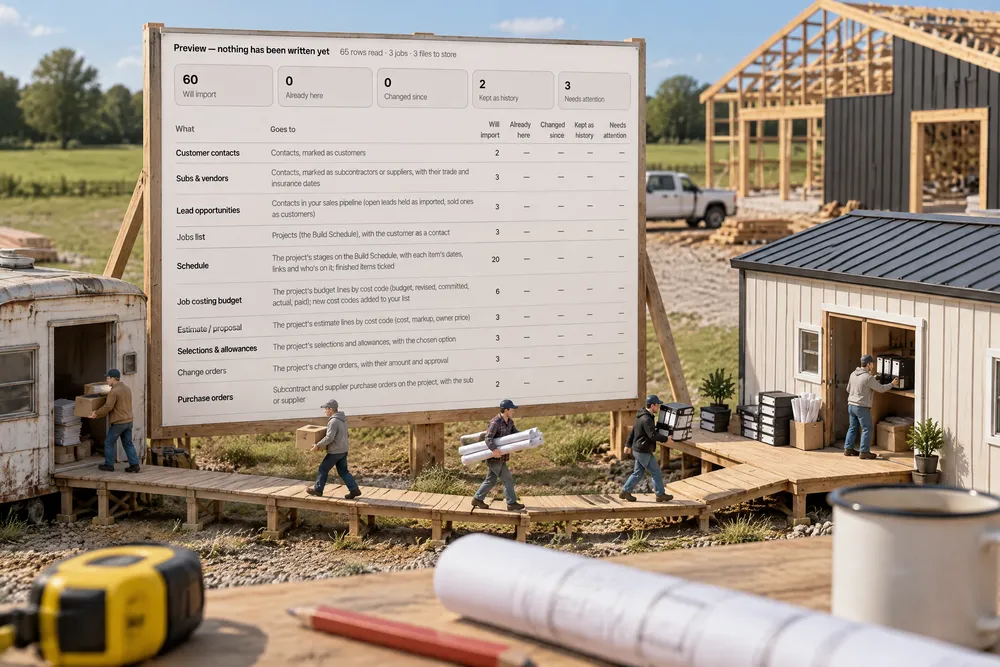
Can you export your data out of BuilderTrend?
Yes. BuilderTrend lets you export most grids to Excel — jobs, schedules, budgets, estimates, selections, change orders, bills, logs, contacts and more — with the columns as you've set them up. Ours reads every one of those exports by its column titles, previews what will come in, and imports jobs with their schedules, budgets and files, keeping each record tied to the row it came from.
- BuilderTrend's help says Export in the top right of any grid that supports it downloads an Excel document of that grid. Buildertrend — Setup & Customization FAQs ↗
- The Jobs List is described as a report view of multiple jobs that can be filtered, sorted and exported. Buildertrend — Glossary ↗
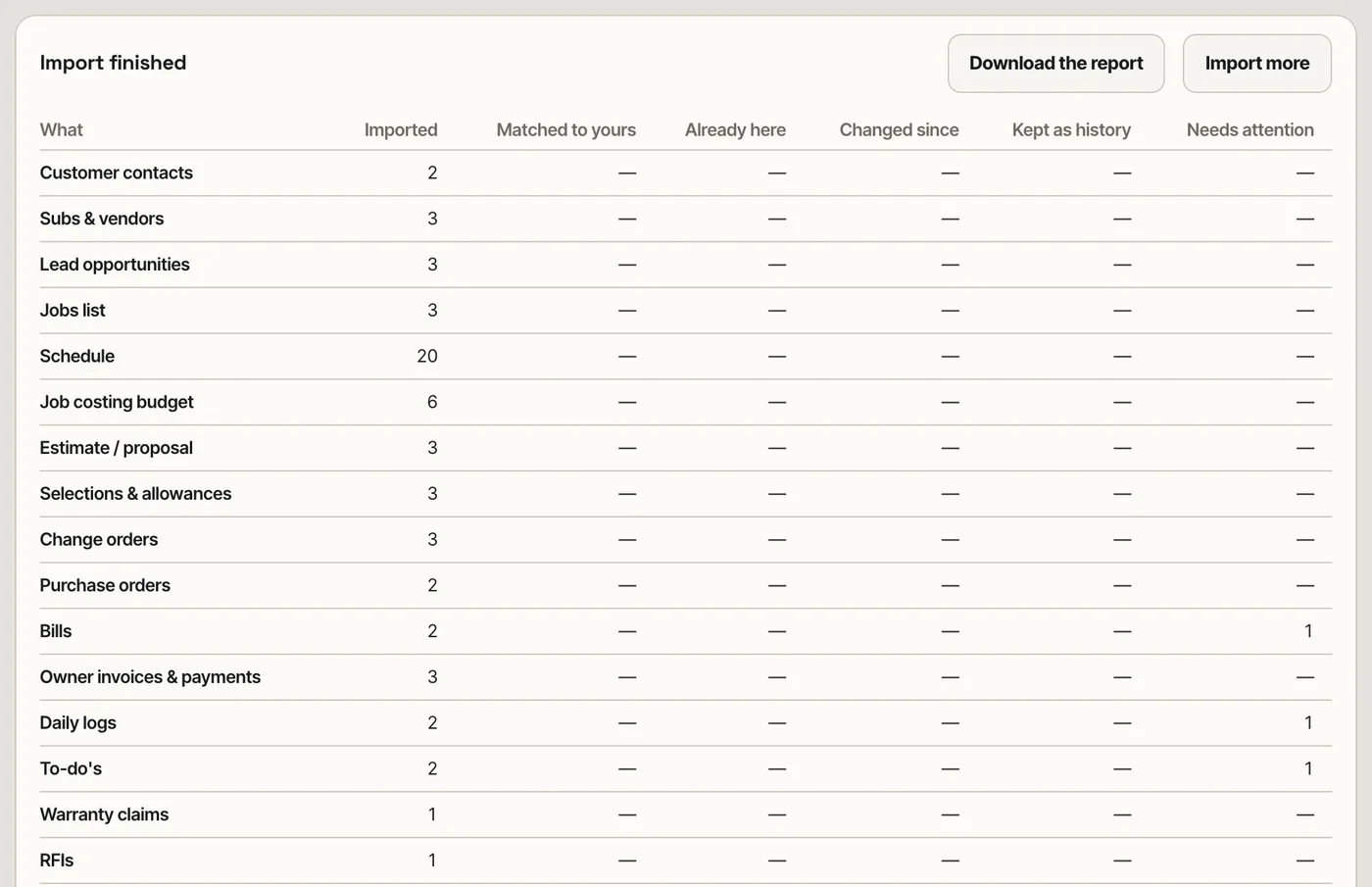
Settings → Import data takes every export BuilderTrend offers — 18 of them: jobs, schedule, job costing budget, estimate, selections, change orders, purchase orders, bills, owner invoices, daily logs, to-do's, warranty, RFIs, leads, customer contacts, subs and vendors, time clock and messages — plus zips, PDFs and photos. Each file is recognised by its column titles, the columns are mapped (and the mapping is saved for next time), and a preview shows what will come in from each file before anything is written. Import puts each record in its place: contacts, leads, jobs with their schedule as build stages (a job in progress lands in its current stage), budget and estimate lines, change orders, bills, logs and files under the job. Every record keeps where it came from — the file, the row and the original values — re-importing the same files never duplicates, and anything that can't be placed is kept as needs attention, never dropped. A report lists what came in, with a link to every job.
Also called: switch from BuilderTrend · BuilderTrend export · BuilderTrend migration · import BuilderTrend jobs · move from BuilderTrend · BuilderTrend alternative · import schedule from BuilderTrend · import job costing budget · data migration
Every export, recognised by its columns
Drop the files in — spreadsheets, CSVs, zips, PDFs, photos. Each spreadsheet is recognised by its column titles (Bills.csv → Bills, Job Costing Budget.xlsx → Job costing budget) and says how many of its fields it found; Columns lets you re-map any it missed, and the mapping is saved for the next export.
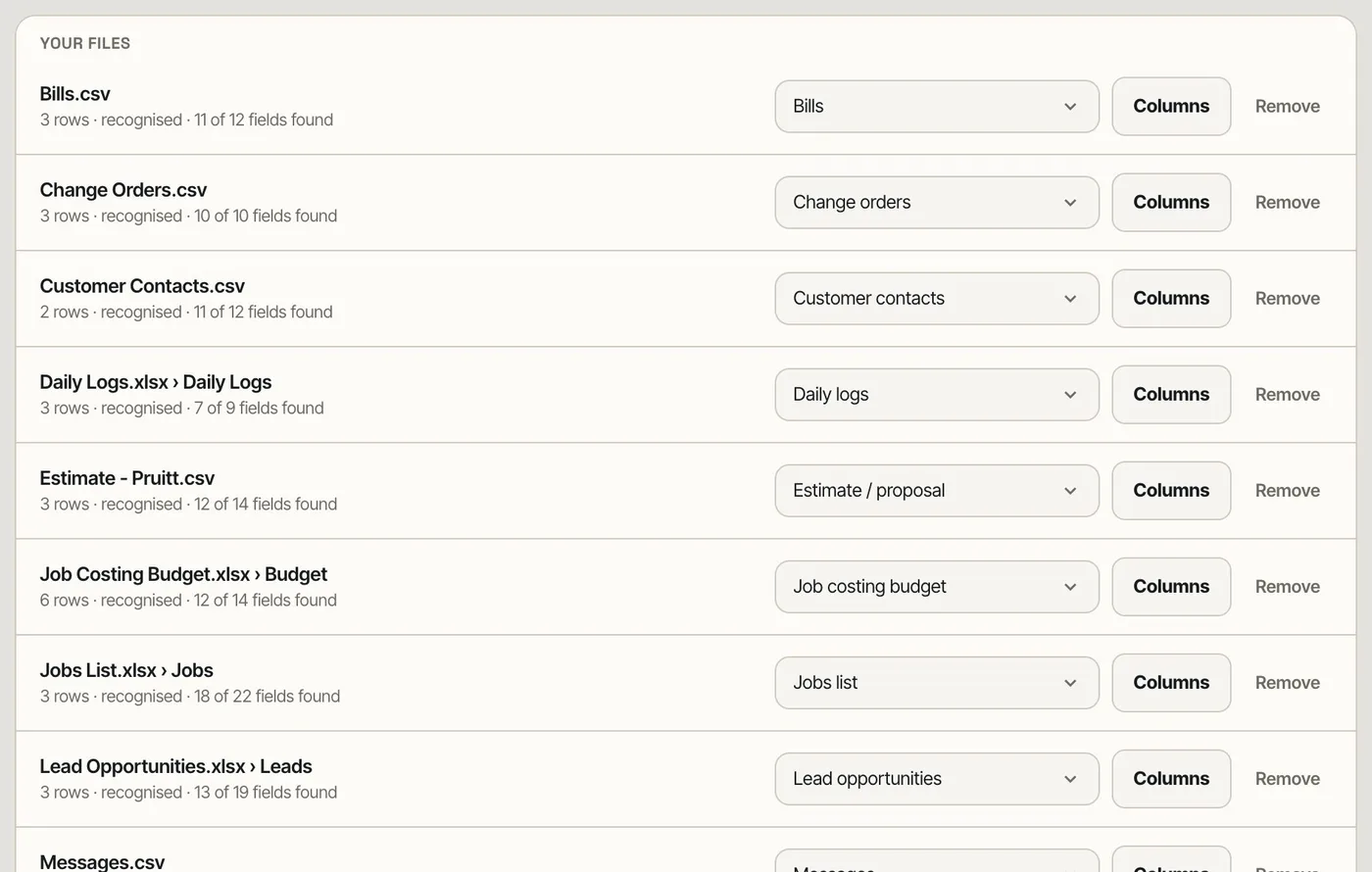
Importers that expect a fixed column order break on the first customised export.
BuilderTrend lets each builder show, hide and reorder columns, so the import reads titles, not positions.
Nothing is written until you've seen it
The preview says, file by file, what will be imported, what matches records you already have, what is already there or has changed since, and what needs attention — before you import anything.
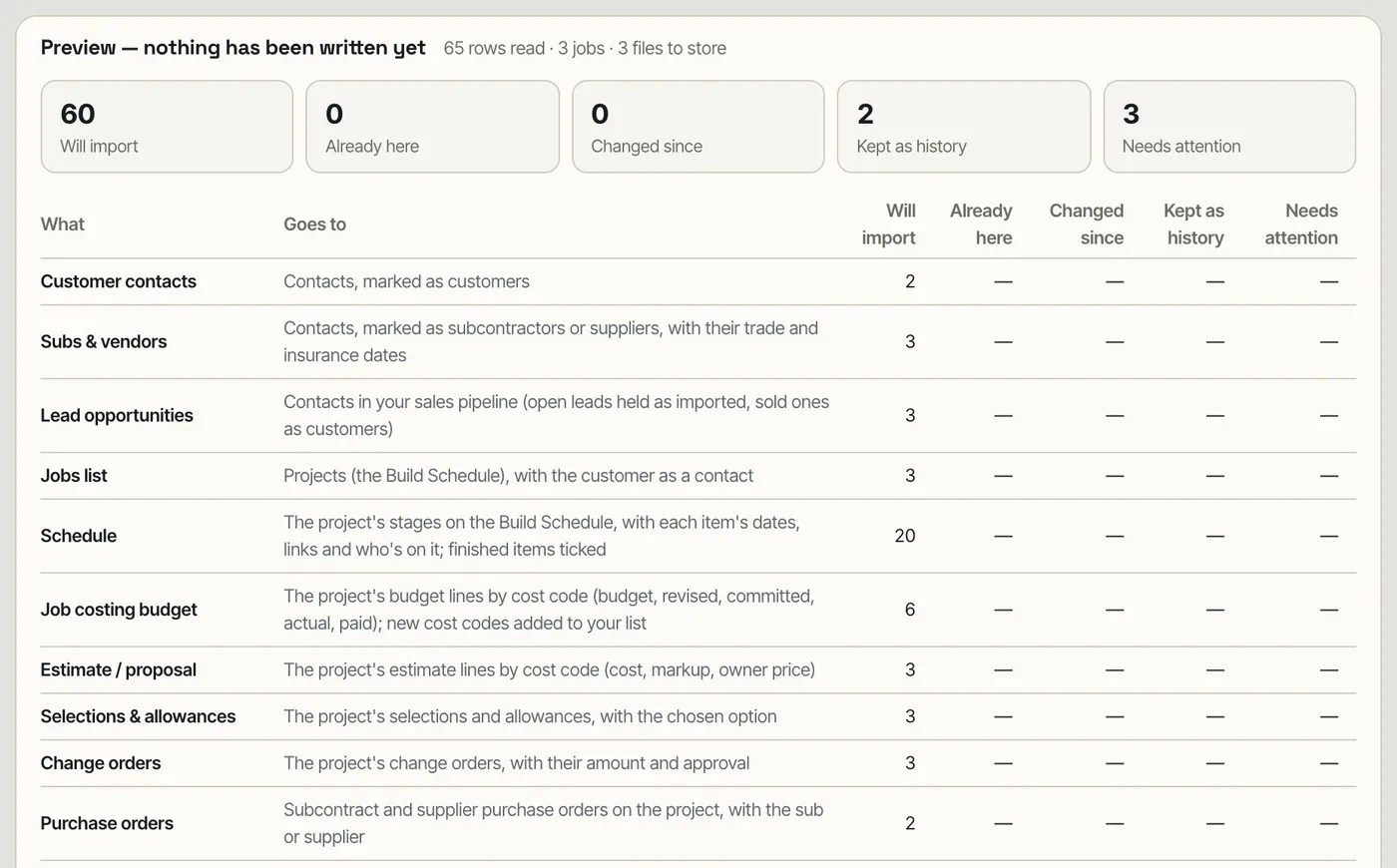
Imports that write first leave a mess to clean up when a column was mapped wrong.
A migration a builder can read before it runs is one he'll actually run.
Jobs arrive whole — schedule, budget and all
Each job comes in with its schedule items under their phases, its predecessors, its budget and estimate lines, change orders, bills, logs and files — and a job that's half built lands in the stage it's at.
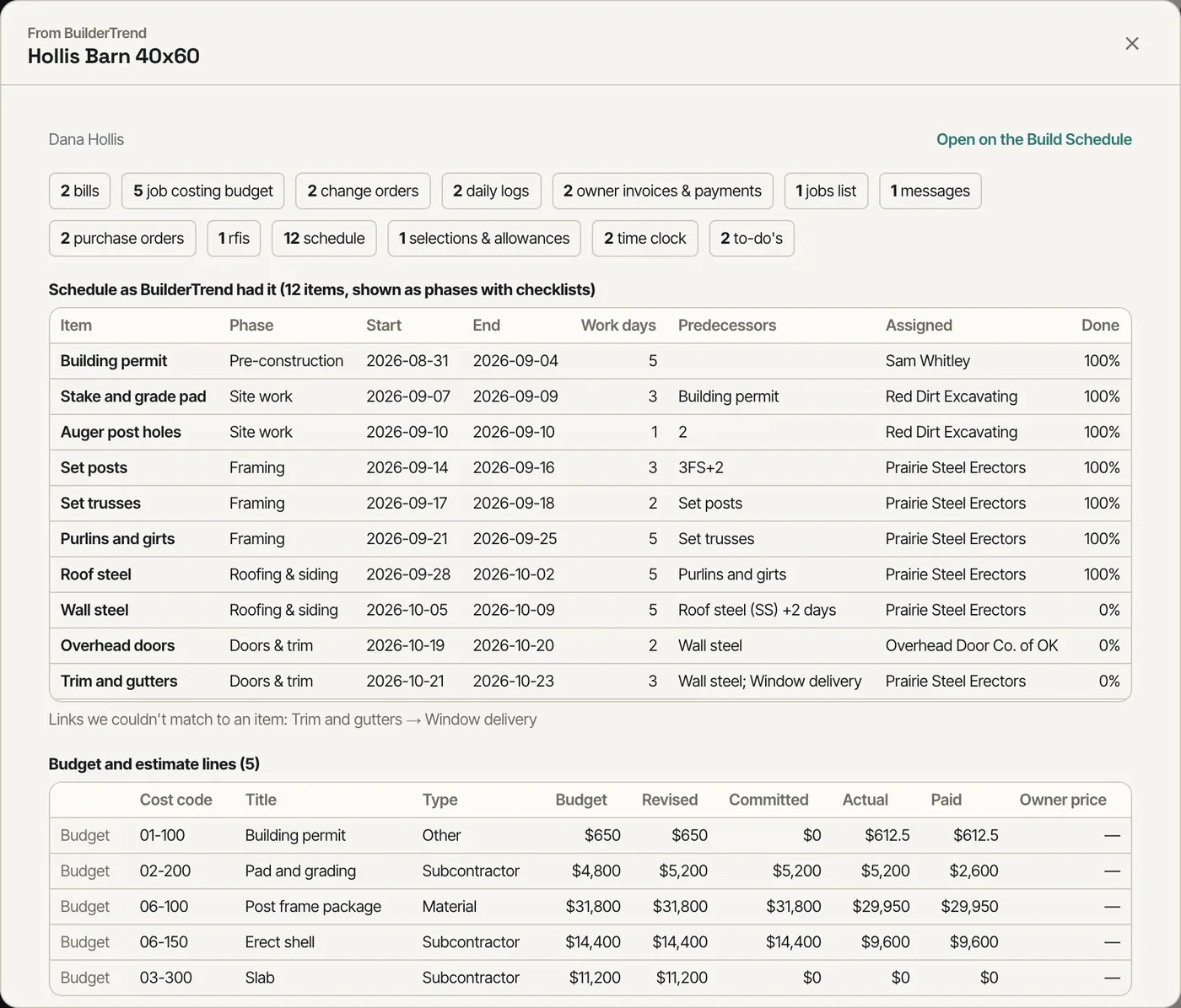
Moving a job in progress meant re-creating its schedule by hand.
The switch can happen mid-season, not after the last job closes.
A report, and a trail to every row
When it's done, the report lists what came in from each export and links to every job. Every record remembers its file, row and original values, so re-importing never duplicates and anything questionable can be traced back.
After a migration nobody could say where a number had come from.
A record you can trace back to its source is a record you can trust.
- 1Turn on Import from BuilderTrend in Settings → Beta features; Settings → Import data appears.
- 2Export from BuilderTrend — the import page lists What to export from BuilderTrend — and drop the files (or zips) in.
- 3Check each file's kind and its Columns; fix any column it didn't match.
- 4Read the preview: what each file will import, what matches records you already have, and each job's phase and progress.
- 5Import. The report shows what came in, with What came in on every job.
- 6Exported more later? Drop them in again — anything already imported is matched, not duplicated.
The cost of leaving one system for another is not the subscription — it's the years of jobs, schedules, budgets and conversations a builder can't afford to lose or re-type. A builder who can't see his BuilderTrend history in the new system keeps paying for the old one, and runs two. So the import takes everything BuilderTrend lets a builder export, shows what it will do before it does it, keeps a trail back to the original row, and lands jobs that are mid-build at the stage they're at — so a builder can switch on a date, not after the last job closes.
- Years of jobs and records left behind in the old system
- Paying for two systems while jobs finish
- Imports that write first and explain later
- Duplicate records from importing the same file twice
- Jobs in progress restarted at stage one